Explore top 10 tips to secure your open-source projects now. Read More
×


Security Vulnerabilities  security research open-source
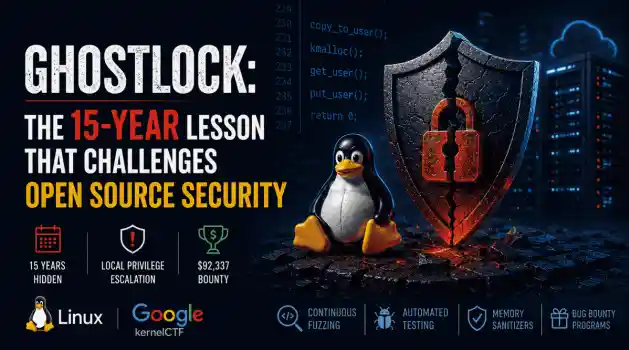
security research open-source When researchers announced GhostLock, many people focused on the exploit. What stood out to me wasn't just what the vulnerability could do, but how long it had remained hidden. The flaw had lived in the Linux kernel for roughly 15 years before it was publicly identified by researchers. That means the flaw survived hundreds of kernel releases and years of upstream development before it was publicly documented. It raises an uncomfortable question about one of open source's oldest assumptions....
 Jul 14, 2026

Network Securitynetwork protection system hardening
network protection system hardening Spin up a fresh Linux VPS with default settings and check /var/log/auth.log ninety seconds later. There will already be failed login attempts — not dozens, hundreds, sometimes before the deployment script has even finished running. . Automated bots scan the entire IPv4 address space non-stop, and port 22 with password authentication open is exactly what they're looking for. Most cloud providers have seen enough of this that a new instance gets its first probe within a minute of going live....
Jul 13, 2026
Security Vulnerabilities security advisory critical
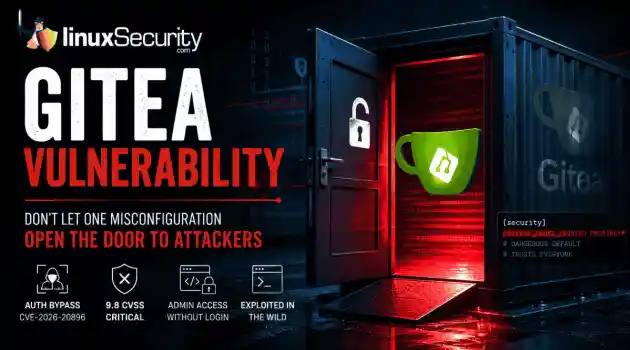
security advisory critical If you’re running Gitea in a container, stop what you’re doing and check your versioning right now. We’re looking at a critical vulnerability— CVE-2026-20896 —shipped directly in Gitea’s official Docker images. It’s a 9.8 CVSS-rated "open door" that lets any unauthenticated attacker stroll in and impersonate any user on your system, admin account included, without needing a password or a token. The reality? This isn't some complex, low-level kernel exploit. It’s a classic "secure-by-default"...
Jul 13, 2026

Desktop Securitynetwork security system hardening
network security system hardening There was a time when Linux meant server rooms and hobbyist forums. These days it's on regular laptops, and a big part of that is people getting fed up with commercial operating systems scraping their data, shipping telemetry nobody asked for, and boxing them into hardware ecosystems they can't opt out of. . None of that makes Linux immune to trouble though. Yes, it dodges most of the mainstream malware that everyone else deals with. But the software running on top, and honestly the person...
Jul 13, 2026

Network Securityprivilege escalation open-source
privilege escalation open-source There's a gap between what Linux systems log by default and what you actually need to detect a compromise. Most environments have logging active, which creates a sense of coverage that doesn't hold up under investigation. . When you start pulling logs after an incident, what you find is fragmented activity — a login here, a process there, but no clear narrative of how access was gained, what was executed, or how far the attacker moved. You piece together a timeline rather than reading one....
Jul 12, 2026
 Refine news
X Clear Filters
Get the latest News and Insights
Get the latest Linux and open source security news straight to your inbox.
Community Poll
Is continuous patching actually viable?
Loading...
Explore Latest Linux Security news
We found 9,995 articles for you...
74
 security advisoryUbuntuconfiguration issue
Linux Privilege Escalation from a Defensive Perspective: Sudoers and SUID Misconfigurations
Root access on a Linux system rarely arrives through a zero-day. . Honestly, it usually doesn't even arrive through something you'd consider clever. More often — and this shows up in post-incident report after post-incident report — an attacker gets a low-privilege foothold through a misconfigured web app or a reused credential, and then just... looks around. What they find is a sudoers entry that's been sitting untouched since the last sysadmin handed off the server. Or a SUID binary a developer set during a late-night deployment and forgot to mention. Neither makes it into a CVE database. Neither gets a patch advisory. They're just there, waiting for someone to notice them. The Sudoers File Doesn't Clean Itself The design intent behind sudoers is reasonable — give specific users specific elevated permissions without distributing actual root credentials. The gap between intent and reality is that entries get written fast, during deployments, when nobody has time to get the scope exactly right, and then they stay. Sysadmins change. The documentation doesn't. Nobody ever schedules an audit. The worst version is also probably the most common one to find in the wild: developer ALL=(ALL) NOPASSWD: ALL One line. Whoever gets that user account gets the system. No second factor, no password prompt, nothing: sudo bash The subtle version — the one that trips up more environments — is when an admin adds something like vim to sudoers thinking it's scoped and safe. It isn't: sudo vim -c '!bash' Root shell, three keystrokes. GTFOBins catalogs this exact escalation technique for hundreds of binaries — find, less, python, perl, awk, tar, nmap with --interactive , and on and on. Same pattern across all of them: the binary gets NOPASSWD access, nobody checks whether it can spawn a shell, and the entry stays in place indefinitely because nothing breaks and nobody touches it. The cp case is less intuitive but just as damaging, maybe more so because it feelsinnocuous. Copy access to /usr/bin/cp with elevated permissions means an attacker can overwrite /etc/sudoers directly, inject their own NOPASSWD entry, then run bash: cp /etc/sudoers /tmp/sudoers.bak echo "$(whoami) ALL=(ALL) NOPASSWD:ALL" > > /tmp/sudoers.bak cp /tmp/sudoers.bak /etc/sudoers sudo bash No exploit code. No CVE required. A misconfigured permissions entry and roughly two minutes. Two Sudo Vulnerabilities That Got Less Attention Than They Deserved In mid-2025 two vulnerabilities in sudo itself were disclosed — CVE-2025-32462 and CVE-2025-32463 — that made even correctly written sudoers configurations exploitable. Worth knowing about, because sudo doesn't get treated with the same patch urgency as web application CVEs, and production systems tend to lag on it for exactly that reason. CVE-2025-32463, the more severe of the two at CVSS 9.3, abused sudo's --chroot option: place a malicious nsswitch.conf in any user-controlled directory and sudo loads an attacker's shared library as root — before it gets around to checking permissions. The flaw was introduced in sudo 1.9.14 (June 2023) and went undetected for about two years before Stratascale's research team found it. CISA added it to the Known Exploited Vulnerabilities catalog in September 2025, months after the patch was already available. Both vulnerabilities were patched in sudo 1.9.17p1, released June 2025. The gap between "patch available" and "patch deployed" in production Ubuntu 22.04 environments stretched well into the second half of the year, because nobody was treating sudo updates as urgent. The lesson here isn't just "patch sudo" — though that's obviously necessary. It's that a correctly written sudoers file isn't sufficient protection when the underlying binary has an elevation flaw. Defense has to go deeper than configuration. SUID Binaries: Persistent, Overlooked, and Reliable SUID is a permission bit — makes a binary execute as its owner regardless of who actually invokes it. Ping,passwd, su, a handful of others all legitimately need it. The problem is when it ends up on things it shouldn't: internal scripts, test binaries, standard utilities that picked up the bit during a misconfigured install and never lost it because nobody was looking. Every attacker who lands a shell runs this immediately: find / -perm -4000 -type f 2> /dev/null Output goes straight to GTFOBins. The non-standard entries — anything outside the expected set of system binaries — are where the actual findings are. Custom internal binaries with SUID set are the first things to dig into. PATH hijacking is clean and reliable when a custom SUID binary calls system utilities without specifying absolute paths. A script that runs system("service restart") instead of system("/usr/sbin/service restart") is exploitable by anyone who can write to an earlier PATH directory: cd /tmp echo "/bin/bash" > service chmod +x service export PATH=/tmp:$PATH ./vulnerable-suid-binary Shell resolves service to the malicious binary, executes it with the SUID binary owner's effective UID. If that's root, escalation is complete — simple as that. Editors with SUID set are a separate category, not just escalation but immediate persistence. If /usr/bin/nano carries the bit, the attacker edits /etc/passwd directly: adds a root-level account with no password, change survives reboots, nothing suspicious in logs beyond a file modification timestamp. Tools like LinPEAS automate all of this — SUID binaries, sudoers entries, writable cron jobs, kernel version against known CVE databases — in a single run, under sixty seconds. What used to take an experienced attacker thirty minutes of manual enumeration is now a script. Defenders need to understand what that output surfaces and what order it prioritizes findings, because that's the actual methodology being applied on the other side. Fixing It Open /etc/sudoers with visudo and actually read through every entry. Any line granting NOPASSWD: ALL to a non-system user either has a documented justification or it gets removed — those are the only two acceptable outcomes. For every binary with NOPASSWD access, look it up on GTFOBins by name. If there's a documented escalation path, that entry is an open door and should be treated as such. Replace broad grants with precise ones. A user who needs to restart nginx gets exactly that: # Scoped to one service, one action — nothing broader username ALL=(root) NOPASSWD: /usr/bin/systemctl restart nginx Not /usr/bin/systemctl . Definitely not ALL . For SUID, the approach that actually works is establishing a baseline on a known-good system and comparing against it: find / -perm -4000 -type f 2> /dev/null > /root/suid-baseline.txt Store that file somewhere reliable and run comparisons after deployments and package updates. Any new SUID binary outside a planned package install gets investigated. Anything that shouldn't carry the bit gets stripped: chmod u-s /path/to/binary Internal scripts should never have SUID set. Development environments sometimes add it for convenience — that needs to come off before anything reaches production, full stop. Monitoring matters too, and it's worth doing properly rather than just adding a single auditd rule and calling it covered. A useful starting set watches for sudo execution, SUID-related syscalls, and writes to sensitive files that privilege escalation techniques commonly target: # Flag all sudo invocations auditctl -a always,exit -F arch=b64 -S execve -F path=/usr/bin/sudo -k sudo_exec # Flag setuid/setgid syscalls — catches SUID abuse attempts auditctl -a always,exit -F arch=b64 -S setuid -S setgid -k priv_escalation # Flag writes to sudoers and sensitive auth files auditctl -w /etc/sudoers -p wa -k sudoers_change auditctl -w /etc/sudoers.d/ -p wa -k sudoers_change auditctl -w /etc/passwd -p wa -k passwd_change auditctl -w /etc/shadow -p wa -k shadow_change Once you have events, ausearch and aureport are how you actually work with the data rather than grepping raw logs: # Show all sudo-related events in the last hour ausearch -k sudo_exec --start recent # Show all sudoers file modifications ausearch -k sudoers_change # Summary report of privilege-related events by user aureport --auth --summary Parent-child process relationships are the real signal to watch. apache2 → sudo → bash is not a logging anomaly — it's a kill chain in progress. The SUID baseline comparison mentioned above pairs naturally with inotifywait for real-time alerting on new SUID files: inotifywait -m -r -e attrib /usr/bin /usr/local/bin /usr/sbin 2> /dev/null | \ grep --line-buffered "ATTRIB" | while read line; do echo "[ALERT] Attribute change detected: $line" | logger -t suid_monitor done Run that as a service, and any new SUID bit set outside of a package manager operation generates a log entry immediately. SELinux and AppArmor work alongside all of this — they constrain what a process can do even after it reaches root, containing the blast radius of a successful escalation even when prevention fails. And keep sudo patched — CVE-2025-32463 was in CISA's KEV catalog months after the patch was available, which tells you exactly how many production systems were sitting exposed throughout 2025. The kernel headlines this year — Copy Fail, Fragnesia, Dirty Frag — have most security teams focused on patches and module blacklists. That's reasonable. But those same teams often have sudoers entries that predate everyone currently on staff, and SUID binaries in /usr/local/bin that nobody can account for. Kernel CVEs get CVE numbers and CISA advisories. Misconfigured sudoers entries don't. That asymmetry in attention is precisely why they keep working year after year. Enumeration tools don't organize findings by category. LinPEAS flags the NOPASSWD entry and the unpatched kernel in the same output, same color coding, same priority. One of them usuallycomes first. . Explore misconfigurations in sudoers and SUID handling that lead to privilege escalation risks in Ubuntu systems.. Sudo Configurations, SUID Permissions, Privilege Escalation. . Andrew Kowal
 Jul 10, 2026
•
Jul 10, 2026
• Network Security
210
 open-sourcedependency managementsecurity threat
Malicious Go Modules: Securing Your Linux Build Pipeline
Every Linux developer who works with Go has run the same workflow a thousand times. You find a library that solves your problem, you see a decent star count on GitHub, and you run go get. It is frictionless and efficient. Lately, however, it is becoming one of the most effective ways for an attacker to get code running on your build servers. The recent "Operation Muck and Load" campaign is a perfect example of why this workflow is risky. Researchers uncovered over 200 GitHub repositories distributing malicious Go modules . These were not exploiting a vulnerability in the Go compiler or a bug in a specific package. They were exploiting the assumption that anything hosted on GitHub deserves the benefit of the doubt. . How Attackers Turn GitHub Into a Delivery Platform The attack starts long before any malware is downloaded. Attackers first publish a Go module that looks like something you would genuinely use. The repository has a believable name, a polished README, and enough commit history to suggest an active project. Much of that activity is manufactured through commit farming, giving the impression that multiple developers have been maintaining the code over time. Once a developer imports the module, the real attack begins. Hidden inside the package is obfuscated code that launches PowerShell rather than simply performing its advertised function. Instead of connecting directly to a command-and-control server—which would be easy for security teams to block via firewall rules—the script first checks a public "dead drop" page that stores the current server location. This technique, classified by MITRE as a Dead Drop Resolver , lets the attackers change infrastructure whenever they want without modifying the malware itself. Only after resolving that address does the downloader retrieve the final payload, such as a Remote Access Trojan. Supply chain attacks are difficult to detect because nothing initially looks broken. The build succeeds, the application runs, and developers move on.By the time suspicious behavior appears, the malicious dependency may already be embedded across multiple projects. Why Your Linux Build Pipeline Is at Risk It is easy to look at a Windows-based RAT and assume your Linux servers are safe. Do not be that confident. Shared Infrastructure: If your CI/CD runner is configured to compile artifacts for both Linux and Windows, that runner is now compromised. Trusting the Proxy: Many developers rely on the default GOPROXY . While this protects you from repositories disappearing, it does not verify that the code within those modules is benign. Developer Workstations: Most of us use Linux as our primary workstation. If you import a malicious module, your local GOPATH is exposed, and any environment variables or credentials cached on your machine are fair game. Auditing and Verifying Your Dependencies Go provides several tools to help you keep an eye on your dependencies. If you are not using them, you are flying blind. 1. Start with go mod verify The go mod verify command checks that the dependencies in your local cache have not been modified since they were downloaded. If a local file has been tampered with, this command will immediately flag it. 2. Inspect with go list Before you add a module, see what it’s actually pulling in. Use go list -m all to get a full tree of your project's dependencies. If you are importing a simple logging tool and it suddenly pulls in 50 sub-dependencies you’ve never heard of, that is a massive red flag. 3. Manage your Proxy In enterprise environments, do not just rely on public proxies. Consider using an internal GOPROXY or an artifact repository that caches and scans modules. This gives you a single choke point where you can enforce security policies and conduct vulnerability scans before code ever reaches your build pipeline. 4. Leverage Build-Time Monitoring If your build process is suddenly reaching out to the internet to fetch "resolver" content from randompublic websites, your security team needs to know. Monitor your CI/CD runners for unexpected outbound network traffic during the go build phase. Legitimate builds should talk to known proxies or git servers, not random public dead drops. Don't Let Your Build Process Be Your Weak Link Go's module ecosystem is not broken, but blind trust is. The repositories in Operation Muck and Load did not exploit a flaw in the language; they exploited the assumption that anything hosted on GitHub deserves the benefit of the doubt. Before adding a new dependency, spend a minute looking at who maintains it, how the project history has evolved, and what your build process is actually downloading. Verify your hashes, pin your versions, and keep an eye on your outbound traffic. That is often enough to avoid becoming the next victim of a supply chain attack. . Learn how to secure your Linux build pipeline from malicious Go modules exploiting trust in GitHub repos.. Go modules security, Linux build risks, dependency management, supply chain threats. . MaK Ulac
Jul 10, 2026
•
Security Vulnerabilities

210
 security advisoryunauthorized accessLinux security
GhostApproval: Why Linux Developers Should Audit AI Coding Assistant Permissions
AI coding assistants have become a staple in many Linux developers' daily workflows. Whether you're generating boilerplate, refactoring code, or updating configuration files, it's easy to assume these tools stay safely inside your project directory. . Researchers recently pulled the curtain back on a threat they’ve dubbed " GhostApproval ." It’s a direct hit to the way we use tools like Cursor, Amazon Q, and Claude Code. They found these assistants have a dangerous blind spot: they can be tricked into modifying files outside of your project's sandbox. By hiding a simple, booby-trapped symbolic link in a code repository, an attacker can manipulate these assistants into editing sensitive system files instead of the project files you’re actually working on. Even worse, the confirmation prompts these tools show often hide the true destination of the change, making it look like you’re approving a harmless update when you’re actually handing over the keys to your system. It’s a classic trust boundary collapse, turning our favorite productivity boosters into high-speed conduits for unauthorized access. How the "Symlink Bypass" Exploit Actually Works At its core, this vulnerability is what we call a "symlink bypass." In Linux, a symbolic link—or symlink —is essentially a shortcut pointing to another spot on your hard drive. When you use an AI coding assistant, you naturally assume it’s playing by the rules and staying inside the "sandbox" of your current project folder. The security gap here is that many of these AI agents don’t bother to verify if a file is a legitimate file or just a shortcut before they start writing to it. If the tool skips that check, it will blindly follow the link wherever it goes. Quick Check: Is This File Really Inside Your Project? Before approving AI-generated file changes, verify the path: ls -l filename (Check if it points to a target) Readlink filename (See exactly where it points) Realpath filename (Confirm the fully resolvedpath is within your project) The attack itself is surprisingly straightforward: an attacker slips a seemingly harmless file, like config.json, into a repository, but turns it into a secret bridge pointing to a sensitive target, like your ~/.ssh/authorized_keys file. When you ask the AI to "update the config," it triggers a standard system call to write to that file. Because Linux is built to resolve these shortcuts automatically at the kernel level, it silently redirects the AI’s action straight to your SSH keys. Since the AI is running under your own user permissions, it has full authority to overwrite those files—and just like that, the attacker has effectively cracked open a back door to your machine without you ever suspecting a thing. Why This Matters for Linux Security At its core, this vulnerability punches a hole in the "human-in-the-loop" security model that we Linux admins have relied on for decades. We’re used to trusting our own oversight, but the breakdown here is all about trust boundaries. These AI assistants rely on us to vet every change, but when the UI shows you a harmless-looking project file while the OS is secretly hammering a sensitive system file, you aren't actually making an informed choice. You’re just rubber-stamping an action that’s hidden in plain sight. What makes this even more devious is that it’s not "malware" in the traditional sense, so your antivirus isn't going to have a heart attack. Instead, it’s a masterclass in " Living-off-the-Land ." The AI is performing perfectly normal, expected system calls—the same stuff your build tools do every day. Because it’s using your own trusted environment against you, it slips right past standard defenses. Since the system sees every move as an authorized action coming from you , it’s incredibly difficult to spot the foul play until the attacker has already gained a permanent foothold. Where Linux Users Are Most at Risk You are at a much higher risk if you frequently clone and run"AI-assisted" setups from untrusted or third-party repositories, particularly in the following environments: Cloud-based development environments: Where agents may have broad access to home directories and environment variables. Shared CI/CD build nodes: Where automated refactoring tools run without constant human oversight. Local Linux workstations: Where developers use AI agents to manage system-level configuration files or sensitive dotfiles. Sensitive Target Files: Keep a close eye on files that grant persistence or command execution, specifically ~/.ssh/authorized_keys, ~/.bashrc, ~/.profile, and core application configurations in ~/.config/. Staying Secure: Practical Defensive Steps If your team is using AI coding assistants, it’s time to stop treating them like basic text editors. You need to start viewing these tools as high-risk, privileged processes. Here is how you can lock down your environment: Audit Tool Permissions: Dig into your assistant’s documentation to see if it has access to your entire file system. If it does, do your best to restrict its scope strictly to your project folders. Don't Just "Rubber Stamp": Never blindly approve a diff from an AI. Take a second to use the command-line tools we covered to verify the actual file path before you give the agent the green light to modify anything. Tighten Path Resolution: If you’re writing scripts that handle files provided by others, always use realpath to double-check that the file is exactly where you think it is before your script touches it. Keep an Eye on System Calls: Consider setting up eBPF-based monitoring (like bpftrace ) to alert you if something tries to write to sensitive areas like your SSH keys or .bashrc. Run Agents with Low Privilege: Never run your development AI agent as a user with broad sudo access. Create a dedicated, low-privilege service account specifically for your development work—it’s the best way to minimize the "blast radius" if something goes wrong. At the end of the day, GhostApproval isn't exploiting a bug in the Linux kernel; it's exploiting the blind trust we put in the relationship between AI tools, our file systems, and our own approval processes. As AI becomes more deeply woven into our daily workflows, verifying what the AI is changing is just as important as reviewing the code it generates. As a Linux professional, how does the integration of AI-assisted tools into your current CI/CD pipeline change how you approach system-level auditing and access control? . Explore GhostApproval and how Linux developers can address AI coding assistant permission risks to enhance system security.. AI coding assistant permissions, GhostApproval vulnerability, Linux security practices, symlink dangers, unauthorized access management. . MaK Ulac
Jul 09, 2026
•
Security Vulnerabilities
74
 network securityfirewall managementapplication layer
Locking Down Linux Network Security with Private Routing Techniques
Linux runs a huge portion of today's infrastructure because it gives administrators an unusual amount of control over the system. That control extends to networking, where almost every aspect of packet flow, routing, filtering, and interface behavior can be customized. The trade-off is that very little of that hardening happens automatically. A fresh installation is usually built to communicate, not to isolate. . As environments grow, servers start exchanging data with monitoring platforms, storage systems, container hosts, cloud services, and internal applications. Some of those connections are intentional. Others remain long after the service that required them has disappeared. Private routing brings that communication back under control by defining where traffic is allowed to move instead of assuming every system should be able to reach every other system. Securing Administrative Access and Digital Identities Many network incidents don't begin with a firewall failure. They begin with an administrator losing control of the account that manages the environment. It's common for cloud consoles, DNS providers, monitoring platforms, backup services, and virtualization dashboards to share the same administrative email address. That account receives alerts, approves authentication requests, resets passwords, and often becomes the recovery path for everything else. If someone gains access to it, they may never need to attack the network directly. That's why identity should be addressed before touching routing tables or firewall policies. If there is any reason to believe those credentials have been exposed, take the time to reset your Google password or secure whichever primary administrative account your infrastructure depends on. Recovering those identities first keeps infrastructure alerts, password recovery requests, and management portals under your control while the rest of the environment is being reviewed. Once that's done, changes to routing and segmentation become much easier to trustbecause the accounts responsible for managing them haven't been left as an open question. Mitigating Application Layer Vulnerabilities Not every server deserves the same level of trust, even if they're running on the same network. Media processing systems are a good example. They often accept files from outside users, perform complex decoding operations, and rely on large third-party libraries that receive regular security updates. Recent disclosures involving ffmpeg reminded administrators how quickly a flaw in widely deployed software can become a much larger operational problem when that application sits beside more sensitive systems. Network segmentation changes the outcome. A vulnerable media server may still require patching, but it doesn't need unrestricted access to internal databases, authentication services, or file storage. Restricting communication to specific destinations keeps each workload focused on its own responsibilities. If one application behaves unexpectedly, the rest of the environment isn't automatically exposed simply because every route was left open. Patching the Core Operating System Firewall rules have one important assumption built into them. The operating system enforcing those rules is still trustworthy. Once root access is obtained, that assumption disappears. Routing tables can be rewritten, forwarding rules adjusted, firewall policies removed, and network activity hidden without changing the overall architecture. From the outside, the environment may still appear properly segmented while the host itself has already stopped enforcing those controls. That is one reason kernel updates deserve the same attention as firewall maintenance. Security researchers continue to uncover vulnerabilities that remained unnoticed for years, including a recently disclosed root-level issue that had existed for nearly a decade before administrators were advised to prioritize patching. Keeping Linux systems current isn't separate from network hardening. It's part of thesame effort because every routing decision ultimately depends on the operating system applying it correctly. Implementing Effective Private Routing Rules Open a firewall that's been running for several years, and the rule set often tells a story. Temporary exceptions become permanent. Test environments survive long after the project ends. Legacy services keep old ports open because nobody wants to remove something that might still be needed. Eventually, the firewall reflects years of operational history instead of the network that exists today. A default-deny policy forces that conversation back into the open. Using tools such as iptables, nftables , or UFW , administrators explicitly define the traffic that belongs while everything else remains blocked. That approach usually produces smaller, easier-to-audit rule sets because every allowed connection has an identifiable purpose. The same thinking applies to NAT and IP forwarding. Internal addresses should stay internal whenever possible, and administrative access is generally easier to monitor when it passes through a dedicated bastion host or jump server instead of exposing multiple management interfaces directly to the internet. Fewer entry points also make it much harder for external scanners to build an accurate picture of the network. Addressing Industry Standards and Compliance Compliance requirements tend to expose network designs that grew without much planning. During an audit, it's difficult to justify why a public web server can freely communicate with systems storing payment information or customer records if that connection serves no operational purpose. Questions like that often reveal routing decisions that were made years earlier and never revisited. Most regulatory frameworks expect sensitive workloads to be separated from internet-facing services through logical or physical segmentation. Private routing supports that separation by making communication predictable and intentional. Instead of relying on assumptionsabout how systems should behave, administrators can demonstrate exactly which connections exist and why they're allowed. That level of visibility helps during audits, but it also makes day-to-day administration much less complicated because unexpected traffic stands out instead of blending into everything else. Sustaining Network Integrity Over Time Networks rarely become less complicated on their own. New applications appear. Old servers stay online longer than expected. Teams add temporary firewall rules during deployments, migrations, or troubleshooting sessions, and many of those changes quietly survive well past their original purpose. None of that happens overnight, which is why gradual configuration drift is so easy to miss. Keeping private routing effective is mostly a matter of paying attention to those small changes before they accumulate. Reviewing firewall rules, checking routing policies, monitoring network logs, and removing access that no longer serves a purpose all contribute to a cleaner environment. The goal isn't to rebuild the network every few months. It's to make sure the documented design still matches what the infrastructure is actually doing. A well-segmented Linux network isn't defined by having the most firewall rules or the most restrictive configuration. It's defined by clarity. Administrators know which systems should communicate, which ones shouldn't, and the routing policies reflect those decisions instead of years of forgotten exceptions. That makes the environment easier to operate, easier to troubleshoot, and considerably easier to trust as it continues to grow. . Discover how to harden your Linux network by implementing private routing, managing traffic, and securing digital identities.. Linux network management, private routing, firewall best practices, application layer security, infrastructure protection. . Anthony Pell
Jul 08, 2026
•
Network Security
210
 security advisoryauthenticationopenssh
The Hidden Cost of Enterprise SSH Authentication
We often view OpenSSH security updates through the lens of standard patch management. When a new CVE hits, we scramble to update, check our versions, and return to business as usual. But recent vulnerabilities tied to distribution-added OpenSSH GSSAPI patches are a reminder that the danger doesn't always lie in the core code; it often resides in the "convenience" features we layer on top. . These recent issues shouldn't just trigger an apt upgrade or dnf update; they should trigger a configuration audit. As our infrastructure has grown more complex, we have enabled features like GSSAPI—designed to simplify enterprise management—that have quietly expanded our attack surface in ways that standard hardening guides rarely address. Why Enterprises Enable GSSAPI SSH keys work well until your environment starts growing. A handful of Linux servers is easy enough to manage, but hundreds or thousands are a different story. Keys need to be rotated, access needs to be revoked when employees leave, and every new system has to be brought into the process. That's where GSSAPI comes in. Organizations already using Kerberos can let users authenticate with their existing domain credentials instead of distributing and maintaining SSH keys on every server. For many enterprises, that's a practical decision rather than a security decision. The catch is that SSH is no longer handling a relatively simple login. It now has to work with Kerberos tickets and the software that supports them. Recent GSSAPI-related vulnerabilities are a reminder that every additional authentication feature adds more code that has to process data before a session is established. That doesn't mean GSSAPI is unsafe. It means features that make administration easier also deserve the same level of review as the rest of your SSH configuration. There's another detail that's easy to miss. Many Linux distributions ship OpenSSH with downstream patches to support enterprise environments. Those additions aren't part of the upstream OpenSSHcode maintained by the OpenBSD project, so administrators should pay attention to distribution-specific security advisories rather than assuming every OpenSSH issue affects every system the same way. Why "More Secure" Isn't "Less Risky" The core insight here is that complexity is the enemy of security. We implement GSSAPI to avoid the human-centric failure of weak passwords, but we trade that for the system-centric failure of a complex, high-privilege service boundary. If your environment doesn’t require SSO via Kerberos, you are paying a security tax for a convenience you aren't actually using. Even if you do require it, you need to treat the GSSAPI configuration with the same level of paranoia you apply to your authorized_keys files. The Audit: What Should You Be Looking For? If you are running an enterprise Linux fleet, the recent OpenSSH updates serve as a forcing function to look beyond the patch. Ask yourself the following: Is GSSAPI actually necessary? For most standalone servers or small, static clusters, the answer is usually no. If you aren't actively using Kerberos for SSH authentication, explicitly set GSSAPIAuthentication no in your sshd_config. Are your "Forwarding" features justified? Features like GSSAPIDelegateCredentials no, AllowAgentForwarding no, and AllowTcpForwarding no are often left enabled by default out of habit. These provide lateral movement pathways for attackers who compromise an initial jump host. Is your authentication boundary siloed? In a modern "Zero Trust" architecture, we aim to minimize the trust we place in the server itself. Are you relying on the server to validate complex Kerberos tokens, or are you moving toward ephemeral, centrally signed SSH certificates? The Takeaway The latest OpenSSH updates are not just another entry in your vulnerability management dashboard—they are a critique of our collective preference for "easy" enterprise configuration. When you see a GSSAPI-related vulnerability in a changelog,don't just patch. Re-evaluate. Every feature you enable in sshd_config is an intentional decision to expand the scope of what an attacker can target. Before you restart that service, ask yourself: Am I configuring this for security, or am I just configuring it for convenience? Want more Linux security news, vulnerability analysis, and software supply chain updates? Subscribe to the LinuxSecurity Newsletter and get the latest threats, advisories, and expert insights delivered directly to your inbox. Related Reading How to Harden SSH on Linux After Disabling Password Authentication How to Detect Unauthorized SSH Key Usage on Linux Systems . OpenSSH updates highlight the importance of thorough configuration audits over standard patching practices.. OpenSSH updates, enterprise SSH risk management, GSSAPI configuration issues. . MaK Ulac
Jul 06, 2026
•
Security Vulnerabilities
209
 privilege escalationLinux securityvulnerability prioritization
How Linux Security Teams Can Prioritize Real-World Attack Paths and Reduce Alert Fatigue
Linux security teams are drowning. Patches, kernel updates, new CVEs every week. SSH exposed here, an old web service there, and a forgotten cron job running as root. On top of that, SIEM dashboards blink all day with alerts that all claim to be “high priority.” . It’s no surprise that people stop paying attention. The real problem isn’t a lack of data. It’s the opposite. Too much noise, not enough signal. Security teams see huge lists of vulnerabilities and thousands of alerts, but very little context about which ones actually matter for how an attacker would move through their Linux environment. The limits of counting vulnerabilities Most Linux environments today are judged by numbers. How many critical CVEs are open? How many high alerts did the SOC see yesterday? How many hosts are unpatched? Those metrics look good on a status slide, but they don’t tell you how close you are to a real compromise. A kernel vulnerability on an isolated lab box is not the same as a weak SSH configuration on an internet-facing bastion host. A missing patch on a backup server with no network access is not equal to a sudo misconfiguration on a server where every engineer logs in daily. Traditional vulnerability management tools usually treat them the same. They assign a score, drop it on a dashboard, and call it a day. Linux administrators then stare at pages of CVEs with vague descriptions and generic “apply patch” advice. It’s not that they don’t want to fix things. It’s that they can’t do everything, and the tools rarely tell them what they can safely ignore. Alert fatigue in Linux environments Alerts add another layer of pressure. IDS, EDR, log monitoring, file integrity checks, container security tools—they all generate events. A suspicious process here. A permission change there. An unusual SSH login pattern. Each rule is well-intentioned. Together, they become exhausting. Security engineers start to recognize patterns: the same noisy rule firing over and over,the same false positives from a backup job or a deployment script. After enough of that, people click “acknowledge” without digging in. Not because they’re careless. Because they’re overloaded. It's not just anecdotal. Recent research on SOC alert overload found that the volume and complexity of alerts have grown faster than most teams' ability to triage them. Alert fatigue is what happens when the team’s attention becomes a scarce resource. The more you burn it on low-value alerts, the less you have left for the one alert that actually signals an attack in progress. Shifting the focus: attack paths, not item counts The shift that’s happening in better-run Linux security programs is simple in concept: Stop treating vulnerabilities and alerts as individual items. Start treating them as parts of attack paths. Attackers don’t care about your entire CVE list. They care about chains. A weak external entry point. A misconfiguration that allows lateral movement. A privilege escalation that gives them root. A gap in monitoring that lets them stay quiet. That’s why attack surface visibility matters so much. Teams need a clear view of: Which Linux systems are exposed to the internet Which services and ports are open, and to whom Which identities can access which hosts Where sensitive data and critical workloads actually live Once you see the environment this way, a vulnerability is no longer just “critical.” It’s “critical on a public-facing server that has direct SSH access to our production database subnet.” That’s a different level of urgency. Prioritizing vulnerabilities in context On a practical level, Linux security teams can start by asking a few questions for each issue: Is this system reachable from the internet or from less-trusted networks? If exploited, does it help an attacker escalate privileges or move laterally? Does it expose credentials, secrets, or control over important services? Is this weakness part of a chainwe’ve already seen in real-world attacks? A local privilege escalation bug on a developer workstation running Linux might be important, but not nearly as urgent as a misconfigured sudoers file on a jump host used for production access. A medium-severity bug in an exposed SSH service with weak auth can be more dangerous than a “critical” bug buried behind multiple layers of segmentation. This is where concepts like continuous threat exposure management (ctem) come in. Instead of just counting issues, organizations try to understand how those issues connect, which ones create realistic attack paths, and how those paths change over time as systems are added, removed, or reconfigured. Privilege escalation and configuration weaknesses Linux gives a lot of power to configuration files. That’s both a strength and a risk. A single line in /etc/sudoers can decide whether a compromised user account turns into full root control. A world-writable script triggered by a cron job can hand over system-level access. An NFS export with the wrong settings can quietly bypass permissions you thought were enforced. These don’t always show up as flashy CVEs. They look like small misconfigurations. But in real incidents, these are often the steps attackers rely on after initial access. These common Linux privilege escalation patterns tend to repeat across environments, which is exactly why they're so easy to overlook. Prioritization here means treating privilege escalation risks as first-class citizens. That includes: Reviewing sudo rules and removing unnecessary privileges Locking down service accounts and automation scripts Tightening file permissions on scripts, configs, and logs Watching for setuid binaries and unusual capabilities Exposed services and attack surface Linux servers tend to accumulate services over time. Old admin tools. Forgotten testing daemons. Temporary debug ports that never got closed. From an attacker’s perspective, every listening service isan opportunity. Even if the version is fully patched, it may leak information, offer brute-force access, or serve as a foothold for future misconfigurations. Regular mapping of exposed services internally and externally is crucial. Not just listing ports, but also understanding business impact: What happens if this service is compromised? Does it sit in front of sensitive data or critical operations? Who really needs access to it? Again, the goal is to see where a real-world attack would likely begin, not to chase every open port with equal urgency. Continuous validation, not one-time cleanup The Linux landscape inside most organizations is not static. New containers spin up. New VMs appear. Engineers experiment, deploy, retire, and repurpose systems. One-time cleanups help, but they don’t last. The only sustainable approach is continuous validation of your controls. This shift toward validating exposures on an ongoing basis is becoming the norm for security teams who've outgrown periodic scans: Regularly simulate attack paths or run adversary-style tests Verify that segmentation actually blocks the movement you expect Check that logging, detection, and response playbooks work in practice Confirm that newly deployed Linux systems inherit hardened baselines This is where many teams are moving beyond traditional vulnerability scanning. They want a feedback loop that says, “Here is how an attacker would move through your Linux environment today,” and, “Here is what changed since last week that opened up a new path.” From noise to clarity In the end, reducing alert fatigue and making Linux environments safer are the same goal. You don’t need fewer tools. You need better questions: Which weaknesses create a clear path from the outside world to something we care about? Where are we giving away privilege too easily? What’s exposed that doesn’t need to be? Are our controls actually working, right now, against the waysattackers operate? When teams organize their work around realistic attack paths instead of raw counts and dashboards, something important happens. The noise drops. The work feels more meaningful. And when an alert arrives that fits into a known, dangerous path, it finally gets the attention it deserves. . Discover how Linux security teams can effectively manage alerts and vulnerabilities by focusing on real-world attack paths and reducing fatigue.. Linux security, alert management, attack path prioritization, privilege escalation, continuous validation. . Anthony Pell
Jul 06, 2026
•
Security Trends
210
 security advisorycriticalUbuntu
Mak's Security Roundup: Prioritizing This Week's Critical Updates
Before you close out the week, check what still needs to be patched. . The list is not small. Ubuntu and Red Hat pushed kernel updates. OpenVPN and OpenShift both received security fixes. Several everyday Linux components were patched too, including Vim, nginx, cifs-utils, LibVNCServer, nghttp2, and Perl. That is the kind of week administrators can easily write off as routine. It should not be. These are the updates that keep small openings from turning into real access. Why This Week Looks Different One notable trend this week is the sheer volume of vendor advisories rather than a single dominant vulnerability. Ubuntu and Red Hat released updates across kernels, enterprise platforms, VPN software, and commonly deployed utilities. That pattern reflects today's Linux security landscape, where reducing risk often depends more on maintaining patch discipline than responding to one high-profile event. Linux Kernel Security Updates Kernel updates are easy to postpone because they usually mean a reboot. That's exactly why they keep showing up on patch backlogs. This week's updates include fixes for privilege escalation and container-related issues . Those aren't the vulnerabilities I'd be comfortable leaving unpatched for long. If someone already has a foothold on a server, the kernel is often where they try to go next. The less time those flaws sit in production, the better. Strengthening the Perimeter: OpenVPN The OpenVPN 2.7.5 update addresses seven security vulnerabilities, including issues with DNS handling, TLS-Crypt-v2 implementation, and proxy behavior. As the "front door" of the modern distributed enterprise, VPN gateways are inherently exposed and must be prioritized. Because VPN gateways are internet-facing, administrators should prioritize these updates to reduce the risk of unauthorized access, denial-of-service conditions, or other attacks addressed by the released fixes. Patching ensures that your remote access infrastructure remains a secure gateway ratherthan an entry point for unauthorized actors. Orchestration Integrity: OpenShift Red Hat OpenShift 4.19.36 and OpenShift 4.15.66 include security updates for the platform’s container infrastructure. As organizations shift toward microservices, OpenShift has become the operating system of the data center. Because OpenShift manages workloads across the cluster, a compromise of the orchestration layer can have broad security implications. Keeping OpenShift current helps reduce the risk of attackers exploiting vulnerabilities that could expose administrative components, workloads, or sensitive configuration data. Reducing that exposure also limits their ability to gain broader visibility or control over the production environment. Maintaining the Ubiquitous "Plumbing" Beyond the headline infrastructure components, several widely deployed utilities—including Vim , nginx , cifs-utils , LibVNCServer , nghttp2 , and Perl —received security attention this week. These utilities are the "plumbing" of Linux, used in almost every deployment and serving as dependencies for larger applications. Widely deployed utilities often become part of larger attack chains because they are present on so many systems. Delaying these seemingly minor updates can leave commonly deployed software exposed, creating opportunities for attackers to incorporate them into larger attack chains after gaining an initial foothold. Supply Chain Vigilance via Hardened Images Red Hat continues to ship updates for Hardened Images , including AI Base Images and container images. This reflects the industry shift toward "secure-by-design" infrastructure. Relying on stale base images is a common way organizations introduce known vulnerabilities into production. While automated scanners can quickly identify these vulnerabilities, your environment remains at risk until the underlying images are updated to a hardened baseline. The New Security Reality This week’s activity provides a vital snapshot ofthe current threat landscape, highlighting several key takeaways for security and infrastructure teams: Adopt a "Time-to-Exploit" Mindset: For internet-facing software, the window between public disclosure and exploitation is increasingly measured in hours or days, making timely patching more important than ever. Move Beyond Silos: You cannot secure your environment by patching in isolation. You must treat kernels, containers, and VPNs as a single, interdependent surface. Prioritize Ruthlessly: If your team is overwhelmed, follow this hierarchy: 1. Internet-facing services: (VPN gateways, web servers). 2. Kernel and privilege escalation fixes: (Reducing the risk of host compromise and container escape). 3. Ubiquitous utilities: (Vim, Perl, etc., to block lateral movement). What Matters Most This Week If this week's updates have one thing in common, it's that none of them can really be ignored. Kernel patches, VPN software, container platforms, and the tools that quietly support Linux systems all received security fixes. That's becoming a pretty normal week for Linux administrators. Nobody has an unlimited maintenance window. If you have to make choices, start with the systems that are easiest for an attacker to reach. Kernel updates shouldn't sit in the queue for long either, especially when they address privilege escalation or container-related issues. After that, work through the remaining utilities before they become next month's backlog. How is your team handling the growing volume of Linux security updates without falling behind on day-to-day operations? . Stay updated on critical patches for Linux systems from Ubuntu and Red Hat, vital to protect against threats.. Linux Kernel Security, OpenVPN Security Updates, Red Hat Patches, Ubuntu Updates, OpenShift Security. . MaK Ulac
Jul 03, 2026
•
Security Vulnerabilities
209
 malwaresecurity researchtrojan
Trojanized GitHub PoC Repositories Deliver ChocoPoC Malware to Security Researchers
GitHub has become the latest delivery mechanism for malware aimed at security researchers. . YesWeHack and Sekoia identified a campaign that hid a Python-based remote access trojan (RAT) called ChocoPoC inside repositories presented as proof-of-concept exploits for recently disclosed vulnerabilities. Someone looking for a working exploit could clone the project, execute the code, and unknowingly launch a second payload that established remote access. Nothing about the campaign specifically targets Linux. The workflow does. Linux remains a common platform for exploit development, reverse engineering, malware analysis, and penetration testing, so it's also a common place to download and test public PoCs. That makes research workstations an appealing target when attackers decide the easiest way to reach an organization is through the people analyzing its vulnerabilities. How Trojanized GitHub PoC Repositories Delivered ChocoPoC Malware The campaign centers on the deployment of trojanized repositories that mimic legitimate exploit research. When a researcher clones and executes the code to validate a vulnerability, the malicious payload executes alongside the advertised exploit. Once the malicious script is triggered, it can establish remote access, allowing attackers to execute commands remotely on the compromised system. The repositories were designed to resemble legitimate security research projects, allowing the embedded malicious code to blend into routine research workflows. The Campaign Highlights a Common Workflow Risk The campaign highlights a standard practice among vulnerability researchers: downloading public proof-of-concept code to validate newly disclosed vulnerabilities. Linux is widely used for these tasks because of its native development tools, scripting ecosystem, and established penetration-testing distributions. Because researchers frequently execute public exploit code during vulnerability validation, Linux research environments can become attractive targets forcampaigns that abuse trusted repositories. Trust Abuse in Open Source Research Workflows ChocoPoC isn't remarkable because of the malware itself. Security researchers have seen Python backdoors before. What stands out is where it was hidden. Public proof-of-concept repositories have become a routine part of vulnerability research, and attackers are now using that expectation against the people who depend on them. This incident is part of a wider pattern of trust abuse on public code-sharing platforms. Academic research presented at USENIX WOOT 2025 in the paper SecurePoC: A Helping Hand to Identify Malicious CVE Proof of Concept Exploits in GitHub demonstrates that malicious and misleading proof-of-concept repositories have become a significant enough problem to warrant dedicated detection research ( USENIX WOOT 2025, el-Yadmani et al. ; Zenodo Artifact ). The researchers identified numerous cloned and modified repositories containing malicious additions, highlighting how public code-sharing platforms have become an attractive distribution channel for malicious proof-of-concept repositories. Why Linux Users Should Pay Attention ChocoPoC is not a Linux-specific threat. The malicious repositories described by YesWeHack and Sekoia could affect researchers working on Windows, macOS, or Linux. What makes the campaign relevant to Linux users is how many security professionals perform vulnerability research. Linux is widely used for penetration testing, exploit development, reverse engineering, and malware analysis. As a result, Linux workstations, virtual machines, and lab environments are common places to clone and execute public proof-of-concept code. The campaign exploits that research workflow, not the operating system itself. For Linux users who regularly test exploits from public repositories, it serves as a reminder that the repository deserves the same level of scrutiny as the vulnerability being investigated. Reducing Risk When Testing Public Exploit Code As public exploitrepositories become a more frequent source of opportunistic attacks, the security of the researcher’s workstation must be prioritized. Researchers should begin by performing a thorough source inspection, reviewing PoC code for obfuscated commands, unexpected network calls, or hardcoded IPs before any execution. Beyond manual review, consider using disposable virtual machines or isolated container environments when validating exploit code to ensure that malicious payloads cannot reach your host filesystem or network. For those working in Windows-based environments, Microsoft has recently launched a public preview of WSL Containers (WSLC), which allows for the creation of native, isolated Linux container environments ( Microsoft Dev Blog ; Microsoft Learn ; WSL API Reference ; Phoronix ). Furthermore, researchers should perform due diligence by assessing repository reputation, commit history, and the author's track record rather than relying on the code’s presence alone. Finally, monitoring outbound network connections during the testing phase is a practical way to identify and block any unexpected traffic generated by a script. Conclusion ChocoPoC serves as a critical reminder that the security industry’s own workflows are now firmly in the crosshairs of threat actors. As public exploit repositories continue to grow in volume, the ability to validate the integrity of the code we download is becoming just as essential as the ability to validate the vulnerabilities the code aims to address. Security professionals must treat unverified PoC code with the same scrutiny as any other untrusted software. . ChocoPoC malware highlights a serious risk in GitHub PoC repositories, impacting security researchers across platforms.. malware delivery techniques, security researcher risks, public code repositories, ChocoPoC attacks. . MaK Ulac
Jul 02, 2026
•
Security Trends

Get the latest News and Insights
Get the latest Linux and open source security news straight to your inbox.
Community Poll
Is continuous patching actually viable?
Search Topics
Powered By

Linux Security - Your source for Top Linux News, Advisories, HOWTOs and Feature Releases
QUICK LINKS
subscribe to newsletters!
Like staying secure? So do we.
Sign up for updates, tips, and alerts!