



Government European Commission public sector
European Commission public sector Some of the software the world depends on most is maintained by people most users will never know by name. The project might be sitting inside Linux distributions, enterprise software, cloud platforms, and government systems without most users ever realizing it is there. . The problem is not difficult to find. Critical software components can end up supporting thousands of products and services while being maintained by small teams with limited resources. By the time a vulnerability,...
 Jun 19, 2026
Server Securitysecurity advisory privilege escalation
security advisory privilege escalation The recent Keystone advisory is unusual because the vulnerabilities are scattered across several features but keep affecting the same class of security controls. Application credentials, trusts, RBAC enforcement, project ownership validation, token expiration. Different code paths. Similar failures. . Most require authentication already. The concern is what happens after access exists. Several of the disclosed vulnerabilities affect how Keystone validates identity, ownership, delegation, and...
Jun 19, 2026 Security Vulnerabilities security advisory authentication bypass
security advisory authentication bypass Fortinet has confirmed active exploitation of three FortiSandbox vulnerabilities . One allows attackers to bypass login controls, while the other two enable command execution directly on the appliance. Combined, they create a path from unauthenticated access to direct interaction with a system many organizations trust to analyze suspicious content. . In many environments, FortiSandbox sits between incoming content and the systems responsible for making security decisions about it. Before a...
Jun 18, 2026 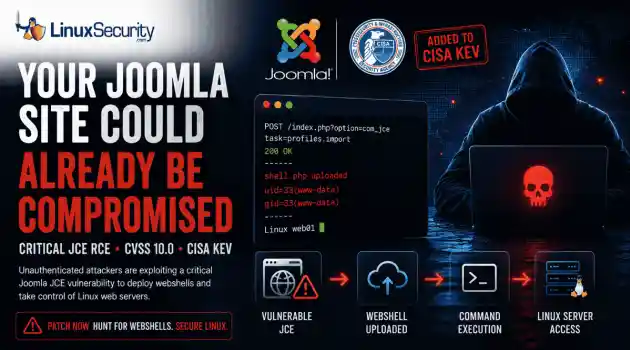
Security Vulnerabilities security advisory critical
security advisory critical The Joomla Content Editor (JCE), one of the most widely deployed editor extensions for Joomla websites, is currently under active attack due to a critical vulnerability. . The issue, tracked as CVE-2026-48907 , affects JCE versions earlier than 2.9.99.5 and carries a CVSS score of 10.0. Because JCE is installed on a large number of public-facing Joomla sites, the vulnerability has quickly become a high-priority target for attackers and automated scanning campaigns. CISA has added the flaw to...
Jun 17, 2026 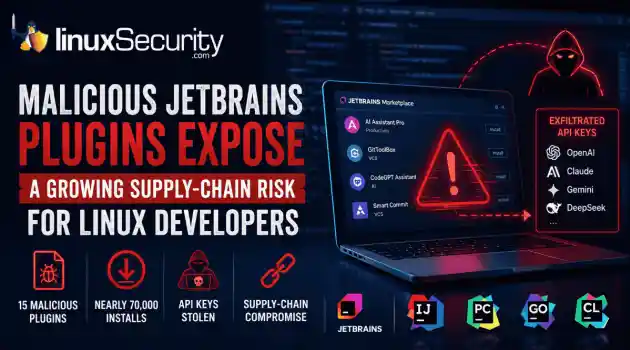
Security Trends security advisory open-source
security advisory open-source At least 15 malicious plugins and nearly 70,000 installs later, developers are being reminded that trusted marketplaces can become supply-chain attack vectors overnight. . How Malicious Plugins Steal API Credentials It’s simple. The user installs a plugin. It asks for API credentials. The developer clicks "Apply." A short time later, those keys could be sent to a third-party server. Think of an API key like a valet key to your house. It doesn't give them the deed to the property, but it lets...
Jun 17, 2026  Refine news
X Clear Filters Get the latest News and Insights
Get the latest Linux and open source security news straight to your inbox.
Community Poll
What got you started with Linux?
Loading...
Explore Latest Linux Security news
We found 9,995 articles for you...
79
 security advisorysecurity updateencryption
FreeRDP 3.27 Raises the Baseline for Secure Remote Access
Remote access tools do not need dramatic new features to improve security. Sometimes the more useful change is quieter, like stronger defaults that make weak encryption harder to use by accident. . What FreeRDP Is and Why This Release Matters FreeRDP is an open-source implementation of Microsoft’s Remote Desktop Protocol, used as both a library and a set of clients across Linux, Windows, macOS, Android, and other systems. In Linux environments, it is often the practical RDP client administrators reach for when they need console access to Windows hosts, jump systems, lab machines, or remote desktops without moving through a full Windows workstation. FreeRDP 3.27 matters because it changes the floor for encrypted remote access. The release sets the default TLS security level to 2 and requires at least TLS 1.2 , while still leaving client-side override options through /tls:seclevel: and /tls:enforce: for environments that have not caught up yet. That is the operational detail. A Linux RDP client connecting with safer defaults creates fewer accidental weak sessions, fewer legacy negotiation surprises, and less cleanup later when remote access security gets reviewed after a finding. What Changed in FreeRDP 3.27 FreeRDP 3.27 is not a feature-heavy release. The important changes are in the defaults that control encrypted connections and RDP security. TLS security level 2 is now the default. TLS 1.2 or newer is required by default. Multiple security advisories were addressed as part of the release. Environments that still rely on older TLS configurations should be tested before deployment. In practical terms, FreeRDP now makes it harder to fall back to weaker encryption settings and easier to force TLS 1.2 or newer across remote access deployments. For administrators using FreeRDP as a Linux RDP client, the change is mostly about reducing the number of weak connection paths that remain available simply because nobody disabled them. Why Stronger Remote AccessSecurity Defaults Matter Remote access tools tend to accumulate compatibility settings over time. They stay around because somebody still has an old server, an old gateway, or a forgotten system that breaks when defaults change. That flexibility comes with a cost. Permissive settings can keep weak remote access security configurations alive for years. Secure remote access becomes harder to enforce when legacy encryption remains available by default. Weak TLS settings often persist long after they should have been retired. Raising the minimum requirement removes many of them by default. TLS 1.2 is still a valid baseline. The problem is usually what sits below it. When admins look up TLS 1.2 end of life or a TLS 1.2 vulnerability, they are usually trying to understand whether old TLS support is still exposed anywhere in the environment. TLS 1.2 vs 1.3 is a separate decision. TLS 1.3 is better where both sides support it, but FreeRDP’s change is simpler than that. Requiring TLS 1.2 or newer, it cuts off older negotiation paths that still show up during remote desktop security reviews and remote access assessments. What Admins Should Check Before Updating FreeRDP 3.27 raises the default security baseline, but stronger defaults do not replace existing remote access security controls. Before updating, administrators should verify a few things: Test connections to older RDP servers, gateways, and legacy systems that may not fully support TLS 1.2 or newer. Review Azure AD (Entra ID) and authentication-related changes if those features are part of the deployment. Confirm that logging, MFA, access restrictions, and patch management processes continue to operate as expected. Validate that existing remote access security solutions still behave correctly after the upgrade. The release aligns with common remote access security best practices, but it is only one layer. Secure remote access depends on authentication controls, monitoring, patching, and accessmanagement. FreeRDP can support those efforts, but it is not a complete answer to how to secure remote access by itself. FreeRDP Reflects the Secure-by-Default Shift FreeRDP 3.27 is part of a broader move toward stronger remote access security defaults. The release does not introduce a new security model. It removes more of the weak negotiation paths that tend to survive in long-lived environments simply because nobody revisited the configuration. For organizations using FreeRDP, the change is straightforward. Secure remote access becomes less dependent on manual hardening and less likely to inherit outdated settings by default. Administrators still need to test systems, validate compatibility, and maintain their remote access security controls, but FreeRDP 3.27 raises the baseline in the right direction. Want more Linux security news, vulnerability analysis, and remote access security updates? Subscribe to the LinuxSecurity Newslette r for the latest threats, advisories, and practical guidance on Linux systems. Related Reading Securing Remote Access to Linux Servers: Best Practices for 2026 Mastering SSH for Secure Linux Remote Server Management How Secure Is Linux? Exploring Security Design and User Privilege Models Oracle Linux 10 FreeRDP Important Security Update ELSA-2026-5939 . FreeRDP 3.27 emphasizes stronger remote access defaults with TLS 1.2 level security for enhanced protection.. FreeRDP remote access encryption TLS Linux. . MaK Ulac
 Jun 16, 2026 •
 Security Projects
 210
 security advisoryremote accessimportant
SimpleHelp Authentication Bypass Exposes Remote Access Security Risk
Remote support platforms sit close to the systems attackers want most: administrator workflows, technician accounts, and managed endpoints. That is why the SimpleHelp OIDC flaw is more serious than a routine authentication bypass vulnerability. For organizations running these platforms on Linux-based infrastructure, the risk is compounded by the ease with which these services are deployed and integrated into larger management stacks. . What Is SimpleHelp and Why Is It a High-Value Target? SimpleHelp is a remote support software platform used by IT teams, managed service providers, and internal support groups to access systems, assist users, transfer files, and manage endpoints from a central console. In many Linux-heavy environments, it becomes a core part of the daily administrative workflow. That level of trust changes the impact of a security issue. A vulnerability affecting a public-facing website might expose a single application. A flaw affecting SimpleHelp can expose the access layer administrators use to reach dozens, hundreds, or even thousands of managed devices. Operational Impact The platform also overlaps with functions commonly associated with remote monitoring and management (RMM) deployments: Persistent Visibility: Organizations use SimpleHelp RMM capabilities to maintain persistent visibility into Linux endpoints, provide unattended access, and deploy fixes across distributed environments. Trusted Bridges: Once a technician authenticates, the platform acts as a trusted bridge into systems that would otherwise remain isolated from external access. Administrative Foothold: A foothold inside a remote support system can expose technician sessions, privileged workflows, connected clients, and administrative functions already trusted throughout the environment. From an operational perspective, this makes remote support software an attractive target. An attacker does not necessarily need to compromise every Linux endpoint individually if they can gain access to themanagement platform responsible for those endpoints. What Is CVE-2026-48558? CVE-2026-48558 is an authentication bypass vulnerability affecting certain SimpleHelp deployments that use OpenID Connect (OIDC) authentication. The issue is tracked in the GitHub Advisory Database . The issue sits in the identity validation process rather than the traditional username-and-password flow. Under specific conditions, the application can accept identity information that should not be trusted, allowing an attacker to obtain technician access without successfully completing the authentication process administrators expect. How the OIDC Authentication Bypass Works The decision that matters happens when SimpleHelp receives an identity token and decides whether that token represents a legitimate user. Additional technical analysis and indicators of compromise have been published by Horizon3.ai researchers . OIDC Trust Depends on Token Verification: An OIDC token is not proof of identity by itself; it contains claims like usernames and group memberships. The Necessity of JWT Signature Verification: Before SimpleHelp can trust any of these claims, it must perform JWT signature verification and validate the supporting claims. The Failure Point: Without proper JWT signature verification, the entire authentication process becomes dependent on data the application should never have trusted. This is also where MFA bypass concerns enter the discussion. Many administrators assume their identity provider's MFA requirement protects downstream applications automatically. In reality, that protection depends on the application correctly validating the token it receives. If SimpleHelp accepts a forged token, the vulnerability can undermine the assurance administrators normally associate with MFA-protected OIDC logins. Why This SimpleHelp Flaw Is Serious A login bypass affecting a low-privilege application might expose a handful of records. A login bypass affecting remote support software isdifferent because the account behind the login often has visibility into systems, users, and administrative operations that already hold a trusted position inside the environment. Unauthorized Technician Access Can Become Endpoint Access In many Linux deployments, technicians use the platform to launch support sessions or perform administrative actions via command-line tools. An attacker who gains unauthorized technician access is not starting from scratch; the platform already contains trusted pathways into managed assets. Existing support workflows, endpoint inventories, technician permissions, and administrative functions—often managed via scripts and automation—may already be available through the same interface. This is why platforms associated with remote monitoring and management operations receive so much scrutiny during investigations. A compromise of the management layer can provide access to systems that were never directly exposed to the internet. Who Is Affected by CVE-2026-48558? Organizations should verify their deployment against the SimpleHelp vendor advisory . The highest-risk environments generally share a few characteristics: Vulnerable Versions: SimpleHelp versions identified as vulnerable by the vendor. OIDC Usage: Deployments configured to use OIDC authentication rather than local authentication alone. Public Accessibility: Internet-facing or broadly accessible SimpleHelp portals. High-Value Targets: Environments where technician accounts have access to large numbers of managed endpoints. RMM Workflows: Organizations using SimpleHelp RMM for remote administration or support operations. How Organizations Should Mitigate the SimpleHelp Vulnerability The first priority is to patch affected SimpleHelp systems and move to a fixed version as soon as possible. Because this involves an identity validation flaw, perimeter controls alone are insufficient. Limit Exposure: If the platform is running on a Linux server, restrict access to the loginportal and administrative interfaces through VPNs, local firewall rules (like nftables or iptables), or network segmentation. Audit Technician Accounts: Remove accounts that are no longer required and verify that administrative privileges are assigned only where necessary. In environments built around remote monitoring and management, old technician accounts often survive much longer than intended. Review OIDC Configuration: The vulnerability centers on identity trust. Verify your identity provider integrations, token validation settings, and signing key configuration. Prioritize Logging: Review authentication logs, technician account activity, and unexpected remote sessions. These artifacts may provide the first indication that the platform was used in ways administrators did not intend. Final Takeaway: Identity Trust Failures Can Expose Managed Infrastructure CVE-2026-48558 is more than an isolated authentication bypass vulnerability. It affects a trusted access path inside a platform used to reach systems across managed environments. When identity validation fails in that kind of system, the risk extends well beyond a single login event. Remote access security depends on more than successful authentication—it depends on ensuring every system in the chain correctly validates the identity information it receives before granting access to resources that sit close to the infrastructure administrators are trying to protect. Does your team have a specific incident response checklist for Linux-based remote management platforms, or would you like to explore how to audit your OIDC token validation settings further? Want more Linux security news, vulnerability analysis, and remote access security updates? Subscribe to the LinuxSecurity Newsletter and get the latest threats, advisories, and expert insights delivered directly to your inbox. Subscribe to the LinuxSecurity Newsletter Related Reading Securing Remote Access to Linux Servers: Best Practices for 2026 Mastering SSHfor Secure Linux Remote Server Management How Secure Is Linux? Open Source, User Privilege, and Defense Tactics Explained Does Linux Give Users a False Sense of Security? . SimpleHelp's OIDC vulnerability presents serious security risks due to improper authentication validation, affecting Linux environments.. authentication risk, remote access security, simplehelp exploit, identity validation, linux security update. . MaK Ulac
Jun 16, 2026 • Security Vulnerabilities 
74
 security advisorycriticalCisco
Cisco SD-WAN Vulnerability: Why Security Starts With the Management Plane
For those of us who live and breathe Linux and open-source infrastructure, the "management plane" is usually just a collection of familiar tools—SSH, APIs, and centralized orchestration. But in the world of proprietary enterprise networking, the management plane is often a black box. Cisco’s latest SD-WAN issue serves as a stark reminder that even when these proprietary systems rely on Linux components under the hood, their centralized nature makes them the ultimate high-value target. . Attackers don't need to break into every branch router when they can reach the "brain" that manages them. Cisco’s latest issue shows why SD-WAN security must start with the management plane, not just the edge device. Cisco SD-WAN Security at a Glance Metric Details Affected Product Cisco Catalyst SD-WAN Manager Vulnerability CVE-2026-20262 Type Arbitrary File Write (API Path Traversal) Risk Privilege escalation to root Status Active exploitation confirmed Recommended Action Audit exposure and patch immediately What Cisco Warned About in CVE-2026-20262 Cisco recently disclosed CVE-2026-20262 in a Cisco security advisory affecting Catalyst SD-WAN Manager. The vulnerability allows an authenticated user with write privileges to create or overwrite files through a vulnerable API. Cisco confirmed that successful exploitation can result in privilege escalation to root. This is a familiar scenario for Linux administrators: a file-handling flaw that allows an attacker to escape intended boundaries. In a standard Linux environment, we’d secure this with file system permissions, SELinux policies, or containerization. However, because SD-WAN Manager is a proprietary controller that sits at the center of your network fabric, the impact is magnified. It pushes policies, manages certificates, and provisions devices—it effectivelyacts as the root of trust for your entire WAN. Why Active Exploitation Matters Cisco confirmed active exploitation of this issue. This immediately moves the Cisco vulnerability out of the routine patch category. For those of us used to the rapid, transparent patching cycles of open-source projects, this is a call to action. Why Cisco SD-WAN Controllers Matter We build SD-WAN environments because manually managing individual Linux boxes at every branch is unsustainable. The controller centralizes that work. But centralization is a double-edged sword: Cisco SD-WAN security depends entirely on the integrity of this controller. The Linux Connection: These controllers often use vendor-hardened software stacks, and privileged access is restricted by the vendor rather than by the community. Centralized Authority: Catalyst SD-WAN Manager controls configuration, policy distribution, and device onboarding. The Operational Risk: Because the controller already knows your entire network topology, a compromise here is significantly more dangerous than a compromise of a standalone branch router. It is a fundamental part of your sd wan security checklist. Technical Breakdown: The File Write Vulnerability Cisco describes this as an arbitrary file write condition involving a vulnerable API and improper file handling logic. For anyone who has debugged an insecure Python or Go API, this is a classic path traversal vulnerability . How Path Traversal Changes the Risk While upload validation should keep user-controlled content inside expected directories, a path traversal vulnerability breaks that boundary. The Primitive: An attacker with write access can influence where the system places a file. Breaking Boundaries: Instead of staying in a controlled upload area, files can reach sensitive system paths—like /etc/ or service configuration directories. Management Implications: Because the platform runs critical services, a file written to the wrong location can change systembehavior after a restart, upgrade, or maintenance task. When these proprietary controls fail, sd wan security issues shift from simple application bugs into total control plane failures. FAQ: SD-WAN Security Concerns Is this a Cisco zero-day vulnerability? It is a critical flaw with active exploitation reported. Regardless of the label, the operational impact on management plane security remains the same. What are the primary sd wan security requirements? Beyond patching, you must restrict administrative access, remove unnecessary internet exposure, and monitor API activity. These are not just sd wan security best practices—they are the standard hardening steps we use in any Linux-based environment. Does this affect all Cisco products? No. This specifically affects the Catalyst SD-WAN Manage r. Always verify your specific version against the official Cisco security advisory before starting your maintenance window. Mitigation: Protecting the Management Plane The first priority is to patch. However, because this is an identity-dependent flaw, you must also address your sd wan security features and exposure. 1. Reduce Internet Exposure Management interfaces should never be broadly reachable. Restrict Access: Use VPNs, jump hosts, or dedicated management segments (like a hardened Linux gateway) to access the SD-WAN Manager. Firewalling: Ensure that general user networks cannot reach the administrative interface. 2. Audit Administrative Access SD-WAN security concerns often stem from overprivileged accounts. Review Privileges: Ensure only necessary users have write or netadmin-level privileges. Monitor Activity: Check logs for unexpected API activity, unauthorized file operations, or logins from unusual locations. 3. Maintain Vigilance For those tracking Cisco vulnerability news or Cisco security advisory news, the lesson is clear: management interfaces concentrate trust. If the management plane is exposed, the distinction betweenan authenticated user and a remote attacker becomes negligible. Final Takeaway This Cisco vulnerability matters because of where it lands. An arbitrary file write on a standalone system is a problem; an arbitrary file write on the platform managing your entire SD-WAN policy, certificates, and devices is a crisis. SD-WAN security and sd wan security both come back to management plane integrity. Patch the flaw, but do not stop there. Treat your controller like the critical, privileged infrastructure it is. Understanding Cisco SD-WAN Architecture This video provides a solid overview of the vManage management plane and how it sits at the heart of the SD-WAN architecture, which is critical for understanding the scope of this vulnerability. Want more Linux security analysis, vulnerability coverage, and threat intelligence? Subscribe to the LinuxSecurity Newsletter for the latest advisories, exploitation trends, and practical security guidance delivered straight to your inbox. Related Reading Securing Remote Access to Linux Servers: Best Practices for 2026 Mastering SSH for Secure Linux Remote Server Management How Secure Is Linux? Open Source, User Privilege, and Defense Tactics Explained Port Scanning Explained: Tools, Techniques, and Best Open-Source Port Scanners for Linux Exploring Linux Security Modules: SELinux vs AppArmor vs TOMOYO . Active exploitation in Cisco Catalyst SD-WAN Manager demands immediate action to mitigate the critical security risk.. Cisco SD-WAN vulnerability, management plane integrity, privilege escalation, arbitrary file write. . MaK Ulac
Jun 16, 2026 • Network Security 209
 fedorasecurity assessmentopen source risk
Fedora AI Contributor Incident Highlights New Open Source Risks
A Fedora contributor account recently came under scrutiny for apparently AI-generated activity that disrupted the project's bug tracker. . Questionable Bugzilla comments, flawed patches, and improperly closed or reassigned bugs forced maintainers to spend time cleaning up the fallout. There is no evidence that malware was deployed or a backdoor reached production, but the incident exposed a different problem. Open-source projects can be disrupted without compromising a single line of code. This was not a traditional breach. The real target was the workflow itself. Why This Was Not a Normal Supply Chain Scare Most supply chain incidents follow a predictable pattern. An attacker poisons a dependency or hijacks a maintainer credential to push malicious code. This situation flipped that script. The primary risk was not the software itself. It was the contamination of the systems developers use to evaluate technical reality. Maintainers had to pivot from feature development to forensics. They had to investigate buggy patches, verify the validity of technical comments, and audit a surge of automated activity. This creates an operational tax. It is not measured in compromised binaries, but in wasted developer time. Review queues swell, bug reports become unreliable, and technical discussions lose the nuance required for high-stakes work. The damage is not a backdoor. It is the erosion of the consensus that makes development possible. The Scary Part: AI Does Not Need Commit Access to Cause Damage Traditional attacks require a foothold in the built infrastructure or direct push access to a repository. AI agents have lower barriers to entry. They only need access to the social and administrative layers of a project, like issue trackers, mailing lists, or review platforms. An AI can confidently explain a false root cause, leading developers to debug the wrong subsystem. It can submit patches that look correct but introduce subtle regressions. By creating a high volume of noise, it can masklegitimate issues or force maintainers to waste cycles on hallucinations. Even without a single line of malicious code reaching a user's machine, the integrity of the project decision-making process is compromised. The attacker essentially turns the project workflow against itself. Fedora Already Has an AI Policy. That Is What Makes This More Interesting. Fedora is not blind to these risks . The project has clear rules on disclosure, identity verification, and human oversight . These policies rely on the assumption that contributors act in good faith and that maintainers can easily spot low-quality machine output. This incident proved that those assumptions are fragile. Policies can demand disclosure, but they cannot force honesty or verify that a human actually reviewed an AI suggestion. As models become more fluent, distinguishing between expert developer logic and a convincing hallucination becomes exhausting. In a high-velocity project, maintainers do not have the time to treat every patch like a security audit. Open Source Runs on Trust, and AI Agents Stress Trust. Open-source development does not just run on code. It runs on reputation. Maintainers rely on consistent history to prioritize patches and vet reviews. That trust signal is the bedrock of the entire ecosystem. AI-generated activity weaponizes that signal. An account can generate a high volume of authoritative, yet technically hollow, contributions that mimic legitimate expertise. When identity and reputation can be faked, the social infrastructure of a project becomes a vulnerability. Open source evolved to handle malicious code. It has not yet adapted to handle the automated degradation of human consensus. What Linux Teams Should Learn From This Practical defense in the AI era requires tightening the workflow, not just the code. First, projects must mandate explicit disclosure for AI-assisted contributions and enforce secondary reviews for any change touching security-critical areas like authentication orcryptography. Second, limit autonomous triage. Systems that allow mass bug closures or reassignments should require higher privilege thresholds. Monitoring for anomalies is just as important. Sudden, repetitive, or unusually high-volume activity should trigger automated scrutiny. Finally, prioritize robust rollback capabilities. If a workflow is poisoned by AI-driven triage, the project needs a way to bulk-revert those actions without manually hunting down every ticket. Why Linux Admins Should Care System administrators and DevOps engineers do not typically live in Fedora bug trackers, but they rely on the results of those discussions to secure their production stacks. Upstream processes determine the quality of the patches that eventually reach stable distributions. If maintainers are forced to spend their limited time cleaning up AI-generated noise, that is time stolen from fixing actual vulnerabilities. When trust signals degrade at the top of the chain, the impact inevitably ripples downstream into enterprise environments. A slow or confused development process is a gateway for real security gaps to persist longer than they should. The Next Supply Chain Attack May Look Helpful Defenders have spent years building tools to catch backdoors and dependency poisoning. We are primed to look for the bad actor. We are not prepared for the helpful actor who never submits malware but spends all day filling the system with garbage. The Fedora incident was a warning shot. It showed that the next generation of supply chain risk will not necessarily arrive as an exploit chain. It will arrive as a contributor who is always active, always helping, and always undermining the human judgment that keeps the code base secure. Protecting the workflow is now as critical as protecting the binary. Do you think open-source projects should implement mandatory proof-of-human verification for all code submissions, or would that hurt the inclusivity of the community? Want more Linux security news,vulnerability analysis, and software supply chain updates? Subscribe to the LinuxSecurity Newsletter and get the latest threats, advisories, and expert insights delivered directly to your inbox. Related Reading Linux Security Uncovered: Open Source, User Privilege, and Defense Tactics TARmageddon: Archive Extraction Risk in Rust async-tar on Linux In-Depth Exploration Of Buffer Overflow Risks In Linux Systems . AI disruptions in open source can compromise development trust and workflow quality, impacting security processes.. Open Source Risk, AI Contributions, Fedora Security, Supply Chain Attack, Developer Productivity. . MaK Ulac
Jun 12, 2026 • Security Trends 210
 security advisorycriticalpath traversal
Langflow 1.9.0 Advisory CVE-2026-5027 High File Write Threat
Attackers are actively exploiting a high-severity vulnerability in Langflow , an open-source platform used to build and run AI workflows. . The flaw turns a file upload into a filesystem write, allowing a user-controlled file to escape the application's intended upload directory and land in locations Langflow was never supposed to touch. The vulnerable upload endpoint permits path traversal through crafted filenames. From there, the impact depends heavily on how the platform is deployed. A Langflow process running with broad filesystem permissions may be able to overwrite existing files, alter application behavior, modify configuration data, or create persistence opportunities. The upload itself is only the entry point. The real concern is what the process can access after the file is written. For administrators responsible for self-hosted Langflow deployments, the focus should be on exposure and permissions. Is the instance reachable from the internet? Is a vulnerable version still running? What directories can the Langflow process write to? Those questions determine whether this remains a file upload issue or becomes a much broader compromise of the application and the underlying Linux host. What Is Langflow? Langflow is an open-source platform for building AI applications through visual workflows. Users can connect models, data sources, prompts, APIs, and external tools without building every component from scratch. The platform is increasingly showing up on Linux infrastructure because it solves a practical problem. Teams want to deploy AI-powered applications quickly while keeping control over the underlying environment. Common use cases include: AI agents RAG pipelines Workflow automation MCP integrations Internal AI development platforms Most organizations deploy Langflow themselves. Linux servers, cloud VMs, Docker containers, and Kubernetes clusters are all common targets. That changes how administrators should look at it. A Langflow instance is not justanother development tool sitting on a workstation. It often has access to storage, API keys, databases, model providers, internal services, and business data. It accepts user input, processes uploaded content, and stores files on disk. By the time a platform reaches production, it starts looking a lot like every other service administrators are already responsible for maintaining and securing. Why File Write Vulnerabilities Matter An arbitrary file write allows attackers to place or overwrite files outside an application's intended storage location. The impact depends less on the upload itself and more on what the affected process can access afterward. How the Vulnerability Works The vulnerability exists in Langflow's file upload functionality. Researchers found that the POST /api/v2/files endpoint did not properly handle user-controlled filenames supplied through multipart upload requests. An attacker could include directory traversal sequences within the filename and influence where the uploaded file was written. Under normal conditions, uploaded content should remain inside a designated upload directory: /uploads/file.txt Instead, a crafted filename could push the write operation outside that location and into other parts of the filesystem. The result is an arbitrary file write. Key details: Vulnerable endpoint: POST /api/v2/files Vulnerability type: Path traversal Impact: Arbitrary file write CVSS score: 8.8 Exploitation status: Active The distinction matters. Most file upload vulnerabilities are limited by where the application stores uploaded content. In this case, the attacker is influencing the destination path itself. The upload becomes a filesystem operation. What happens next depends on the host. A restricted container with minimal permissions may limit the impact considerably. A Langflow process running with broad filesystem access presents a different situation. Existing files may be overwritten. New files may be placed in sensitive locations.Configuration data may become reachable. The upload request is only the delivery mechanism. The filesystem write is a security problem. Understanding Path Traversal Path traversal vulnerabilities allow attackers to manipulate file paths and escape intended directories. When combined with file uploads, they can create opportunities to write files to unexpected locations on a system. Why Arbitrary File Writes Are Dangerous on Linux A file write sounds limited until the target path changes. On Linux systems, files control more than stored content. They influence service behavior, application startup, authentication paths, scheduled jobs, logs, templates, caches, and runtime configuration. If Langflow can write to a location, an attacker may be able to use that access to change what the application does next. Possible impact includes: Overwriting configuration files Modifying application behavior Creating persistence files Placing malicious content in accessible paths Damaging application data Preparing a later code execution path The host decides how bad this gets. A tightly scoped container with no sensitive writable mounts gives the attacker less room. A Linux service running with broad write access gives them much more. Mounted volumes matter. File ownership matters. Service account permissions matter. So do writable application directories. This is why arbitrary file write vulnerabilities rarely stay “just upload bugs.” Once the write escapes the expected directory, the investigation becomes about trust boundaries on the filesystem. What could the Langflow process touch? What files does the application load? What gets executed, parsed, imported, or trusted later? That is where the damage usually starts. How to Assess Your Exposure The official vulnerability description is direct. Langflow’s upload handling allows path traversal through multipart filenames, which can let an attacker create or overwrite files in arbitrary filesystem locations. Tenable Research identifies the vulnerable endpoint as POST /api/v2/files, and Snyk tracks the affected package as langflow-base. Risk assessment should start with reachability. Check: Is Langflow exposed to the internet? Is authentication enabled and enforced? Is the vulnerable upload endpoint reachable? Is the deployment running an affected version? What user does the Langflow process run as? What directories are writable by that user? Are host paths mounted into a container? Are secrets, workflows, or configuration files stored near writable paths? Internet-facing systems sit at the top of the list. Cloud VMs do too, especially when Langflow was deployed for testing and never placed behind proper access controls. Containerized deployments still need review. A container does not automatically remove the impact. If the container runs with writable mounted volumes, weak isolation, or excessive privileges, the file write may affect data outside the application’s intended storage path. Internal systems should not be ignored either. Langflow often connects to model providers, databases, internal APIs, workflow tools, and development resources. A file write inside that environment may expose credentials or alter workflows even when the instance is not public. The useful question is not only whether Langflow is installed. It is what Langflow can write. How to Mitigate Langflow Vulnerability Patch first. Snyk lists langflow-base 0.8.3 as the fixed package version for this issue, and GitHub’s advisory for the related v2 API arbitrary file write issue lists Langflow 1.9.0 as patched for affected langflow versions below 1.9.0. Verify the package actually used in the deployment, because Langflow environments may include both application and dependency-level components. Audit exposed AI development platforms, not only production systems. Look for files created or modified outside expected upload paths. Pay attention to configuration directories, applicationfolders, mounted volumes, startup locations, and anything loaded by Langflow during execution. Do not stop at version checks. A patched system may still have leftover files from earlier exploitation. A clean version does not remove persistence files, modified configuration, or payloads written before the upgrade. File timestamps, service logs, container volume contents, and reverse proxy logs can help narrow the window. The patch closes the vulnerable path. It does not prove the host was untouched. Conclusion Langflow is AI tooling, but on Linux it behaves like infrastructure. It runs as a process, it listens on a port, it handles uploads, it writes files, and it connects to internal systems. Once deployed that way, its vulnerabilities carry the same operational weight as flaws in web applications, automation servers, and other self-hosted platforms. This vulnerability shows the problem clearly. A weak filename check in an upload handler becomes an arbitrary file write. The impact then depends on Linux fundamentals: permissions, writable paths, mounted volumes, service accounts, exposure, and patch level. For administrators, the takeaway is practical. Treat self-hosted AI platforms like any other service with filesystem access and network reachability. Patch them. Limit them. Watch what they write. Want more Linux security news, vulnerability analysis, and software supply chain updates? Subscribe to the LinuxSecurity Newsletter and get the latest threats, advisories, and expert insights delivered directly to your inbox. Related Reading Linux Security Uncovered: Open Source, User Privilege, and Defense Tactics TARmageddon: Archive Extraction Risk in Rust async-tar on Linux In-Depth Exploration Of Buffer Overflow Risks In Linux Systems . A critical flaw in Langflow allows arbitrary file write via path traversal. Assess and patch to protect your deployment.. Langflow vulnerabilities, AI platform security, arbitrary file write, path traversal vulnerabilities, Linuxsecurity. . MaK Ulac
Jun 11, 2026 • Security Vulnerabilities 78
 security advisorylinuxsupply chain
After Years of Supply Chain Attacks, npm Is Finally Closing the Door on Auto-Scripts
With npm v12 , dependency preinstall, install, and postinstall scripts will no longer execute automatically during package installation. Script execution will require explicit approval through new controls such as npm approve-scripts, with the change expected to arrive in July 2026. . The announcement targets a part of the software supply chain that has repeatedly appeared in package registry abuse, credential theft, and CI/CD compromise investigations. A single npm install could trigger code from direct dependencies, transitive packages, Git repositories, and build hooks before anyone reviewed what was about to run. On Linux systems, that execution often happens on developer workstations, build servers, containers, and self-hosted runners that already hold access to production resources. This is more than a JavaScript ecosystem update. It is a change to how code execution is handled during dependency installation. Teams that rely on install-time compilation, binary downloads, or package setup scripts will need to adjust workflows, while Linux administrators and DevOps teams will need to identify where automatic execution is currently embedded in build and deployment pipelines. npm Install Was Never Just an Install Command A surprising number of developers still think of npm install as a download operation. In practice, npm has long treated package installation as an execution event. Several lifecycle hooks can run automatically during installation, including preinstall, install, postinstall, and prepare. Packages use these to compile native modules or download binaries, but this execution is opaque; a package may pull in hundreds of transitive dependencies, each with its own scripts, meaning code from unknown maintainers can execute on your system without review. On Linux, this execution frequently happens inside infrastructure—such as CI pipelines or container build stages—that often contains SSH keys, cloud credentials, and deployment secrets. A malicious install script does notneed a complicated exploit chain if it is already running with access to those resources. The risk has never been theoretical; once installation begins, the script runs with the permissions available to the process that launched it. Why GitHub Is Changing the Default Now GitHub did not arrive at this decision suddenly. Malicious packages have used install scripts to collect credentials, fingerprint systems, download secondary payloads, and exfiltrate secrets. The common theme is simple: Installation became a trusted execution path. For years, npm treated installation and code execution as closely connected operations. That made development convenient, but it also created an environment where downloading a dependency frequently meant running code before developers had a chance to review what was happening. From an incident response perspective, install-time execution is difficult to track. Because this activity mimics a legitimate package manager during routine builds, it is incredibly difficult to detect—a reality that disabling execution by default aims to fix. Why Install Scripts Became a Security Concern Install-time scripts have been repeatedly abused in software supply chain attacks to steal credentials, fingerprint developer systems, download secondary payloads, and exfiltrate CI/CD secrets. Because these scripts execute as part of a normal package installation process, malicious activity can blend into routine development and build workflows. What npm v12 Actually Changes Install Scripts Will Be Disabled by Default Dependency lifecycle scripts will no longer automatically execute during installation. Packages that depend on these scripts will require explicit approval. The package still installs, but the script remains dormant. This change finally separates dependency retrieval from dependency execution. Teams Must Explicitly Approve Install Scripts Instead of trusting every package by default, teams will decide which packages are allowed to executeinstall-time scripts. Tools such as npm approve-scripts and npm deny-scripts manage these approvals. The allowScripts field in package.json allows organizations to identify and authorize required scripts before v12 becomes the default. For many teams, the first test run will reveal dependencies they did not realize were executing code during installation. That visibility alone has operational value. npm v12 Tightens Controls on Git Dependencies GitHub has also signaled tighter controls around Git-based dependencies, which introduce risk because their contents can change independently of registry workflows. npm v12 will likely push more organizations to inventory and justify these dependencies. Why npm v12 Matters for Linux Systems and CI/CD Pipelines Linux systems sit at the center of modern software delivery pipelines, where install scripts often perform their most dangerous work. Developer Workstations: Scripts run with the permissions of the logged-in user and may access SSH keys, cloud credentials, and local .env files. CI/CD Runners : These are high-value targets containing deployment credentials, signing keys, and internal repository access. Containers & Native Modules: Whether it is a RUN npm install in a Dockerfile or a package requiring node-gyp for native compilation, these execution-heavy workflows will now require explicit approval. Supply Chain Attacks Continue to Rise Industry reports have shown continued growth in software supply chain attacks targeting package registries, open-source dependencies, CI/CD environments, and developer tooling. Attackers increasingly focus on trusted software distribution channels because a single compromised dependency can impact thousands of downstream systems. The Security Benefits and Operational Challenges of npm v12 The immediate security benefit is a reduction in automatic code execution. A compromised dependency can no longer assume its installation script will run automatically onevery target system. The operational impact, however, is real: Building pipelines will break. Native modules may fail to compile. Packages that download binaries may stop working until approvals are configured. CI workflows that previously assumed unrestricted execution will require updates. Organizations that have never reviewed their dependency scripts may discover how heavily they depend on them. That discovery is uncomfortable, but useful. Does Disabling Install Scripts Prevent Supply Chain Attacks? No. Attackers still have plenty of options, including typosquatting, dependency confusion, and compromised maintainer accounts. This change doesn't stop supply chain attacks, but it closes one of the most convenient execution paths available to attackers. The risk does not disappear; the timing simply changes. How Linux Admins and DevOps Teams Can Prepare for npm v12 Start testing builds with npm 11.16.0 or newer to identify packages that trigger install-script warnings. Review script approvals before adding them to allowlists. A package that compiles native code has an understandable reason; a package that performs unrelated network activity deserves scrutiny. Audit Dockerfiles and CI pipelines to determine if dependency installation occurs in privileged stages. Inventory Git dependencies. Removing unnecessary remote dependencies reduces another source of install-time uncertainty. What npm v12 Says About Software Supply Chain Security The larger lesson extends beyond JavaScript. Whether it is container builds, bootstrap tools, or curl-to-shell installers, the pattern of "download-and-execute" is pervasive across Linux environments. The mechanism changes, but the core assumption remains the same: code arrives and is immediately granted permission to run. npm v12 pushes the ecosystem toward a different default, where installation and execution become separate decisions again. Final Thoughts GitHub is not eliminatingsupply chain riskGitHub is not eliminating supply chain risk , but it is eliminating one of the most convenient paths from dependency download to immediate code execution. For Linux environments, that matters because npm rarely runs in isolation; it runs on systems that often hold credentials capable of reaching production infrastructure. After years of incidents tied to install-time behavior, GitHub is finally treating installation and execution as separate actions. Want more Linux security news, vulnerability analysis, and software supply chain updates? Subscribe to the LinuxSecurity Newsletter and get the latest threats, advisories, and expert insights delivered directly to your inbox. Related Reading NPM Attack Exposes Supply Chain Risks in Open Source Software Supply Chain Attacks Impact NPM, PyPI, Docker Hub - 2025 Why Linux Supply Chain Attacks Are Becoming a Nightmare for DevOps Teams Why CI/CD Pipelines Are Targets in Software Supply Chain Attacks Why Software Supply Chain Security Matters in Linux Systems . npm v12 introduces crucial changes to default install scripts, enhancing security against supply chain attacks on Linux environments.. npm v12 changes, supply chain security, Linux install scripts, dependency management, software safety. . MaK Ulac
Jun 11, 2026 • Vendors/Products 210
 security advisoryzero-dayimportant
Actively Exploited Chromium V8 Zero-Day: What Linux Admins Need to Know
CISA added CVE-2026-11645 to its Known Exploited Vulnerabilities catalog after Google confirmed active exploitation of the flaw. The bug sits in V8, the JavaScript engine behind Chrome and Chromium. . That's where this gets more interesting. Most coverage will focus on Chrome because that's where the patch landed. But the affected component is V8. Chromium relies on it. Electron relies on it. Plenty of desktop software Linux users interact with every day relies on it too, often without much thought given to what is running underneath the interface. V8 has become part of the plumbing. When a vulnerability shows up there, the conversation shifts from a browser update to a dependency problem . Different vendors patch at different speeds. Some applications ship their own Chromium runtimes. Others inherit updates from distribution maintainers. Same vulnerable code. Different timelines. This is the fifth Chrome zero-day reported as exploited in the wild this year. That doesn't automatically mean browser security is getting worse. It does reinforce where attackers continue to spend their time. Browser engines process untrusted content constantly. A successful exploit can provide an initial foothold without touching SSH, bypassing MFA, or finding weak sudo rules on a target system. What Is CVE-2026-11645? CVE-2026-11645 is an out-of-bounds read and write vulnerability in V8. Google released patches after confirming exploitation in the wild , while technical details remain limited. NVD describes the flaw as allowing a remote attacker to execute arbitrary code inside the browser sandbox through a crafted HTML page in Chrome versions before 149.0.7827.103. Why Memory Bugs Matter Out-of-bounds memory bugs are familiar territory. Software reaches beyond the memory region it was supposed to access, and things start breaking in ways developers never intended. Sometimes that means a crash. Sometimes memory corruption. Sometimes the conditions are needed tobuild the next stage of an exploit chain. The location matters as much as the bug class. V8 sits directly in the path of content delivered from websites and web applications. Every page load pushes data through code designed for performance, compatibility, and speed. Large codebases carrying that much complexity tend to attract researchers and attackers for the same reason. Google has not released exploit details, target information, or attribution. That's normal when patches are still rolling out. What defenders know right now is enough. The flaw exists in V8, exploitation has been observed, and one of the most widely deployed open-source components on the internet is carrying the issue. Why the V8 Engine Matters Beyond Chrome V8 is not just a Chrome component . It is the open-source JavaScript and WebAssembly engine used by Chromium, and Chromium sits underneath a long list of browsers and desktop applications. Chrome is the visible patch notice. The dependency graph is bigger than that. Where V8 Lives in Your Environment: Chromium-based browsers: Brave, Vivaldi, and Microsoft Edge . Electron applications: Desktop software that may not look like a browser at all—chat clients, editors, dashboards, wallets, internal tools, and build systems. That creates a practical problem for Linux admins. Updating Chrome does not automatically update every Chromium runtime sitting on a workstation. A Flatpak package may move on one schedule. A Snap package on another. A vendor-supplied AppImage may not get touched by normal package management at all. Quiet exposure. Open source makes this both better and harder. The code is visible, patched, reviewed, and reused at scale. It also means one vulnerable component can travel through a lot of projects before anyone in operations sees a clean inventory line for it. You can patch what you know. The embedded copy is where teams get burned. Active Exploitation Confirmed Google said an exploit for CVE-2026-11645 exists in thewild. CISA then added the flaw to KEV, a catalog used by defenders to prioritize vulnerabilities with evidence of real-world exploitation. That is enough to move this out of routine maintenance and into active triage. Confirmed exploitation is not the same as mass exploitation. Public reporting has not tied CVE-2026-11645 to a named threat actor, spyware vendor, or broad campaign. No clean attribution. No victim profile. No full exploit chain. That uncertainty should not slow patching. Early zero-day reporting is usually incomplete because vendors are trying to close the window before exploit details spread. Attackers already have enough to work with. Defenders do not need a full teardown before pushing patches. The safe read is simple. A V8 flaw was exploited before public patch adoption caught up. That is exactly the window attackers like, especially when the target component is reachable through normal web activity. Why Browser Engines Remain Prime Targets Browser engines take hostile input for a living. JavaScript, WebAssembly, media codecs, PDFs, images, extensions, authentication flows, cloud dashboards. All of it moves through code that has to be fast and forgiving while still holding a security boundary. V8 sits close to the hardest part of that problem. JIT compilation, garbage collection, object handling, optimization paths, and memory management all need to work under pressure. Patch Blind Spots Chrome may update fast, but bundled Chromium runtimes often do not. Check Electron apps, AppImages, Flatpaks, Snaps, and vendor tools that ship their own browser engine. A browser exploit does not need to deliver root access on the first move. A renderer foothold can expose session data, browser storage, tokens, extension behavior, or enough local context to support the next stage. Then the chain keeps moving. This is why browser bugs keep showing up in serious intrusion work. They start from normal user behavior: open a page, follow a link, load an ad, or visit acompromised site. No exposed service required. The Growing Pattern of Chrome Zero-Days in 2026 CVE-2026-11645 is reported as the fifth Chrome zero-day exploited in the wild during 2026. Earlier exploited Chrome flaws this year included CVE-2026-2441, CVE-2026-3909, CVE-2026-3910, and CVE-2026-5281. The count is useful, but the pattern matters more. Attackers keep coming back to browsers because browsers sit where the credentials are: Cloud sessions Admin consoles Developer portals Password managers Internal apps SSO tokens A clean browser foothold can become the first step toward something larger. Linux systems are not outside that model. The post-exploitation path may look different than Windows, but the target value is still there: Developer keys, SSH configs, Git credentials, browser cookies, Kubernetes contexts, cloud CLI tokens. Plenty to steal before anyone talks about root. The mistake is treating browser patching like low-grade desktop hygiene. It belongs in endpoint defense, beside kernel patches, sudo rules, exposed daemons, and privilege escalation bugs. Different surface. Same incident queue. What Linux Users Should Do Now Patch Chrome and Chromium-based browsers first. Then verify the version actually changed. Reports list Chrome versions before 149.0.7827.103 as affected, with Linux update guidance pointing to patched Chrome builds in the 149.0.7827 line. A browser that downloaded an update but never restarted is still running old code. Check Chromium packages from the distribution next. Ubuntu, Debian, Fedora, RHEL, Arch, and downstream repositories do not always ship fixes at the same pace. That is not unusual. It does mean admins should verify package status instead of assuming the update has already landed. Look for Electron applications and bundled runtimes. This is where the open-source dependency issue gets operational. Slack-style clients, IDEs, database tools, internal dashboards, chat apps, and packaged desktop utilitiesmay carry Chromium components outside normal browser inventory. Managed fleets need version reporting, not user confirmation. Pull browser versions from endpoint management, package databases, EDR inventory, or configuration management. Force relaunches where needed. Long-running sessions are boring until they are not. Why This Matters for Open-Source Security The story is not just that Google patched Chrome. The larger issue is that attackers are exploiting a flaw in V8, a shared open-source component used across browsers, desktop applications, and development tooling. That is a different risk shape. Open-source reuse is how modern software gets built. It saves time, improves quality, and gives maintainers a common base to patch. It also concentrates exposure. One bug in the wrong component can touch products that do not share branding, vendors, package managers, or release cycles. V8 is one of those components. Most users never think about it, but they run it constantly—through browsers, through Electron, and through tools that wrap web interfaces inside desktop shells. The dependency is quiet until a zero-day makes it loud. For Linux admins, this pushes asset management down a layer. Knowing that Chrome is installed is not enough. Teams need to know where Chromium and V8 are embedded, which apps bundle their own runtime, and which packages depend on distribution maintainers for fixes. Not elegant work. Necessary work. Conclusion CVE-2026-11645 is an actively exploited V8 vulnerability, but the bigger lesson sits underneath the patch notice. Attackers targeted a browser engine. Defenders are left tracking a dependency that runs across browsers, Electron applications, developer tools, and countless Chromium-based projects. Patch the obvious browsers. Check Chromium packages. Find Electron apps and bundled runtimes. Then treat V8 the way security teams already treat OpenSSL, glibc, sudo, and the Linux kernel when active exploitation is confirmed. The software stack may lookdifferent. The risk model doesn't. Want more Linux security news, vulnerability analysis, and patch guidance delivered straight to your inbox? Subscribe to the LinuxSecurity Newsletter to stay ahead of emerging threats and critical updates. Related Reading Google Chrome Critical 0-Day CVE-2025-6558: Immediate Action Required Critical Security Update Released to Fix Chrome V8 Vulnerability Chrome Zero-Day Flaw Exposes Login Tokens on Linux Mitigating Chromium Security Flaws on Linux with Timely Updates . CVE-2026-11645 is an actively exploited V8 issue. Linux admins must prioritize patching affected applications and dependencies.. Linux Admins, CVE-2026-11645, V8 Exploit, Chromium Security Update, Patch Management. . MaK Ulac
Jun 10, 2026 • Security Vulnerabilities 74
 security advisorynetworkinglinux
IPv4 vs. IPv6 Proxies in 2026: Which One Should You Run on Your Linux Stack?
For years, IPv4 was the only proxy type that really mattered for anyone running automation off a Linux box. IPv6 was the protocol everyone said they’d migrate to, but almost nobody actually did. In 2026, that’s finally starting to shift. . The problem is that most admins stick with IPv4 out of habit. They know it; it’s what their tooling defaults to, and they don’t see a reason to change. Some are overpaying for addresses they don’t need. Others would quietly break their scrapers, scripts, or account setups the moment they switched. On a server juggling dozens of outbound connections, picking the wrong protocol isn’t just a billing question; it changes how reliable your jobs are and how your traffic looks to the other end. This guide breaks down which one actually fits your setup. The Current State of IPv4 and IPv6 Adoption For most of the internet, IPv4 is still the default. It’s the foundation almost every website, API, and tool was built on. We officially ran out of new IPv4 addresses years ago, but that scarcity never pushed everyone onto IPv6 the way people expected. IPv6 was supposed to be the fix — a practically limitless address space that solves the supply problem for good. Google, Facebook, and Cloudflare all fully support it today, and pretty much every modern Linux distribution ships with dual-stack out of the box. But plenty of smaller sites, older tooling, and corporate networks still haven’t caught up. The result is a split internet. Right now, around 40-45% of traffic runs over IPv6, driven mainly by major mobile carriers and large tech platforms. The rest is still IPv4-only — so if you point an IPv6 proxy at a target that doesn’t support it, the connection simply won’t complete. Compatibility With Common Tools and Target Sites Most failed IPv6 rollouts come down to compatibility. The major sites — Google, YouTube, Facebook, and anything behind Cloudflare — are already IPv6-enabled. But a long tail of smaller sites, niche marketplaces,aging e-commerce platforms, and corporate domains is still IPv4-only. For those, an IPv4 proxy is the only thing that will actually connect. On the tooling side, support is uneven. Modern HTTP clients and scrapers handle IPv6 fine — a recent curl, Python’s requests, and most current browsers will use it without complaint. Older scrapers, hand-rolled scripts, and some SEO software won’t, and a few will hang or fall back unpredictably on a dual-stack lookup if you haven’t tuned how the resolver picks an address family. Anti-detect browsers and multi-accounting tools usually stay on IPv4 because account trust scores are still built on IPv4 history. APIs and third-party services are all over the map on IPv6 support, so the safe default when your work depends on an API is IPv4. The rule is simple: if every target and every tool in your stack fully supports IPv6, switching can save real money. If even one link in the chain doesn’t, stay on IPv4. Pricing Differences and Why They Exist IPv4 addresses are scarce. There are roughly 4.3 billion of them, and nearly all are already in use. New blocks change hands on a secondary market, and prices keep climbing because demand is high and supply is fixed. Proxy providers pay real money for those addresses, and that cost lands on your bill. IPv6 is the opposite. The address space is so large that supply is effectively unlimited, so providers can obtain ranges at almost no cost. That’s why IPv6 plans can run far cheaper — some providers price IPv6 proxies at as little as 10 to 20% of the equivalent IPv4 plan. Where IPv6 Makes Sense If the target already supports IPv6, the math is hard to ignore. Google, YouTube, and other major tech platforms These networks have supported IPv6 for years. If most of your traffic goes to Google properties, paying IPv4 prices often doesn't buy you anything. Large-scale scraping jobs When a target is fully IPv6-enabled, address availability stops being the limiting factor. The bigger thecrawl, the bigger the savings. Social media monitoring and automation X, Instagram, TikTok, and similar platforms generally handle IPv6 traffic without issue. Some operators still prefer a private residential proxy setup for reputation reasons, but that's a separate decision from the protocol itself. Ad verification Google Ads, Meta Ads, and other large advertising networks are already operating in IPv6 environments. Verification traffic can usually move over without changing the workflow. Mobile-focused projects Many carriers adopted IPv6 long before fixed-line providers. If you're collecting mobile data or testing mobile applications, you'll often find yourself working in IPv6-heavy environments anyway. Internal testing and staging Easy savings. If you're controlling both ends of the connection, compatibility concerns largely disappear. Where IPv4 Still Has the Edge IPv6 availability isn't the issue anymore. Compatibility is. Older websites and smaller platforms Plenty of e-commerce stores, local businesses, forums, and government systems still run IPv4-only infrastructure. API-heavy workflows One endpoint supports IPv6. The next one doesn't. Documentation is often inconsistent, which makes IPv4 the safer option when reliability matters. SEO tooling and rank tracking Much of the SEO ecosystem was built around IPv4 assumptions. IPv6 support exists in some places, but not always consistently. Multi-account operations Reputation systems, trust scoring, and verification workflows still lean heavily on IPv4 history. The connection works. The account may not. Anti-detect browser environments Most anti-detect setups were designed around IPv4. Changing protocols can create inconsistencies that operators would rather avoid. Sneaker, ticketing, and limited-drop sites These are often the last places you'd want protocol-related surprises. Most operators stick with IPv4 and remove the variable entirely. Security and PrivacyConsiderations on Linux For anyone running this on a Linux host, the protocol choice has a couple of security angles worth keeping in mind — not just cost and compatibility. The first is leakage. On a dual-stack box, a misconfigured client can quietly fall back to your machine’s native IPv6 address and bypass the proxy entirely, exposing the real egress IP you were trying to hide. Before trusting any IPv6 deployment, verify what traffic is actually leaving the box. Start with ip -6 addr and confirm the interface has the addresses you expect. Then check an external service to see which address is being presented upstream. Misconfigurations are common, especially in environments where IPv4 and IPv6 are running side by side. If IPv4-only egress is the goal, disabling IPv6 at the operating-system level is usually more reliable than hoping individual applications behave correctly. On Linux, that typically means setting the net.ipv6.conf.all.Disable IPv6 sysctl and confirm the change took effect before testing again. The second is reputation. IPv6 ranges are usually handed out in large contiguous blocks, so a target that sees abuse from one address can flag an entire /64 in one move, which makes a cheap IPv6 pool easier to burn through if you’re not careful. IPv4 reputation is tracked per address and tends to be more established, which is part of why account-trust systems still favor it. Match the protocol to the sensitivity of the work, not just to the lowest price. Conclusion At the end of the day, most workflows still run on IPv4, simply because it’s the version of the internet around which most targets and tools were built. IPv6 is the cheaper option with far more room to scale — but only when the specific targets in your stack can actually handle it. The deciding factor is knowing your targets and your tooling before you commit. If you’re working against the big tech platforms with full IPv6 support, the savings are worth chasing. If you’re dealing with older, smaller, or mixedsystems — or you need tight control over what leaves your host — IPv4 is still the safer call. . Explore the differences between IPv4 and IPv6 proxies for Linux, understanding compatibility, costs, and security implications in 2026.. IPv4 Proxies, IPv6 Proxies, Linux Networking, Security Best Practices. . Anthony Pell
Jun 09, 2026 • Network Security 
Get the latest News and Insights
Get the latest Linux and open source security news straight to your inbox.
Community Poll
What got you started with Linux?
Search Topics
Powered By

Linux Security - Your source for Top Linux News, Advisories, HOWTOs and Feature Releases
QUICK LINKS
subscribe to newsletters!
Like staying secure? So do we.
Sign up for updates, tips, and alerts!
Discover faster search, smarter navigation, and deeper Linux security insights. Read More