


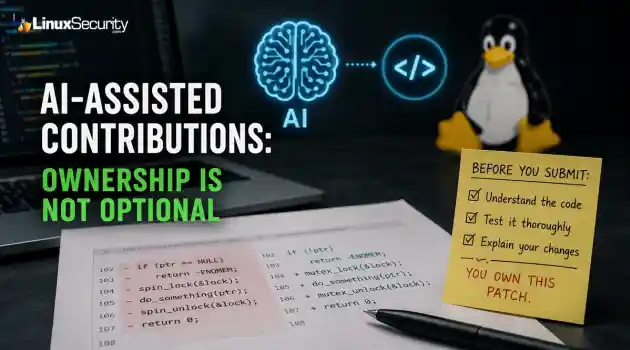
Security Trends  open-source linux development
open-source linux development AI-assisted patches are already showing up across open source. Small GitHub projects, package updates, kernel-adjacent tools, system libraries. It’s not a future problem anymore. . Maintainers are going to see more of this code, and most of them aren’t trying to ban it outright. They’re trying to figure out what happens when a contributor submits a patch they didn’t fully write and may not fully understand. That’s where the review process gets messy. Linux development depends on trust, but...
 Jun 25, 2026
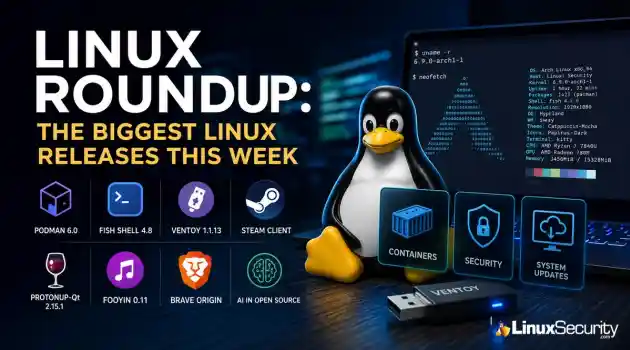
Vendors/Productssystem update Linux application
system update Linux application Most weeks in Linux are about new features. This one is about avoiding problems before they happen. Several projects shipped updates that quietly change how systems behave behind the scenes. None of them are particularly flashy, but if you're responsible for containers, workstations, gaming systems, or recovery media, these releases are worth paying attention to. Here's what stood out this week. . Podman 6.0 Is a Major Upgrade, Not a Routine Package Update If your infrastructure depends on...
Jun 25, 2026
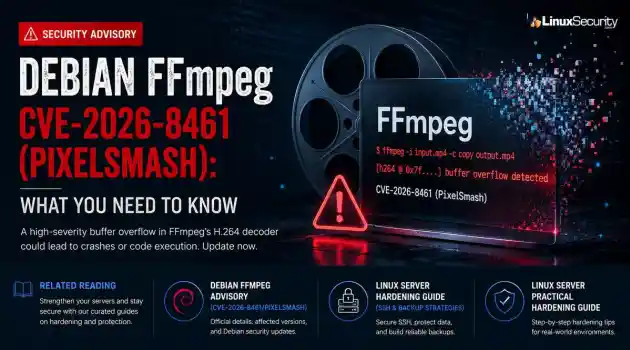
Security Vulnerabilities security advisory critical
security advisory critical A newly disclosed FFmpeg vulnerability, known as PixelSmash ( CVE-2026-8461 ), affects the MagicYUV decoder and can be triggered by specially crafted video files. . Researchers demonstrated remote code execution against Jellyfin under specific conditions and found multiple Linux applications that could be exposed through normal media processing workflows. Even where code execution is not practical, the vulnerability can still be used to crash affected applications. What Is FFmpeg? FFmpeg is...
Jun 23, 2026

Security Trends security advisory data protection
security advisory data protection Today, organizations rely heavily on technology for their operations, to secure important information and provide services in a digital world. Digital transformation opens up new opportunities, but also poses an increasing challenge for businesses and institutions in the field of cybersecurity. Data breaches, financial losses, reputational damage, and compliance issues are ongoing challenges for organizations in all industries due to security weaknesses and regulatory shortcomings. . With the...
Jun 23, 2026

GovernmentEuropean Commission public sector
European Commission public sector Some of the software the world depends on most is maintained by people most users will never know by name. The project might be sitting inside Linux distributions, enterprise software, cloud platforms, and government systems without most users ever realizing it is there. . The problem is not difficult to find. Critical software components can end up supporting thousands of products and services while being maintained by small teams with limited resources. By the time a vulnerability,...
Jun 19, 2026
 Refine news
X Clear Filters
Get the latest News and Insights
Get the latest Linux and open source security news straight to your inbox.
Community Poll
Does sandboxing completely stop hackers?
Loading...
Explore Latest Linux Security news
We found 9,995 articles for you...
77
 security advisoryprivilege escalationimportant
OpenStack Keystone Flaws Expose Multiple Paths to Cloud Privilege Escalation
The recent Keystone advisory is unusual because the vulnerabilities are scattered across several features but keep affecting the same class of security controls. Application credentials, trusts, RBAC enforcement, project ownership validation, token expiration. Different code paths. Similar failures. . Most require authentication already. The concern is what happens after access exists. Several of the disclosed vulnerabilities affect how Keystone validates identity, ownership, delegation, and authorization. For environments running OpenStack, that puts the focus on privilege expansion rather than initial compromise. What Is OpenStack Keystone? Most OpenStack services do not evaluate identity independently. A user authenticates to Keystone, receives a token, and presents that token to other services. Nova uses Keystone identities when processing compute requests. Neutron relies on the Keystone project and role information when handling network operations. Horizon uses Keystone during authentication and authorization workflows. Similar trust relationships exist throughout the platform. Keystone also manages application credentials, trusts, federation, project membership, and role assignments. Those functions appear repeatedly throughout the advisory because they are the mechanisms responsible for determining who an identity represents and what actions that identity can perform. That position gives Keystone an unusual amount of influence over the OpenStack security posture. A bug in Nova typically affects compute operations. A bug in Keystone can affect how identities, permissions, projects, and delegated access are interpreted across multiple services at the same time. The vulnerabilities disclosed in this advisory target several of those mechanisms directly. Do These Attacks Require Authentication? In most cases, yes. The advisory does not describe a collection of unauthenticated remote code execution vulnerabilities. Attackers generally need some form of existing access before thesecloud security vulnerabilities become relevant. These vulnerabilities start becoming relevant once an identity already exists inside Keystone. That might be a service account used by automation, an application credential tied to a deployment pipeline, or a federated account brought in through an external identity provider. None of those identities necessarily begin with administrative access. The interesting part is what happens after authentication succeeds. Several of the disclosed flaws affect the checks Keystone performs when validating ownership, evaluating permissions, creating delegated access, or issuing new credentials. Those identities often start with limited permissions. The next challenge is finding a way to extend access, bypass restrictions, or operate outside the boundaries originally assigned to the account. Several of the Keystone vulnerabilities affect exactly those controls. Why These Vulnerabilities Are Related At first glance, the advisory reads like a collection of unrelated implementation bugs. One issue affects application credentials. Another involves trust relationships. Others target OpenStack RBAC , policy enforcement, project ownership validation , LDAP integration, or token handling. The code paths are different, but the failures keep landing in the same place. Keystone is responsible for validating identity, ownership, authorization, delegation, and access scope. The disclosed vulnerabilities challenge one or more of those decisions. That shared theme is what makes the advisory interesting. Rather than exposing a single weakness, the bugs reveal multiple ways identity and authorization controls can become unreliable under specific conditions. How the Vulnerabilities Could Be Exploited Looking at the vulnerabilities through attack scenarios provides a clearer picture than reviewing each CVE in isolation. Impersonating Another User (CVE-2026-42998) This issue involved application credential authentication . Keystone failed to verify that the usersupplied during authentication actually owned the application credential being presented. Under normal conditions, an application credential should remain tied to the identity that created it. Ownership is part of the trust decision. The vulnerability weakened that relationship. The immediate concern is not simply access; activity can become associated with the wrong user. Audit trails become harder to trust, and administrative actions may appear to originate from an account that never performed them. Combining Trust Relationships and Privilege Escalation (CVE-2026-43000) Trust relationships exist to support delegated access. A user authorizes another identity or service to act on their behalf within defined limits. The trust functionality is not unusual. Large OpenStack deployments depend on it for delegated access. What stands out here is how it interacts with the impersonation flaw. Once Keystone accepts the wrong identity, the trust system starts operating on that decision. The result is not a single authorization failure. New trust relationships can be created with privileges the original account never possessed . Weakening RBAC Enforcement (CVE-2026-42999) OpenStack RBAC is one of the primary mechanisms OpenStack uses to separate users, operators, auditors, service accounts, and administrators. The vulnerability involved Keystone incorporating untrusted JSON request data into policy evaluation decisions . Authorization systems depend on trusted inputs. Once policy evaluation begins consuming attacker-controlled attributes, permission decisions become harder to predict and harder to trust. Crossing Project Boundaries (CVE-2026-43001) Project isolation sits at the center of OpenStack's multi-tenant model. Researchers found that Keystone did not correctly validate project ownership during EC2 credential creation. Under certain conditions, users could create credentials associated with projects they did not own . Organizations depend on project boundaries to separate departments,customers, workloads, and environments. When credential ownership and project ownership become disconnected, those boundaries become less reliable. Access That Refuses to Expire (CVE-2026-44394) Token expiration is intended to limit how long compromised access remains useful. The advisory describes a situation where federated token rescoping did not preserve original expiration restrictions. A user could repeatedly obtain newly scoped tokens with fresh lifetimes . During incident response, token expiration often serves as a containment mechanism. Additional Keystone Vulnerabilities Restricted Application Credentials ( CVE-2026-33551 ): This vulnerability allowed restricted credentials to create EC2 credentials despite intended permission boundaries. LDAP Account State Validation ( CVE-2026-40683 ): Researchers found conditions where Keystone improperly handled LDAP user-enabled status values, creating a gap between how an account appears in the directory and how Keystone interprets it. What OpenStack Administrators Should Do Applying vendor patches should be the immediate priority. Administrators should also review how application credentials are used, examine existing trust relationships, validate RBAC assignments, and review federated identity deployments. Historical activity deserves attention as well. Because these vulnerabilities involve privilege escalation, successful exploitation may look like legitimate user activity. Keystone logs are the most valuable starting point for auditing: Application credential creation activity Unexpected EC2 credential generation Cross-project credential creation attempts New trust relationship creation Role assignment changes Token rescoping activity Conclusion The Keystone advisory is best understood as a collection of failures affecting identity and authorization controls. Keystone is making decisions about identity and authority that other OpenStack services rely on without question. For organizations operatingLinux-based OpenStack environments, that makes Keystone one of the highest-value services to patch and review. When trust decisions fail at the identity layer, the effects rarely stay confined to the identity service itself. Want more Linux security news, vulnerability analysis, and software supply chain updates? Subscribe to the LinuxSecurity Newsletter and get the latest threats, advisories, and expert insights delivered directly to your inbox. Related Reading Linux Privilege Escalation Patterns and Mitigation Strategies Privilege Escalation Risks: Controls for Linux Security Securing Linux Cloud Workloads: Key Practices for Safety . OpenStack Keystone vulnerabilities threaten identity controls, leading to privilege escalation risks and unauthorized actions.. OpenStack Security Flaws, Cloud Privilege Escalation, Identity Abuse, Keystone Vulnerabilities. . MaK Ulac
 Jun 19, 2026
•
Jun 19, 2026
• Server Security
210
 security advisoryauthentication bypassinfrastructure security
Fortinet FortiSandbox Critical Command Execution Risk Exploit 2026-39813
Fortinet has confirmed active exploitation of three FortiSandbox vulnerabilities . One allows attackers to bypass login controls, while the other two enable command execution directly on the appliance. Combined, they create a path from unauthenticated access to direct interaction with a system many organizations trust to analyze suspicious content. . In many environments, FortiSandbox sits between incoming content and the systems responsible for making security decisions about it. Before a user opens a file or a detection reaches an analyst, there is often another layer examining that content first. When attackers compromise this infrastructure, they aren't just accessing another appliance; they are gaining influence over the systems responsible for threat detection and response. Attackers Are Targeting the Infrastructure Behind Threat Detection FortiSandbox isn't a standard portal or employee-facing application. It’s built to inspect files, URLs, and attachments that have already raised suspicion elsewhere. The verdict generated by a sandbox rarely stays local; analysis results are forwarded to email security platforms, SIEMs, threat intelligence feeds, and automated response workflows. FortiSandbox sits at this junction, meaning one analysis engine influences multiple systems simultaneously. A compromise changes the math entirely. Attackers aren't just hitting one appliance; they’re gaining influence over the infrastructure that determines what gets flagged, blocked, or ignored. This is an infrastructure security issue—the target is the technology supporting malware analysis, threat detection, and broader security operations. Active Exploitation of FortiSandbox Vulnerabilities Impacts Security Operations Attackers are actively weaponizing three specific FortiSandbox vulnerabilities: CVE-2026-39813 : An authentication bypass via the platform's API. CVE-2026-39808 & CVE-2026-25089 : Command injection flaws allowing unauthenticated code execution. Thesevulnerabilities are being exploited shortly after disclosure. For a security operations center, this is critical because these platforms are foundational to threat detection and response workflows. When the tools designed to identify threats become targets, the integrity of the data supporting your security decisions is compromised. How the FortiSandbox Vulnerabilities Work The vulnerabilities affect different components of the platform, but the outcome is the same: attackers gain access to systems designed to analyze suspicious content. Attackers Can Bypass Login Controls One vulnerability affects the platform's API, allowing attackers to bypass authentication. Crafted requests grant access to administrative functions that should remain restricted, removing the boundary that separates a trusted administrator from an external threat. Command Injection Creates a Direct Path Into the Underlying System The more serious flaws allow for direct command execution on the appliance. For a Linux-based appliance, command execution is an infrastructure security failure. Once attackers run commands on the host, they can modify configurations, access stored data, or use the appliance as a foothold for further network movement. Remote Command Execution Can Affect Multiple Environments These flaws affect FortiSandbox deployments across on-premises, cloud, and platform-based environments. The long-term risk isn't just the device itself, but the potential to corrupt the malware analysis results being fed into the rest of your environment. How Compromised Malware Analysis Systems Impact Threat Detection and Response A compromised sandbox affects every system consuming its output. Modern security operations teams process more alerts than an analyst can review manually, relying heavily on automated systems to classify threats. Malware Analysis Systems Often Sit at the Center of Threat Detection and Response Malware analysis infrastructure is a core component of threat detection and responseprograms. A sandbox detonate files, observes behavior, and issues a verdict. If the platform issuing that verdict is compromised, the data shared with SIEMs, SOAR tools, and incident response workflows can no longer be trusted. Compromised Malware Analysis Systems Create Dangerous Detection Blind Spots The risk is often uncertainty rather than a loud system failure. Automated workflows continue to run and analysts continue to investigate, but the platform producing the decisions is compromised. Effective advanced threat detection depends on reliable analysis. When attackers gain access to the systems producing that analysis, they create blind spots exactly where defenders need visibility most. Malware Analysis Platform Risks for Linux and Cloud Infrastructure For Linux and cloud teams, this is an infrastructure security issue, not an endpoint problem. FortiSandbox Runs on Linux-Based Infrastructure FortiSandbox uses a hardened Linux-based operating system. Because the vulnerabilities allow command execution, the underlying platform is directly in scope. Once an attacker runs commands on a trusted security appliance, they are no longer attacking from the outside; they have established a foothold inside the infrastructure responsible for protecting the environment. Enterprise Cloud Infrastructure Security Often Depends on These Platforms Organizations run Linux workloads across cloud, Kubernetes, and hybrid environments. These platforms rely on automated malware analysis to inspect content before it hits production. Compromising a sandbox is more valuable than targeting individual workloads, as the sandbox sits upstream, making the calls on what the cloud environment should trust. How Organizations Should Protect Threat Detection and Response Systems Patching is step one. If you suspect your environment has been exposed, assume a breach. Identify and Patch: Locate all FortiSandbox deployments and apply updates immediately. Audit Logs: Review administrative activity andsystem logs for unexpected access or command execution. Validate Integrity: Audit the information flowing out of the platform. If compromise is suspected, verify that analysis results and automated actions are not being manipulated. Assess Downstream Impact: Once a system supporting threat detection and response is compromised, your investigation must extend into the broader security operations ecosystem connected to it. FAQ What is FortiSandbox used for? FortiSandbox is a malware analysis platform. It inspects suspicious files, URLs, and attachments in an isolated environment to identify malicious behavior before the content hits production systems. How can FortiSandbox vulnerabilities affect threat detection? FortiSandbox sits upstream of multiple security tools. A compromise allows attackers to interfere with the intelligence used to support threat detection and response decisions throughout the environment. Why do security operations centers rely on malware analysis platforms? A modern security operations center manages too many alerts for manual review. These platforms automate the classification of threats and enrich alerts, providing the data necessary for incident response. How do compromised security tools impact threat detection and response? Because analysis engines are integrated with monitoring and automation tools, a compromise poisons the entire threat detection pipeline, resulting in unreliable data and widespread blind spots. Why is infrastructure security becoming a larger target for attackers? Security platforms have broad visibility and influence. Attackers target trusted components of the infrastructure security stack to gain a force multiplier, influencing how threats are handled across the entire network. Want more Linux security news, malware research, and threat detection analysis? Subscribe to the LinuxSecurity Newsletter and get the latest vulnerabilities, attack techniques, security advisories, and expert insights delivered directly to yourinbox. Related Reading Proxies & Open Source Tools for Enhanced Threat Intelligence Innovations In Sandboxing Methods For Enhanced Malware Defense Rising Malware Threats to Linux: Risks and Security Strategies . Three critical FortiSandbox vulnerabilities allow attackers to bypass authentication and execute commands, risking security systems.. FortiSandbox vulnerabilities, command injection FortiSandbox, infrastructure security issues, malware analysis risks, authentication bypass threats. . MaK Ulac
Jun 18, 2026
•
Security Vulnerabilities

210
 security advisorycriticalremote code execution
Critical Joomla JCE RCE Added to CISA KEV as Attacks Target Linux Web Servers
The Joomla Content Editor (JCE), one of the most widely deployed editor extensions for Joomla websites, is currently under active attack due to a critical vulnerability. . The issue, tracked as CVE-2026-48907 , affects JCE versions earlier than 2.9.99.5 and carries a CVSS score of 10.0. Because JCE is installed on a large number of public-facing Joomla sites, the vulnerability has quickly become a high-priority target for attackers and automated scanning campaigns. CISA has added the flaw to its Known Exploited Vulnerabilities (KEV) catalog , indicating active exploitation in the wild. The root cause is a broken access control issue in JCE's profile import function. Attackers do not need valid credentials to exploit it. By sending crafted requests to the import endpoint, they can bypass security checks, create a new editor profile, upload malicious PHP files, and execute them remotely. In practice, this allows an attacker to deploy a web shell and gain full remote code execution on a vulnerable server. Who Is Affected? JCE versions earlier than 2.9.99.5 are exposed. Patched: Get to 2.9.99.5, with 2.9.99.6 adding additional hardening. Legacy: The vendor pushed free patches for older sites. This Joomla Content Editor vulnerability affects websites running vulnerable JCE releases and should be treated as an emergency patching priority. Why You Should Care You’re not just patching a plugin; you’re defending the underlying OS. Joomla is the guest, but Linux is the host. When an attacker exploits this RCE, they aren't just messing with your CMS; they’re executing code as the web server user—the same user that owns your PHP files, your config files, and often your database credentials. If your permissions aren't tight, you aren't just looking at a defaced site. You're looking at a pivot point in your infrastructure. Attackers use these shells to sniff for adjacent apps, lateral movement, or root escalation. For a Linux admin, a "CMS vulnerability" is just the frontdoor being kicked in. The Webshell Reality A successful exploit often results in a Joomla webshell being deployed inside a writable directory. Webshells are a classic post-exploitation tool used on web servers. Once they’re sitting in your /images/ or /tmp/ directory, the attacker has a permanent backdoor. They can run commands, move files, and open new accounts long after you’ve updated the plugin. You don't "patch" a webshell out of existence; you have to hunt it. Why KEV Inclusion Changes the Priority The addition of this CISA KEV Joomla vulnerability to the catalog isn't a suggestion. It means CISA has proof of real-world exploitation. For a Linux admin, this shifts the task from "run a plugin update" to "incident response." Assume the server is already burned. You update the software, but you also check the box for a pulse. Remediation Path Identify: Check your current JCE release. Patch: Apply the latest secure version and install the latest Joomla security update provided by the JCE team. Audit: The patch stops the next attempt. It does nothing for the shell currently on your disk. You need to verify the file integrity. Harden: Lock down the file system. Block PHP execution in directories that don't need it. Use a WAF to stop the com_jce POST requests before they hit your code. Hunting for CVE-2026-48907 Indicators You have to look for the footprints. Parse the logs, audit the disk. Apache/Nginx Logs The exploit targets the profile import task. Search your logs for this specific path: grep "option=com_jce" /var/log/apache2/access.log | grep "task=profiles.import" Look for POST requests. Anything that isn't a legitimate admin session or comes from a suspicious IP is a lead. A 200 status code means they likely got in. Filesystem Audit Attackers love hiding in writable directories. Run this to catch recent changes: find /var/www/html -name "*.php" -mtime -3 If you find a new file, grep it for the usual suspects: grep -rnE"(eval|base64_decode|system|shell_exec)" /var/www/html/path/to/uploads Administrator Accounts Check for new accounts in the database. SELECT name, username, email, registerDate FROM jos_users ORDER BY registerDate DESC; If you see an admin account you don't recognize, you’re compromised. Kill it and start the forensics. Persistence and Beacons If the attacker got a shell, they might have set up a cron job or a persistent beacon. Cron: for user in $(cut -f1 -d: /etc/passwd); do crontab -u $user -l; done Network: Look for outbound connections from the web server process: ss -tp | grep -E "php|apache|nginx" Log-Parsing Strategy For high-traffic servers, summarize the noise: awk '/option=com_jce/ && /task=profiles.import/ {print $1}' /var/log/apache2/access.log | sort | uniq -c | sort -nr If one IP shows up dozens of times hitting that import task, they were scanning you. If they were successful, they’re still there. Want more Linux security news, vulnerability analysis, and software supply chain updates? Subscribe to the LinuxSecurity Newsletter and get the latest threats, advisories, and expert insights delivered directly to your inbox. Related Reading Joomla: 5.0.3/4.4.3 Moderate: RCE Risk from Critical XSS Bug Linux Security Uncovered: Open Source, User Privilege, and Defense Tactics TARmageddon: Archive Extraction Risk in Rust async-tar on Linux . Joomla JCE faces critical RCE issues as attackers target Linux servers. Patch immediately to prevent exploitation.. joomla security, remote code execution, linux vulnerabilities, patch management, web server security. . MaK Ulac
Jun 17, 2026
•
Security Vulnerabilities
209
 security advisoryopen-sourcesupply chain
Malicious JetBrains Plugins: The IDE Is Now a Supply-Chain Attack
At least 15 malicious plugins and nearly 70,000 installs later, developers are being reminded that trusted marketplaces can become supply-chain attack vectors overnight. . How Malicious Plugins Steal API Credentials It’s simple. The user installs a plugin. It asks for API credentials. The developer clicks "Apply." A short time later, those keys could be sent to a third-party server. Think of an API key like a valet key to your house. It doesn't give them the deed to the property, but it lets them walk in and grab whatever is sitting on the counter. Technical analysis from Aikido confirms that the attackers harvested active keys for several major services. Security Risks to Linux Developer Workstations They are gold mines. Developers run IntelliJ, GoLand, or CLion on Linux boxes that hold keys for Kubernetes, production cloud-native infra, and CI/CD pipelines. An attacker getting a foothold here doesn't just get access to your AI credits. They get a pivot point. Once they have root access on a dev box—that’s the highest level of permission on your machine—your entire deployment pipeline is vulnerable. They can watch what you write, steal your passwords, or inject backdoors into the software you are building for your company. Why JetBrains Marketplace Security Reviews Fail Stop assuming the JetBrains Marketplace security model is a firewall. It relies on automated scans, which can be limited by code obfuscation or delayed execution techniques. Even with plugin review guidelines and a plugin signing framework, the "verified" tag is just a label. It doesn't mean the code is safe. The Dangers of Integrating AI Assistants in IDEs AI keys are the new password. Integrating AI services into the IDE can expand the attack surface because prompts and code may be sent to external services.. It isn't just about someone using your subscription to save money. It’s about them reading your prompts. If you are feeding the AI your company’s proprietary code to help you debugor write, the attacker is seeing that code, too. Understanding IDE Extension Supply-Chain Attacks This isn't a one-off. Whether it’s npm, PyPI, or VS Code, attackers are weaponizing these ecosystems because they know we don't audit plugins like we audit our own code. We treat them like "plug-and-play" tools, but they are actually small programs running with access to your workstation's environment variables. How to Prevent Plugin-Based Security Breaches Start treating IDE extensions like third-party dependencies. If you can’t justify the risk, pull it out of your IDE. Audit your plugin list today. Remove anything you aren't using. Every plugin is a door. Verify the publisher. Don't trust the green checkmark; check the link to their actual GitHub repo or website. If it’s a random account with no history, skip it. Isolate keys. Use environment-specific credentials for AI services. Don't use your personal "master" key for every project. Monitor your API usage logs. If you see weird traffic or access from locations you’ve never been to, kill the keys instantly. Those stolen AI keys were just the entry point. The real threat is that developer tools are now the perimeter. If your plugins aren't audited, your build pipeline isn't secure. That’s the reality. Want more Linux security news, vulnerability analysis, and software supply chain updates? Subscribe to the LinuxSecurity Newsletter and get the latest threats, advisories, and expert insights delivered directly to your inbox. Related Reading Why Linux Supply Chain Attacks Are Becoming a Nightmare for DevOps Teams Examines how attackers are shifting away from traditional exploits and increasingly targeting the software supply chain surrounding Linux development environments. Why Software Supply Chain Security Matters in Linux Systems Explores how trust in repositories, packages, mirrors, signing infrastructure, and third-party code can become attack vectors across Linuxenvironments. Why CI/CD Pipelines Are Targets in Software Supply Chain Attacks Looks at how attackers increasingly target developer credentials, build systems, deployment infrastructure, and automation pipelines instead of applications directly. . Developers face new risks from malicious JetBrains plugins targeting IDEs to steal sensitive API keys leading to security breaches.. JetBrains Security, Plugin Risks, IDE Security Breach, Supply Chain Attack, API Credential Theft. . MaK Ulac
Jun 17, 2026
•
Security Trends
79
 security advisorysecurity updateencryption
FreeRDP 3.27 Raises the Baseline for Secure Remote Access
Remote access tools do not need dramatic new features to improve security. Sometimes the more useful change is quieter, like stronger defaults that make weak encryption harder to use by accident. . What FreeRDP Is and Why This Release Matters FreeRDP is an open-source implementation of Microsoft’s Remote Desktop Protocol, used as both a library and a set of clients across Linux, Windows, macOS, Android, and other systems. In Linux environments, it is often the practical RDP client administrators reach for when they need console access to Windows hosts, jump systems, lab machines, or remote desktops without moving through a full Windows workstation. FreeRDP 3.27 matters because it changes the floor for encrypted remote access. The release sets the default TLS security level to 2 and requires at least TLS 1.2 , while still leaving client-side override options through /tls:seclevel: and /tls:enforce: for environments that have not caught up yet. That is the operational detail. A Linux RDP client connecting with safer defaults creates fewer accidental weak sessions, fewer legacy negotiation surprises, and less cleanup later when remote access security gets reviewed after a finding. What Changed in FreeRDP 3.27 FreeRDP 3.27 is not a feature-heavy release. The important changes are in the defaults that control encrypted connections and RDP security. TLS security level 2 is now the default. TLS 1.2 or newer is required by default. Multiple security advisories were addressed as part of the release. Environments that still rely on older TLS configurations should be tested before deployment. In practical terms, FreeRDP now makes it harder to fall back to weaker encryption settings and easier to force TLS 1.2 or newer across remote access deployments. For administrators using FreeRDP as a Linux RDP client, the change is mostly about reducing the number of weak connection paths that remain available simply because nobody disabled them. Why Stronger Remote AccessSecurity Defaults Matter Remote access tools tend to accumulate compatibility settings over time. They stay around because somebody still has an old server, an old gateway, or a forgotten system that breaks when defaults change. That flexibility comes with a cost. Permissive settings can keep weak remote access security configurations alive for years. Secure remote access becomes harder to enforce when legacy encryption remains available by default. Weak TLS settings often persist long after they should have been retired. Raising the minimum requirement removes many of them by default. TLS 1.2 is still a valid baseline. The problem is usually what sits below it. When admins look up TLS 1.2 end of life or a TLS 1.2 vulnerability, they are usually trying to understand whether old TLS support is still exposed anywhere in the environment. TLS 1.2 vs 1.3 is a separate decision. TLS 1.3 is better where both sides support it, but FreeRDP’s change is simpler than that. Requiring TLS 1.2 or newer, it cuts off older negotiation paths that still show up during remote desktop security reviews and remote access assessments. What Admins Should Check Before Updating FreeRDP 3.27 raises the default security baseline, but stronger defaults do not replace existing remote access security controls. Before updating, administrators should verify a few things: Test connections to older RDP servers, gateways, and legacy systems that may not fully support TLS 1.2 or newer. Review Azure AD (Entra ID) and authentication-related changes if those features are part of the deployment. Confirm that logging, MFA, access restrictions, and patch management processes continue to operate as expected. Validate that existing remote access security solutions still behave correctly after the upgrade. The release aligns with common remote access security best practices, but it is only one layer. Secure remote access depends on authentication controls, monitoring, patching, and accessmanagement. FreeRDP can support those efforts, but it is not a complete answer to how to secure remote access by itself. FreeRDP Reflects the Secure-by-Default Shift FreeRDP 3.27 is part of a broader move toward stronger remote access security defaults. The release does not introduce a new security model. It removes more of the weak negotiation paths that tend to survive in long-lived environments simply because nobody revisited the configuration. For organizations using FreeRDP, the change is straightforward. Secure remote access becomes less dependent on manual hardening and less likely to inherit outdated settings by default. Administrators still need to test systems, validate compatibility, and maintain their remote access security controls, but FreeRDP 3.27 raises the baseline in the right direction. Want more Linux security news, vulnerability analysis, and remote access security updates? Subscribe to the LinuxSecurity Newslette r for the latest threats, advisories, and practical guidance on Linux systems. Related Reading Securing Remote Access to Linux Servers: Best Practices for 2026 Mastering SSH for Secure Linux Remote Server Management How Secure Is Linux? Exploring Security Design and User Privilege Models Oracle Linux 10 FreeRDP Important Security Update ELSA-2026-5939 . FreeRDP 3.27 emphasizes stronger remote access defaults with TLS 1.2 level security for enhanced protection.. FreeRDP remote access encryption TLS Linux. . MaK Ulac
Jun 16, 2026
•
Security Projects
210
 security advisoryremote accessimportant
SimpleHelp Authentication Bypass Exposes Remote Access Security Risk
Remote support platforms sit close to the systems attackers want most: administrator workflows, technician accounts, and managed endpoints. That is why the SimpleHelp OIDC flaw is more serious than a routine authentication bypass vulnerability. For organizations running these platforms on Linux-based infrastructure, the risk is compounded by the ease with which these services are deployed and integrated into larger management stacks. . What Is SimpleHelp and Why Is It a High-Value Target? SimpleHelp is a remote support software platform used by IT teams, managed service providers, and internal support groups to access systems, assist users, transfer files, and manage endpoints from a central console. In many Linux-heavy environments, it becomes a core part of the daily administrative workflow. That level of trust changes the impact of a security issue. A vulnerability affecting a public-facing website might expose a single application. A flaw affecting SimpleHelp can expose the access layer administrators use to reach dozens, hundreds, or even thousands of managed devices. Operational Impact The platform also overlaps with functions commonly associated with remote monitoring and management (RMM) deployments: Persistent Visibility: Organizations use SimpleHelp RMM capabilities to maintain persistent visibility into Linux endpoints, provide unattended access, and deploy fixes across distributed environments. Trusted Bridges: Once a technician authenticates, the platform acts as a trusted bridge into systems that would otherwise remain isolated from external access. Administrative Foothold: A foothold inside a remote support system can expose technician sessions, privileged workflows, connected clients, and administrative functions already trusted throughout the environment. From an operational perspective, this makes remote support software an attractive target. An attacker does not necessarily need to compromise every Linux endpoint individually if they can gain access to themanagement platform responsible for those endpoints. What Is CVE-2026-48558? CVE-2026-48558 is an authentication bypass vulnerability affecting certain SimpleHelp deployments that use OpenID Connect (OIDC) authentication. The issue is tracked in the GitHub Advisory Database . The issue sits in the identity validation process rather than the traditional username-and-password flow. Under specific conditions, the application can accept identity information that should not be trusted, allowing an attacker to obtain technician access without successfully completing the authentication process administrators expect. How the OIDC Authentication Bypass Works The decision that matters happens when SimpleHelp receives an identity token and decides whether that token represents a legitimate user. Additional technical analysis and indicators of compromise have been published by Horizon3.ai researchers . OIDC Trust Depends on Token Verification: An OIDC token is not proof of identity by itself; it contains claims like usernames and group memberships. The Necessity of JWT Signature Verification: Before SimpleHelp can trust any of these claims, it must perform JWT signature verification and validate the supporting claims. The Failure Point: Without proper JWT signature verification, the entire authentication process becomes dependent on data the application should never have trusted. This is also where MFA bypass concerns enter the discussion. Many administrators assume their identity provider's MFA requirement protects downstream applications automatically. In reality, that protection depends on the application correctly validating the token it receives. If SimpleHelp accepts a forged token, the vulnerability can undermine the assurance administrators normally associate with MFA-protected OIDC logins. Why This SimpleHelp Flaw Is Serious A login bypass affecting a low-privilege application might expose a handful of records. A login bypass affecting remote support software isdifferent because the account behind the login often has visibility into systems, users, and administrative operations that already hold a trusted position inside the environment. Unauthorized Technician Access Can Become Endpoint Access In many Linux deployments, technicians use the platform to launch support sessions or perform administrative actions via command-line tools. An attacker who gains unauthorized technician access is not starting from scratch; the platform already contains trusted pathways into managed assets. Existing support workflows, endpoint inventories, technician permissions, and administrative functions—often managed via scripts and automation—may already be available through the same interface. This is why platforms associated with remote monitoring and management operations receive so much scrutiny during investigations. A compromise of the management layer can provide access to systems that were never directly exposed to the internet. Who Is Affected by CVE-2026-48558? Organizations should verify their deployment against the SimpleHelp vendor advisory . The highest-risk environments generally share a few characteristics: Vulnerable Versions: SimpleHelp versions identified as vulnerable by the vendor. OIDC Usage: Deployments configured to use OIDC authentication rather than local authentication alone. Public Accessibility: Internet-facing or broadly accessible SimpleHelp portals. High-Value Targets: Environments where technician accounts have access to large numbers of managed endpoints. RMM Workflows: Organizations using SimpleHelp RMM for remote administration or support operations. How Organizations Should Mitigate the SimpleHelp Vulnerability The first priority is to patch affected SimpleHelp systems and move to a fixed version as soon as possible. Because this involves an identity validation flaw, perimeter controls alone are insufficient. Limit Exposure: If the platform is running on a Linux server, restrict access to the loginportal and administrative interfaces through VPNs, local firewall rules (like nftables or iptables), or network segmentation. Audit Technician Accounts: Remove accounts that are no longer required and verify that administrative privileges are assigned only where necessary. In environments built around remote monitoring and management, old technician accounts often survive much longer than intended. Review OIDC Configuration: The vulnerability centers on identity trust. Verify your identity provider integrations, token validation settings, and signing key configuration. Prioritize Logging: Review authentication logs, technician account activity, and unexpected remote sessions. These artifacts may provide the first indication that the platform was used in ways administrators did not intend. Final Takeaway: Identity Trust Failures Can Expose Managed Infrastructure CVE-2026-48558 is more than an isolated authentication bypass vulnerability. It affects a trusted access path inside a platform used to reach systems across managed environments. When identity validation fails in that kind of system, the risk extends well beyond a single login event. Remote access security depends on more than successful authentication—it depends on ensuring every system in the chain correctly validates the identity information it receives before granting access to resources that sit close to the infrastructure administrators are trying to protect. Does your team have a specific incident response checklist for Linux-based remote management platforms, or would you like to explore how to audit your OIDC token validation settings further? Want more Linux security news, vulnerability analysis, and remote access security updates? Subscribe to the LinuxSecurity Newsletter and get the latest threats, advisories, and expert insights delivered directly to your inbox. Subscribe to the LinuxSecurity Newsletter Related Reading Securing Remote Access to Linux Servers: Best Practices for 2026 Mastering SSHfor Secure Linux Remote Server Management How Secure Is Linux? Open Source, User Privilege, and Defense Tactics Explained Does Linux Give Users a False Sense of Security? . SimpleHelp's OIDC vulnerability presents serious security risks due to improper authentication validation, affecting Linux environments.. authentication risk, remote access security, simplehelp exploit, identity validation, linux security update. . MaK Ulac
Jun 16, 2026
•
Security Vulnerabilities
74
 security advisorycriticalCisco
Cisco SD-WAN Vulnerability: Why Security Starts With the Management Plane
For those of us who live and breathe Linux and open-source infrastructure, the "management plane" is usually just a collection of familiar tools—SSH, APIs, and centralized orchestration. But in the world of proprietary enterprise networking, the management plane is often a black box. Cisco’s latest SD-WAN issue serves as a stark reminder that even when these proprietary systems rely on Linux components under the hood, their centralized nature makes them the ultimate high-value target. . Attackers don't need to break into every branch router when they can reach the "brain" that manages them. Cisco’s latest issue shows why SD-WAN security must start with the management plane, not just the edge device. Cisco SD-WAN Security at a Glance Metric Details Affected Product Cisco Catalyst SD-WAN Manager Vulnerability CVE-2026-20262 Type Arbitrary File Write (API Path Traversal) Risk Privilege escalation to root Status Active exploitation confirmed Recommended Action Audit exposure and patch immediately What Cisco Warned About in CVE-2026-20262 Cisco recently disclosed CVE-2026-20262 in a Cisco security advisory affecting Catalyst SD-WAN Manager. The vulnerability allows an authenticated user with write privileges to create or overwrite files through a vulnerable API. Cisco confirmed that successful exploitation can result in privilege escalation to root. This is a familiar scenario for Linux administrators: a file-handling flaw that allows an attacker to escape intended boundaries. In a standard Linux environment, we’d secure this with file system permissions, SELinux policies, or containerization. However, because SD-WAN Manager is a proprietary controller that sits at the center of your network fabric, the impact is magnified. It pushes policies, manages certificates, and provisions devices—it effectivelyacts as the root of trust for your entire WAN. Why Active Exploitation Matters Cisco confirmed active exploitation of this issue. This immediately moves the Cisco vulnerability out of the routine patch category. For those of us used to the rapid, transparent patching cycles of open-source projects, this is a call to action. Why Cisco SD-WAN Controllers Matter We build SD-WAN environments because manually managing individual Linux boxes at every branch is unsustainable. The controller centralizes that work. But centralization is a double-edged sword: Cisco SD-WAN security depends entirely on the integrity of this controller. The Linux Connection: These controllers often use vendor-hardened software stacks, and privileged access is restricted by the vendor rather than by the community. Centralized Authority: Catalyst SD-WAN Manager controls configuration, policy distribution, and device onboarding. The Operational Risk: Because the controller already knows your entire network topology, a compromise here is significantly more dangerous than a compromise of a standalone branch router. It is a fundamental part of your sd wan security checklist. Technical Breakdown: The File Write Vulnerability Cisco describes this as an arbitrary file write condition involving a vulnerable API and improper file handling logic. For anyone who has debugged an insecure Python or Go API, this is a classic path traversal vulnerability . How Path Traversal Changes the Risk While upload validation should keep user-controlled content inside expected directories, a path traversal vulnerability breaks that boundary. The Primitive: An attacker with write access can influence where the system places a file. Breaking Boundaries: Instead of staying in a controlled upload area, files can reach sensitive system paths—like /etc/ or service configuration directories. Management Implications: Because the platform runs critical services, a file written to the wrong location can change systembehavior after a restart, upgrade, or maintenance task. When these proprietary controls fail, sd wan security issues shift from simple application bugs into total control plane failures. FAQ: SD-WAN Security Concerns Is this a Cisco zero-day vulnerability? It is a critical flaw with active exploitation reported. Regardless of the label, the operational impact on management plane security remains the same. What are the primary sd wan security requirements? Beyond patching, you must restrict administrative access, remove unnecessary internet exposure, and monitor API activity. These are not just sd wan security best practices—they are the standard hardening steps we use in any Linux-based environment. Does this affect all Cisco products? No. This specifically affects the Catalyst SD-WAN Manage r. Always verify your specific version against the official Cisco security advisory before starting your maintenance window. Mitigation: Protecting the Management Plane The first priority is to patch. However, because this is an identity-dependent flaw, you must also address your sd wan security features and exposure. 1. Reduce Internet Exposure Management interfaces should never be broadly reachable. Restrict Access: Use VPNs, jump hosts, or dedicated management segments (like a hardened Linux gateway) to access the SD-WAN Manager. Firewalling: Ensure that general user networks cannot reach the administrative interface. 2. Audit Administrative Access SD-WAN security concerns often stem from overprivileged accounts. Review Privileges: Ensure only necessary users have write or netadmin-level privileges. Monitor Activity: Check logs for unexpected API activity, unauthorized file operations, or logins from unusual locations. 3. Maintain Vigilance For those tracking Cisco vulnerability news or Cisco security advisory news, the lesson is clear: management interfaces concentrate trust. If the management plane is exposed, the distinction betweenan authenticated user and a remote attacker becomes negligible. Final Takeaway This Cisco vulnerability matters because of where it lands. An arbitrary file write on a standalone system is a problem; an arbitrary file write on the platform managing your entire SD-WAN policy, certificates, and devices is a crisis. SD-WAN security and sd wan security both come back to management plane integrity. Patch the flaw, but do not stop there. Treat your controller like the critical, privileged infrastructure it is. Understanding Cisco SD-WAN Architecture This video provides a solid overview of the vManage management plane and how it sits at the heart of the SD-WAN architecture, which is critical for understanding the scope of this vulnerability. Want more Linux security analysis, vulnerability coverage, and threat intelligence? Subscribe to the LinuxSecurity Newsletter for the latest advisories, exploitation trends, and practical security guidance delivered straight to your inbox. Related Reading Securing Remote Access to Linux Servers: Best Practices for 2026 Mastering SSH for Secure Linux Remote Server Management How Secure Is Linux? Open Source, User Privilege, and Defense Tactics Explained Port Scanning Explained: Tools, Techniques, and Best Open-Source Port Scanners for Linux Exploring Linux Security Modules: SELinux vs AppArmor vs TOMOYO . Active exploitation in Cisco Catalyst SD-WAN Manager demands immediate action to mitigate the critical security risk.. Cisco SD-WAN vulnerability, management plane integrity, privilege escalation, arbitrary file write. . MaK Ulac
Jun 16, 2026
•
Network Security
209
 fedorasecurity assessmentopen source risk
Fedora AI Contributor Incident Highlights New Open Source Risks
A Fedora contributor account recently came under scrutiny for apparently AI-generated activity that disrupted the project's bug tracker. . Questionable Bugzilla comments, flawed patches, and improperly closed or reassigned bugs forced maintainers to spend time cleaning up the fallout. There is no evidence that malware was deployed or a backdoor reached production, but the incident exposed a different problem. Open-source projects can be disrupted without compromising a single line of code. This was not a traditional breach. The real target was the workflow itself. Why This Was Not a Normal Supply Chain Scare Most supply chain incidents follow a predictable pattern. An attacker poisons a dependency or hijacks a maintainer credential to push malicious code. This situation flipped that script. The primary risk was not the software itself. It was the contamination of the systems developers use to evaluate technical reality. Maintainers had to pivot from feature development to forensics. They had to investigate buggy patches, verify the validity of technical comments, and audit a surge of automated activity. This creates an operational tax. It is not measured in compromised binaries, but in wasted developer time. Review queues swell, bug reports become unreliable, and technical discussions lose the nuance required for high-stakes work. The damage is not a backdoor. It is the erosion of the consensus that makes development possible. The Scary Part: AI Does Not Need Commit Access to Cause Damage Traditional attacks require a foothold in the built infrastructure or direct push access to a repository. AI agents have lower barriers to entry. They only need access to the social and administrative layers of a project, like issue trackers, mailing lists, or review platforms. An AI can confidently explain a false root cause, leading developers to debug the wrong subsystem. It can submit patches that look correct but introduce subtle regressions. By creating a high volume of noise, it can masklegitimate issues or force maintainers to waste cycles on hallucinations. Even without a single line of malicious code reaching a user's machine, the integrity of the project decision-making process is compromised. The attacker essentially turns the project workflow against itself. Fedora Already Has an AI Policy. That Is What Makes This More Interesting. Fedora is not blind to these risks . The project has clear rules on disclosure, identity verification, and human oversight . These policies rely on the assumption that contributors act in good faith and that maintainers can easily spot low-quality machine output. This incident proved that those assumptions are fragile. Policies can demand disclosure, but they cannot force honesty or verify that a human actually reviewed an AI suggestion. As models become more fluent, distinguishing between expert developer logic and a convincing hallucination becomes exhausting. In a high-velocity project, maintainers do not have the time to treat every patch like a security audit. Open Source Runs on Trust, and AI Agents Stress Trust. Open-source development does not just run on code. It runs on reputation. Maintainers rely on consistent history to prioritize patches and vet reviews. That trust signal is the bedrock of the entire ecosystem. AI-generated activity weaponizes that signal. An account can generate a high volume of authoritative, yet technically hollow, contributions that mimic legitimate expertise. When identity and reputation can be faked, the social infrastructure of a project becomes a vulnerability. Open source evolved to handle malicious code. It has not yet adapted to handle the automated degradation of human consensus. What Linux Teams Should Learn From This Practical defense in the AI era requires tightening the workflow, not just the code. First, projects must mandate explicit disclosure for AI-assisted contributions and enforce secondary reviews for any change touching security-critical areas like authentication orcryptography. Second, limit autonomous triage. Systems that allow mass bug closures or reassignments should require higher privilege thresholds. Monitoring for anomalies is just as important. Sudden, repetitive, or unusually high-volume activity should trigger automated scrutiny. Finally, prioritize robust rollback capabilities. If a workflow is poisoned by AI-driven triage, the project needs a way to bulk-revert those actions without manually hunting down every ticket. Why Linux Admins Should Care System administrators and DevOps engineers do not typically live in Fedora bug trackers, but they rely on the results of those discussions to secure their production stacks. Upstream processes determine the quality of the patches that eventually reach stable distributions. If maintainers are forced to spend their limited time cleaning up AI-generated noise, that is time stolen from fixing actual vulnerabilities. When trust signals degrade at the top of the chain, the impact inevitably ripples downstream into enterprise environments. A slow or confused development process is a gateway for real security gaps to persist longer than they should. The Next Supply Chain Attack May Look Helpful Defenders have spent years building tools to catch backdoors and dependency poisoning. We are primed to look for the bad actor. We are not prepared for the helpful actor who never submits malware but spends all day filling the system with garbage. The Fedora incident was a warning shot. It showed that the next generation of supply chain risk will not necessarily arrive as an exploit chain. It will arrive as a contributor who is always active, always helping, and always undermining the human judgment that keeps the code base secure. Protecting the workflow is now as critical as protecting the binary. Do you think open-source projects should implement mandatory proof-of-human verification for all code submissions, or would that hurt the inclusivity of the community? Want more Linux security news,vulnerability analysis, and software supply chain updates? Subscribe to the LinuxSecurity Newsletter and get the latest threats, advisories, and expert insights delivered directly to your inbox. Related Reading Linux Security Uncovered: Open Source, User Privilege, and Defense Tactics TARmageddon: Archive Extraction Risk in Rust async-tar on Linux In-Depth Exploration Of Buffer Overflow Risks In Linux Systems . AI disruptions in open source can compromise development trust and workflow quality, impacting security processes.. Open Source Risk, AI Contributions, Fedora Security, Supply Chain Attack, Developer Productivity. . MaK Ulac
Jun 12, 2026
•
Security Trends

Get the latest News and Insights
Get the latest Linux and open source security news straight to your inbox.
Community Poll
Does sandboxing completely stop hackers?
Search Topics
Powered By

Linux Security - Your source for Top Linux News, Advisories, HOWTOs and Feature Releases
QUICK LINKS
subscribe to newsletters!
Like staying secure? So do we.
Sign up for updates, tips, and alerts!
Discover faster search, smarter navigation, and deeper Linux security insights. Read More