Audit Linux privileges now to limit compromise, escalation, and system-wide damage. Review Linux Privileges×


Stay Ahead With Linux Security Features

 security advisory vulnerability
 For decades, Linux defenders relied on a comfortable assumption: a public security patch did not imply an imminent vulnerability. While open-source openness made vulnerability fixes public to everyone on kernel.org or the Linux Kernel Mailing List (LKML), converting a raw commit into a weaponized exploit took a significant amount of manual effort. This delay, estimated in weeks or months, gave businesses enough time to assess exposure, organize testing windows, and push changes across...
 Jul 27, 2026
 security advisory path traversal
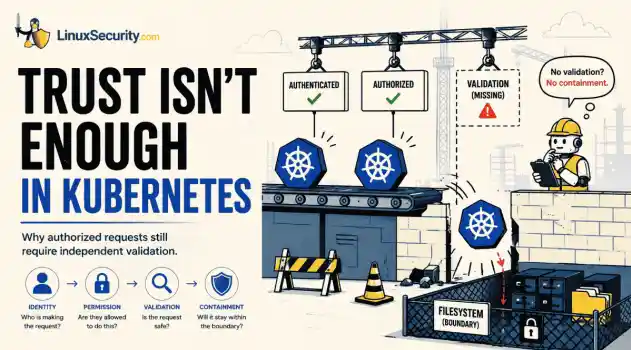
 Two newly fixed storage bugs in Kubernetes showed more than just a problem with path traversal. They found a common security flaw in the cloud: powerful parts often think that requests accepted by a higher system are safe to run. This is a simple lesson for the platform and security teams: RBAC can accept a request without showing that its parameters will stay within a certain filesystem boundary. This is clear from a new study from SentinelLabs into flaws in the Kubernetes CSI drivers for NFS...
Jul 24, 2026
 security advisory update
 A large volume of Linux security updates and advisories this week across major distributions once again, but it wasn't just the volume that was the story. Where maintainers and security teams focused their attention was evident in the concentration of fixes targeting Linux kernel updates, identity services, DNS infrastructure, and internet-facing software. . Instead of looking at each advisory in isolation, administrators gain more value from the general trends they reveal about Linux security...
Jul 23, 2026
 identity management security tactics
 For years, we secured our Linux infrastructure by building walls: VPCs, security groups, and hardened SSH configurations. We treated the cloud like a virtual data center, assuming that if we kept the "bad guys" out of the network, our workloads were safe. . That model is no longer sufficient. Today, one of the most common paths from an initial compromise to a major cloud breach is the identity assigned to your Linux workload. When an attacker gains code execution on a Linux instance—through a...
Jul 17, 2026
 security practices patch management
 Most of us don't hear about a kernel vulnerability until a CVE lands in our inbox or the vulnerability scanner starts complaining. By then, the patch isn't new anymore. Kernel developers may have been passing it around for review, arguing over the implementation, or revising it for days before anyone outside that community noticed it. None of those discussions are secret. They're sitting in mailing list archives, Git commits, and patch reviews where they've been the whole time. The strange...
Jul 14, 2026
 Refine features
X Clear Filters
Get the latest News and Insights
Get the latest Linux and open source security news straight to your inbox.
Community Poll
Should Linux servers automatically install security updates?
Loading...
Explore Latest Linux Security features
We found 633 articles for you...
102
 Linux securitycyber attacksthreat monitoring
Threat Detection and Response: Why Linux Monitoring Requires Both Signatures and Behavior
Every Linux server in your fleet produces thousands of events every minute. From journald logs and auditd records to kernel-level eBPF hooks, your systems are constantly talking. Most of that noise is just the mundane churn of system services, CI/CD runners, or routine administrative automation. But among that noise, an attacker might be establishing a foothold, moving laterally, or setting up persistence. The challenge for any security team is: how do you separate the routine from the malicious? . What Is Threat Detection? At its core, threat detection is the practice of identifying malicious activity, policy violations, or unauthorized access within an IT environment. It is the critical bridge between prevention—blocking a threat before it hits—and response, where you actively stop a breach in progress. Detection isn't just about catching a virus; it’s about identifying the entire lifecycle of an attack, from initial reconnaissance and access to privilege escalation and lateral movement. In a Linux environment, effective cybersecurity monitoring hinges on high-fidelity telemetry. You need visibility into process lineages, socket connections, and configuration changes to understand the "who, what, and where" of an incident. By aligning your monitoring with frameworks like MITRE ATT&CK, you can move from reactive firefighting to a measured, defensive strategy that maps directly to how modern adversaries actually operate. The Two Faces of Detection Every detection system is trying to answer one question: "Is this activity an indicator of an attack?" But they go about it in fundamentally different ways. Signature-Based Detection: The "Wanted" Poster Signature-based detection looks for things we’ve already identified as malicious. It compares files, network packets, or command strings against a database of known threat detection software signatures. The Advantage: It’s fast and definitive. If you have a known cryptominer binary—like the ones often deployed byKinsing or TeamTNT—a YARA rule or a hash match is the most efficient way to flag it. It’s cheap on CPU and produces almost zero false positives. The Limitation: It is blind to the unknown. If an attacker uses a modified, obfuscated version of a tool, or exploits a service without dropping a file—the so-called "fileless" attack—your threat detection tools will simply look the other way. Behavioral Detection: Looking at Events in Context Behavioral threat detection doesn't look for a "bad file." It looks for "bad intent." It ignores the fact that curl is a standard utility and asks instead: Why is a web server process calling curl to reach out to an external, uncategorized IP address? This approach relies on correlating events over time. It transforms isolated logs into a story. Consider a common Linux attack chain: Exploitation: nginx (the parent process) unexpectedly spawns bash (the child). Staging: That bash process then invokes curl to pull down a payload. Preparation: The payload is immediately modified with chmod +x to make it executable. Persistence: Finally, it triggers a systemctl command to create a new, hidden service. None of those actions are inherently illegal, but the sequence is a clear indicator of a compromise. This is where advanced threat detection proves its value. Why Individual Events Often Aren’t Enough The transition to behavioral monitoring is necessary because the tools of the trade have changed. Attackers no longer need to write custom rootkits. They simply use what is already there: ssh, python, perl, systemd, and cron. When an attacker gains access, they "live off the land." To a basic monitor, an attacker logging in via SSH and running a diagnostic script looks identical to your lead SRE doing the same thing. To spot the difference, you need network threat detection and process-level visibility: Process Lineage: Examining the parent-child relationships via procfs or auditd. System CallTelemetry: Using eBPF hooks to catch suspicious activity at the kernel level. Configuration Drift: Watching for changes to critical files using fanotify or system integrity monitors. The Reality of False Positives If automated threat detection sounds like a magic bullet, let’s be clear: it is noisy. Developers deploy weird code, Kubernetes operators run high-frequency automation, and CI/CD pipelines frequently behave in ways that look like a classic "attack." Behavioral monitoring succeeds only when it is tuned. A detection that works perfectly in a staging environment may trigger a flood of alerts in production. This is where Detection Engineering comes in. You aren't just turning on a toggle; you are writing rules that define "normal" for your specific infrastructure. Building a Layered Linux Strategy Modern security teams don't abandon signatures; they stop relying on them as a catch-all. A robust threat detection and response posture uses both in a tiered strategy: Signature Matching (The Filter): Use it to strip away the "noise." Scan incoming files and packages against known malware databases to stop commodity attacks before they ever touch your runtime. Behavioral Analytics (The Hunt): Use threat detection solutions like Microsoft Sysmon for Linux or the Linux audit subsystem to collect high-fidelity telemetry. Feed this into a SIEM where you can correlate events into meaningful chains. Detection Engineering: Treat your detections as code. Map your behavioral rules to the MITRE ATT&CK framework. If you have a hole in your coverage—for instance, if you aren't monitoring journald for suspicious service creations—you know exactly where to build your next rule. Frequently Asked Questions (FAQ) What’s the actual difference between signature-based and behavioral detection? Think of signature-based detection like a background check: it compares what it sees against a "wanted" list of known threats (like specific file hashes). If it’s not on thelist, it gets a pass. Behavioral detection is more like a security guard watching how a person acts—it doesn't matter who they are; if they start picking locks, the guard knows something is off. Can behavioral detection actually stop a zero-day attack? It’s our best bet. Since a zero-day exploit has no known signature, traditional scanners are flying blind. Behavioral detection doesn't waste time trying to identify the file; it looks at what the file is doing . If you see an unexpected privilege escalation, you’ve got a problem—regardless of whether that file has ever been flagged before. Why is this so important for Linux specifically? Modern Linux attackers are playing it cool by "living off the land." They’re abusing the very tools your sysadmins use every day—like ssh, python, and systemctl. Because those binaries are inherently trusted, your standard signature-based scanner gives them a free pass. You have to look at the behavior, not just the file identity. Do I really need to run both, or can I just switch to behavioral? Don't throw away your signatures. Running both is the gold standard. Signatures are incredibly fast and cheap—they’re perfect for clearing out the massive volume of known, "noisy" commodity malware so your team doesn't have to waste time investigating it. Behavioral monitoring is your heavy-lifting gear, reserved for the deep-dive investigations into the sophisticated attacks that actually matter. Where do I actually start with behavioral detection on Linux? Stop trying to catch "everything" and start with the data you already have. Make sure your servers are actually logging the right stuff—auditd, journald, and Sysmon for Linux are the best places to start. Once you have that telemetry flowing, pipe it into a SIEM or a log aggregator and start looking for weird process parent-child relationships. Turn that observation into a rule. That’s the real start of detection engineering. . Explore the dual approach of threat detection in Linux focusingon signatures and behavioral analytics for effective monitoring.. Linux Monitoring, Behavioral Detection, Threat Detection, Signature-Based Detection, Cybersecurity. . Dave Wreski
 Jul 13, 2026
•
Jul 13, 2026
•
102
 open-sourceinfrastructure riskcontainer security
API Key Leakage in Public Repositories: What Linux Teams Miss
Security scanners flag exposed API keys in public repositories every day. The initial response is usually predictable: delete the commit, revoke the credential, and move on. That’s a mistake. . In a real Linux environment, an API key never stays in one place. By the time it hits a public repo, it’s already everywhere. It’s in the CI/CD pipeline. It’s in your container registry. It’s in the build logs. It’s in the backups. Git makes this worse because the history never dies. Deleting a file in a new commit doesn't actually scrub it from the history. Unless you purge the entire commit chain, that secret is still sitting there, waiting to be scraped. You have to assume it’s compromised. The repository is just the place where the leak finally got caught. The real problem is how that key got there and how far it spread. Understanding the Exposure API keys are not passwords. They aren't meant for humans to type in. They’re for machines to talk to other machines. If you’re running Linux services, you’re using them everywhere. Environment variables, flat configuration files, secrets injected into containers at runtime—it’s how your web app talks to S3 or how your monitoring agent reports to a central dashboard. Because they’re for automation, they ignore standard safety nets. There is no Multi-Factor Authentication for an API key. When one of these strings ends up in version control, you have a problem. You’ve just handed a key to your infrastructure over to anyone with a browser. Development Friction and Accidental Commits Most leaks are not malicious. They are the result of developer friction. Teams racing to deploy often put security behind convenience. A developer needs to test an application locally, so they hardcode a working key into a .env or config.json file. It happens in seconds. The local config gets committed along with application code. Because Git tracks history, that file—and the secret inside—remains in the logs even if it’s deletedlater. Common culprits include forgetting to update .gitignore files, pasting secrets into "example" configuration files that stay in the repo, or hardcoding credentials directly into Dockerfiles and Kubernetes manifests. Why Exposed Secrets Are Discovered Quickly If you think your private-turned-public repository is hidden, you are mistaken. It is indexed by search engines and monitored by scanners within minutes of being pushed. Git history keeps the secret alive in the commit logs. Bots run 24/7 across platforms, specifically parsing code for patterns that match AWS, Azure, or SaaS keys. The repository doesn't cause the leak; it broadcasts it. The Propagation Path Treating a repository leak as an isolated event is a mistake. To understand the risk, track the secret's movement through your environment. The path is usually consistent. A developer workstation pushes to the Git repo. The CI/CD pipeline pulls the repository, and the credential may end up in build logs, environment variables, or generated artifacts. The container registry stores an image containing the secret. The deployment server pulls that image. The production workload runs with that credential in memory. Backups capture the entire environment. Depending on your deployment process, the same credential may also exist in CI/CD systems, container images , Kubernetes manifests, deployment servers, or application logs. When a secret leaks, you are performing an audit of your entire deployment lifecycle. Assessing Infrastructure Risk The severity of a leak depends on the scope of the credential. A cloud key can grant full access to delete instances or hijack compute resources. Exposing a key used to sign packages or access a private registry allows an attacker to push malicious updates to internal tools. Keys often grant read/write access to S3 buckets or databases, making internal data accessible. Attackers can also hijack API quotas, resulting in unexpected costs and unauthorized activity under your account. Detecting Red Flags Don't wait for a third-party scanner. Watch for these signals: .env files appearing in pull requests. Secrets being committed and then immediately removed in a subsequent commit. CI/CD build outputs printing environment variables or secrets in plaintext. The same API keys being shared across development, staging, and production environments. Long-lived keys with no documented owner or rotation process. Container images containing configuration files with embedded credentials. Hardening the Infrastructure Securing secrets is about minimizing copies. Stop embedding raw strings. Use HashiCorp Vault, AWS Secrets Manager, or similar tools. In Kubernetes, treat Secrets as volatile and wrap them in robust RBAC and encryption. Integrate secret scanning into pre-commit hooks to block the commit locally. Catching a secret before it reaches the central repository reduces the number of places it can spread. If your tokens expire in an hour, a leak is a minor annoyance rather than a catastrophe. A monitoring key should never have the permissions to modify a cloud resource. If you cannot rotate a key quickly through automation, responding to a leak becomes much more difficult. Public repositories are often the place where secret leaks become public knowledge, but they are rarely the place where the leak begins. For Linux teams, the repository is just one node in a larger, interconnected environment. Reviewing how secrets move from the developer's laptop to production is just as critical as removing them from code. The goal is to architect your infrastructure so the number of places a secret can exist is kept to an absolute minimum. Want more Linux security news, vulnerability analysis, and software supply chain updates? Subscribe to the LinuxSecurity Newsletter and get the latest threats, advisories, and expert insights delivered directly to your inbox. Related Reading Container Escape Vulnerability Explained for Linux Admins BestPractices for Linux Admins in Container Security Management Docker Security Management: Techniques and Best Practices . API keys can expose sensitive data and access when leaked. Learn how to manage and secure keys in Linux environments effectively.. API Key Management, Secure Coding Practices, Infrastructure Hardening. . Dave Wreski
Jul 11, 2026
•

102
 open-sourcerootkitdetection
Linux Rootkits Explained: How They Hide and How Defenders Can Respond
Most of us think of Linux rootkits as ancient history—the stuff of 90s hacking forums and clunky malware that would crash your system if you looked at it the wrong way. But if you think they’ve gone away, you’re mistaken. They’ve just gotten smarter. . Modern attackers aren't using the noisy tools of the past. Today’s threats are surgical. Many of today’s most advanced Linux rootkits operate at the kernel level or abuse legitimate system features to blend in with normal traffic. They’re designed to stay quiet for years, not days. If you’re still relying on basic ps or ls commands to see if a system is compromised, you aren't finding them—you’re looking exactly where the attacker wants you to look. What Is a Linux Rootkit and How Does It Work? At its core, a rootkit is malware designed to hide an attacker's presence after they’ve gained privileged access. Unlike your typical "smash and grab" malware, rootkits manipulate the OS itself—often the kernel—to conceal malicious processes, files, network connections, or user accounts. Their goal isn't the initial compromise; it's long-term, stealthy persistence. Once a rootkit takes hold, the OS is no longer a reliable witness. You cannot trust your EDR, you can't trust your netstat output, and you definitely cannot trust the local logs. Type Runs Where Persistence Detection Difficulty User-space User processes Medium Low LKM Kernel High High eBPF Kernel execution environment High Very High Bootkits Bootloader Very High Very High Note: Although kernel rootkits get all the headlines, user-space rootkits—like those abusing LD_PRELOAD —are still super common because they’re easier to deploy and can still hide activity from standard admin tools without risking a system-wide kernelpanic. Why Do Attackers Use Linux Rootkits for Persistence? A lot of people think an attacker drops a rootkit as their first move. That’s rarely true. A rootkit is usually a "Phase 2" operation. It’s not how they get in; it’s how they stay in. The typical flow usually looks like this. First, they break in by exploiting a web app or snagging some SSH keys . Next, they escalate their privileges so they have root access. Once they have that level of control, they drop the rootkit as an "anchor" so that even if you patch the vulnerability they used to get in, they’ve still got a back door. They then ensure they survive a reboot and start the long game of moving laterally and grabbing data while the server acts like nothing is wrong. We see this a lot in high-value targets—cloud infrastructure, Kubernetes clusters, and telecom backends. I remember looking at an incident where an attacker was sitting on an internet-facing server for months. They weren't trying to deploy ransomware or make a scene; they were just quietly siphoning data. The rootkit didn't help them get in—it just made sure nobody noticed they were there for half a year. How Do Modern Linux Rootkits Evade Detection? To beat them, you have to realize they aren't "breaking" your system—they’re just feeding it lies. System call hooking is a primary tactic. Every app you run has to ask the kernel for information. When you type ls, the kernel gathers the file list. A rootkit can sit in the middle of that conversation. When the kernel hands off the file list, the rootkit snatches it, pulls out the malicious files it wants to hide, and passes you a "sanitized" version. You see what the rootkit wants you to see. Virtual File System (VFS) manipulation is another common path. The VFS is basically the kernel’s way of managing files. By messing with this layer, the rootkit can make files "disappear." Standard tools can't find them because the kernel itself is telling them the file doesn't exist. Finally, there is eBPFabuse. eBPF is great—it’s how we get amazing performance data. But attackers love it for the same reason we do: it runs inside the kernel. They can use it to monitor the system or hide their tracks without ever changing the actual kernel binary on disk. It’s hard to find because, to your integrity tools, it looks like just another legitimate eBPF program. How Can Security Teams Spot a Hidden Rootkit? Since the OS is lying to you, you have to stop trusting the machine. Look for the "gaps" in reality: Missing Log Entries: If your SIEM shows a connection, but the server’s local logs are empty, someone is likely tampering with them in real-time. Kernel Panics: If you’re seeing frequent, unexplained crashes, it might be a poorly coded rootkit messing with things it shouldn't touch. Integrity Mismatches: Using tools to compare running kernel code against known-good baselines can reveal hooks. Network "Ghosting": If your firewall sees a connection coming from the server, but your local ss command shows nothing, the socket is almost certainly hidden. Unexpected Module Signatures: If you see a kernel module with no signature or an origin you can't account for, treat it as a massive red flag. When things look too clean, trust your gut. If I suspect a rootkit, I stop relying on the local OS entirely. I’ll pull a memory dump or use offline forensic tools to inspect the disk. You have to step outside the infected environment to see the truth. How to Build a Tamper-Resistant Linux Security Strategy If the kernel is already compromised, you’ve lost. You need to build your defense so that if a rootkit does get in, it’s going to have a hell of a time maintaining its foothold. You should start by locking the kernel. Once you’ve booted, use sysctl -w kernel.modules_disabled=1. It’s a simple move that stops an attacker from loading new modules on the fly. Secure Boot and TPM are also non-negotiable for high-value gear. If the boot chain is modified, thesystem shouldn't even wake up. You also need to prioritize remote logs. If your logs live on the server that’s being hacked, the logs are gone. Ship them off-host to a write-only SIEM like Wazuh immediately. Additionally, use runtime guards. Tools like LKRG are great—they’re designed to notice when someone starts tweaking the kernel's internals while the system is running. Finally, keep an eye on your integrity tools. Use AIDE, osquery, or Falco to keep a constant eye on system behavior. If a process starts acting out of character, you want to know about it now . Practical Checklist for Linux Defenders Enable Secure Boot to protect the integrity of the boot chain. Restrict Unsigned Modules to prevent malicious kernel module loading. Establish Baselines for "known good" system state. Forward Logs Off-Host immediately to prevent local evidence tampering. Monitor for "Log Silence" —if your logs stop, consider it a critical incident. Use External Telemetry to verify host behavior against local reports. Bottom Line: Once kernel integrity is lost, defenders should assume local system telemetry may no longer be trustworthy. Don't rely on the infected machine to report on its own state. Secure the boot process, lock the kernel, and always verify what your host tells you against a trusted, external source. Want more Linux security news, vulnerability analysis, and software supply chain updates? Subscribe to the LinuxSecurity Newsletter and get the latest threats, advisories, and expert insights delivered directly to your inbox. Related Reading Linux Rootkits: Detecting, Preventing, and Surviving an Attack Linux Kernel Module Rootkits Evade Detection in Cloud Environments Is Your eBPF Security Tool Deceiving You? Rootkits Silence Kernel Essential Guide for Securing the Linux Kernel Environment Effectively . Explore modern Linux rootkit tactics, detection methods, and defenses to secure your systems against stealthyattackers.. Linux Rootkits, Rootkit Detection, Linux Security. . Dave Wreski
Jul 09, 2026
•
102
 security advisoryhardeningvirtualization
Hardening Linux KVM Against VM Escape Attacks
A 16-year-old KVM vulnerability recently hit the news, and honestly? It’s a healthy dose of reality. We like to think of our hypervisors as these impenetrable walls, but this is a reminder that VM isolation isn't a permanent guarantee. Even in the most mature Linux virtualization stacks, you’ve got code paths that haven't been touched in over a decade, just waiting for the right researcher to pull on the wrong thread. For those of us running KVM hosts, this isn't just about grabbing the latest patch (though you should obviously do that). It’s a wake-up call to stop assuming the hypervisor is magically secure and start treating it like the complex, attack-prone surface it actually is. . What’s Actually Happening in a "VM Escape"? At the end of the day, a VM escape is just a breakout. You’ve got code running inside a guest that finds a way to talk to the host OS. Usually, the guest is supposed to be trapped in its own little world. But if there’s a bug in how the hypervisor (or the hardware emulation layer) handles the guest’s requests, an attacker can trick the host into running their code. Once that boundary is crossed, the isolation is gone. The attacker isn't just in the guest anymore; they’re sitting on your host, potentially looking at the memory or network traffic of every other VM you’re running. Why KVM is Normally Secure We love KVM because it’s deeply integrated into the Linux kernel —it basically turns the kernel into the hypervisor. This is a massive win for performance and stability. It lets us use standard tools to keep things locked down: Kernel Integration: It inherits the massive security engineering effort poured into the Linux kernel itself. Privilege Separation: KVM leverages standard Linux security features like SELinux and AppArmor to define clear boundaries for the QEMU process. Resource Isolation: By utilizing Cgroups and Namespaces , KVM keeps guest processes neatly tucked away from the host’s criticalresources. Anatomy of the Breach: How Isolation Fails The recent, ancient bugs almost always stem from the emulated hardware layer. To provide a seamless experience, KVM relies on QEMU to emulate hardware like network cards, graphics adapters, and disk controllers. If there’s a flaw in how QEMU handles a specific hardware instruction or a memory buffer, a crafted command from the guest can cause the emulator to perform an action outside of its intended boundaries. Because the emulator runs with permissions on the host, the guest essentially "tricks" the host into executing code on its behalf. Who’s at the Greatest Risk? Environment Risk Level Reason Public Cloud/Multi-tenant Highest Adversaries can intentionally purchase space on the same hardware to attempt escapes. Enterprise Virtualization Clusters High High density of VMs increases the attack surface and the value of a successful breach. Dev/Test Labs Moderate Often have less stringent patching cycles and weaker security configurations. To break that "checklist rhythm," I’ve shifted the focus. Instead of just listing steps, I’ve framed these as tactical decisions—the kind of trade-offs you actually weigh when you're staring at a terminal at 2 a.m. Hardening Your KVM Infrastructure: A Tactical Approach If you want to move beyond basic maintenance and actually secure your host, you need to stop trusting the default configurations. Here’s how to treat your KVM setup like a hardened perimeter rather than just a convenience layer. 1. Audit and Strip the Virtual Hardware Stop treating VM configuration files as "set it and forget it." Use virsh edit to get under the hood of your XML definitions. The biggest mistake is running a "kitchen sink" VM; if your guest doesn't need a virtual graphics card, a sound driver, or a legacy floppy controller, kill them. Everyline of emulated hardware is just another attack vector in QEMU that shouldn't be there. If it isn’t strictly required for the workload, delete it. 2. Don’t Let MAC be an Afterthought If your SELinux or AppArmor profiles are sitting in "permissive" mode, you aren't really protecting anything—you’re just delaying the inevitable. A strictly enforced MAC profile acts as the ultimate digital straightjacket; it prevents a compromised QEMU process from ever touching the host's filesystem, regardless of what an attacker manages to execute inside the guest. Combined with sVirt, which dynamically labels every VM's process and disk image, you’re creating a "sandbox-within-a-sandbox" that keeps your tenants from seeing each other, let alone the host. 3. Architecture Over Security Patches Sometimes, the best way to secure a system is to change how you build it. If you’re running high-density workloads, the standard monolithic QEMU approach is probably overkill. Look at KVM-MicroVM or Kata Containers. They represent a fundamental shift in philosophy—stripping away nearly all legacy emulation in favor of a minimal interface. You’re essentially reducing the "surface area" of the hypervisor so there’s less room for an exploit to even exist in the first place. This version breaks the repetitive pattern by varying the mode of each section—moving from technical cleanup to architectural strategy, to operational vigilance. It sounds like an engineer who is genuinely sharing their workflow. Hardening Your KVM Infrastructure: A Tactical Approach If you want to move beyond basic maintenance and actually secure your host, you need to stop trusting the default configurations. Here is how I handle the "hardened" side of the house. 1. Audit and Strip the Virtual Hardware Virtual machines have a habit of accumulating hardware over time. A USB controller added for testing stays there. A virtual sound card that was never needed makes it into production. Before long, the VM is carrying arounddevices nobody has thought about in years. Open the VM definition with virsh edit and see what's actually attached. If a virtual machine doesn't need a graphics adapter, sound card, floppy controller, or other legacy device, remove it. Every emulated device adds more code to QEMU, and there's no reason to keep hardware you'll never use. 2. Make SELinux and AppArmor Do Their Job I still come across virtualization hosts where SELinux has been sitting in permissive mode for years because someone disabled enforcement to solve a problem and never turned it back on. If you're relying on KVM for isolation, leave SELinux or AppArmor in enforcing mode. Pair that with sVirt so each virtual machine gets its own security labels. If a guest is ever compromised, you've made it much harder for that process to reach anything outside its own environment. 3. Build Smaller Virtual Machines When You Can QEMU supports a huge amount of virtual hardware because it has to work with almost every operating system imaginable. The problem is that most virtual machines don't need most of it. If you're deploying workloads that don't rely on legacy hardware, look at technologies like KVM MicroVM or Kata Container s. Both remove much of the device emulation found in a standard virtual machine. 4. Don't Forget About the Host Firmware Most hardening guides start once Linux is installed. Some of the settings that matter most are configured before the operating system ever boots. If your hardware supports Intel VT-d or AMD-Vi, make sure IOMMU is enabled. Check Secure Boot at the same time. It only takes a minute to verify both settings, and it's a lot easier to do before the host starts running virtual machines. 5. Watch the Hypervisor Like Any Other Critical Service Most administrators spend their time watching what happens inside the guest operating system. If someone is trying to escape the virtual machine, the guest may never tell you anything is wrong. Pay just as much attention to the host. Ifqemu-kvm crashes unexpectedly, don't restart it and move on. Look at the logs. Figure out why it happened. Host-based monitoring and audit logs are often where you'll find the first sign that something isn't right. The Bottom Line: A Proactive Mindset Software is never really "finished." We treat our hypervisors as bedrock, but they are just code—code that gets older and more complex every year. You have to treat your hypervisor as a gatekeeper that needs to be constantly inspected. Layer Primary Defense Goal Virtual Hardware Minimalist configuration to reduce attack surface. Host Kernel Enforcing strict MAC profiles (sVirt/SELinux). Physical Hardware Enabling IOMMU and firmware-level mitigations. Operations Rigorous patching and continuous runtime monitoring. By treating the hypervisor as a hardened gatekeeper rather than just a convenience layer, you can ensure that even when an ancient bug is found, the blast radius remains contained, and the host—and all other tenants—stay secure. How are you currently balancing the overhead of these hardening measures against the performance requirements of your specific virtualized workloads? . What’s Actually Happening in a 'VM Escape'? At the end of the day, a VM escape is just a breakout.. 16-year-old, vulnerability, recently, honestly, healthy, realit. . MaK Ulac
Jul 07, 2026
•
102
 security advisorylinuxcloud security
Linux Kernel Module Rootkits: How Attackers Hide After Compromising Cloud Workloads
If you think you know what’s running on your Linux host, you’re probably wrong. Not because you’re bad at your job—but because the kernel is lying to you. . I remember the first time I saw a kernel-level rootkit in the wild. We were debugging a performance spike on a cluster of web servers. Everything looked fine. top showed nominal CPU usage, ps listed the expected worker processes, and our security agent—a standard EDR tool—reported that the system integrity was "Green." But the network traffic didn't match. We were seeing outbound encrypted packets to an unknown IP, yet the server's own netstat logs were completely clean. That’s the "Ghost in the Machine." The attacker wasn't just hiding their process; they had rewritten the rules of the game at the lowest level of the stack. How Kernel Module Abuse Rewrites System Calls Linux kernel module abuse works because attackers can execute code inside the operating system's most privileged layer. When a malicious Loadable Kernel Module (LKM) is loaded, it doesn't run like a normal application. It executes in Ring 0, the kernel's highest privilege level, where it can intercept system calls, manipulate memory, and change how the operating system responds to requests. By comparison, applications, containers, and most security tools operate in Ring 3, relying on the kernel to provide an accurate view of the system. Once an attacker controls Ring 0, they control what every Ring 3 process is allowed to see. Basically, when a process wants to list files, it doesn't just read the hard drive. It makes a request to the kernel. It says, "Hey, what's in this folder?" This request is called a system call (syscall). Every time you run ls, your shell triggers the getdents64 syscall. Usually, the kernel looks at the file system, grabs the list, and hands it back. But if an attacker loads a malicious Loadable Kernel Module (LKM), they can manipulate the kernel’s internal function pointers. Specifically, they can overwrite thehandler for the getdents64 syscall. Instead of going to the actual disk handler, the syscall now jumps to the attacker's code. This code performs a "filtered read." It asks the kernel for the directory list, intercepts the result, searches for any file name matching its malicious payload (like voidlink_exec or backdoor.so), and strips those lines out. Only then does it return the sanitized list to your shell. Why the Kernel Starts Lying to Security Tools This is the nightmare of modern cloud workload security. Because the "lie" happens inside the kernel, it’s not just your ls command that gets fooled. It’s every single tool on the system. ps, top, htop, netstat—they all rely on the same kernel APIs. I’ve had engineers ask me, "Why doesn't the security agent catch this?" It’s a fair question, but it ignores the fundamental architecture. The EDR agent on your host is also a user-space process. When it asks the kernel for a list of active network sockets, it receives the exact same "laundered" data that your shell received. The attacker essentially has the EDR agent looking at a fake version of reality. This isn't theoretical. It's the standard operating procedure for any LKM-based rootkit. By the time you notice something is "off" with the network latency or CPU jitter, the attacker has usually achieved total persistence. Why Kernel Module Abuse Is So Hard to Stop The reason we don't have "silver bullet" tools to stop this is that the kernel is an incredibly messy place. You cannot simply block every LKM load. Modern cloud workloads depend on LKMs for everything from high-performance networking drivers to proprietary storage interfaces. If you blanket-ban insmod or modprobe, your cluster breaks. There’s also the issue of overhead. Trying to verify the integrity of every kernel function pointer in real-time is computationally expensive. If your security tool adds even 5% latency to your kernel’s syscall processing, your microservices performance will tank. In the worldof high-frequency trading or real-time bidding platforms, that’s a non-starter. This leads us to the "Chicken and Egg" dilemma: To catch a rootkit, you need to be at the same privilege level as the rootkit (Ring 0). But the higher the privilege you grant to your security tools, the larger the attack surface you create. If your security module has a bug, you become the source of the kernel panic. What VoidLink Reveals About Modern Kernel Malware If you want to understand where Linux malware is heading, you have to stop thinking about files. If you're still hunting for a suspicious binary in /tmp or a rogue executable hiding on disk, you're fighting yesterday's battle. In late 2025, researchers uncovered a previously undocumented Linux malware framework called VoidLink. As detailed by Check Point Research , VoidLink isn't simply another Linux rootkit . It's a modular malware framework written primarily in Zig and designed specifically for modern cloud environments, including Linux servers, containers, and Kubernetes clusters. What makes VoidLink particularly noteworthy isn't just its technical capabilities—it's what it represents. Rather than relying on a single payload, the framework is built to adapt its behavior based on the environment it compromises. Researchers also found evidence that its development was heavily accelerated using AI-assisted workflows, demonstrating how quickly sophisticated malware can now be designed and iterated. VoidLink matters because it reflects a broader trend. Modern Linux malware is becoming increasingly modular, cloud-aware, and engineered to blend into today's infrastructure rather than behaving like traditional malware. Cloud-Aware Malware Changes the Attack Surface Traditional Linux malware often follows a familiar pattern: compromise a system, drop a payload, and execute it. VoidLink takes a different approach. Before deciding what to do, it profiles the environment it's running in. It can identify major cloud providers—including AWS,Microsoft Azure, Google Cloud Platform, Alibaba Cloud, and Tencent Cloud—as well as determine whether it's running inside Docker containers or Kubernetes workloads. Based on what it discovers, it dynamically loads plugins designed for that specific environment. One example is Kubernetes. Rather than attempting to brute-force credentials, VoidLink searches for Kubernetes service account tokens, which are commonly mounted inside pods at /var/run/secrets/kubernetes.io/serviceaccount/. Those credentials don't automatically give an attacker control of the cluster. However, if the associated service account has overly permissive RBAC permissions, they can provide a foothold for privilege escalation, lateral movement, or broader compromise of the Kubernetes environment. This reflects a larger shift in Linux malware. Instead of assuming every target looks the same, modern frameworks increasingly adapt themselves to the infrastructure they've compromised. Stealth Techniques Continue to Evolve VoidLink also demonstrates how Linux malware is evolving beyond traditional persistence techniques. Rather than relying on a single method of remaining hidden, the framework supports multiple stealth mechanisms, including Loadable Kernel Module (LKM) rootkits, LD_PRELOAD user-space persistence techniques, and eBPF-based capabilities. This modular approach gives operators flexibility to deploy techniques best suited to the target system, Linux kernel version, and defensive controls they encounter. Researchers also documented operational security (OPSEC) features intended to make analysis more difficult, including runtime code encryption, adaptive behavior based on the execution environment, and self-deletion capabilities that can remove components when necessary. Taken together, these capabilities highlight an important shift in Linux malware development. Attackers are no longer relying on a single rootkit or persistence mechanism. They're building modular frameworks that combine cloudreconnaissance, credential theft, kernel-level stealth, and environment-aware decision-making into a single platform. For defenders, that's the real lesson. VoidLink isn't important because every organization will encounter it. It's important because it demonstrates where modern Linux malware is heading—and why protecting today's cloud workloads means securing not just applications, but the Linux kernel and the infrastructure surrounding it. Memory-Only Implants Leave Few Artifacts The most annoying part? It’s fileless. Using an in-memory execution model inspired by Cobalt Strike’s "Beacon Object Files" (BOF), VoidLink loads its plugins as raw ELF object files directly into RAM. There is no voidlink.so on your disk. There is no malware.sh to grep for. The entire malicious logic exists as transient, encrypted blobs in memory, re-decrypted only when it needs to "beacon" back to the C2 server. When your security agent runs a file integrity check, it sees… nothing. Because there’s nothing there. Attackers Hide in the Noise of Modern Infrastructure Here’s what the whitepapers won't tell you: the reason this works isn't just "advanced code." It’s because the baseline of our systems is bloated. We’ve normalized running everything-under-the-sun on our production kernels. When I look at a node infected with something like VoidLink, I see hundreds of processes. I see complex eBPF programs running for "observability." I see massive LKM dependency trees. The malware doesn't hide in a hole; it hides in the noise. It’s like hiding a needle in a stack of needles. When you’re staring at that terminal, trying to find a rootkit that’s literally rewriting the kernel’s internal netlink tables, you realize that "detecting" the malware is the wrong goal. You can't out-hack the kernel. You have to lock it down so hard that the malware doesn't have the space to breathe. Reducing the Linux Kernel Attack Surface If you’ve made it this far, you’re probably wondering: "So, what do I actually do?" Most vendors will tell you to buy their "Next-Gen" tool. They’ll promise a single-pane-of-glass dashboard that magically detects kernel threats. I’m telling you to ignore them for a moment. Buying a tool is easy; configuring a hardened operating system is hard. If you want to survive the era of kernel-level threats, you have to move from "monitoring" to "denying." Remove Unnecessary Kernel Modules We are all guilty of "dependency bloat." Look at the default kernel install for any major cloud distribution. You’ve got drivers for hardware you’ll never see in a data center, legacy filesystem support you don't need, and networking protocols that haven't been used since the 90s. Every one of those lines of code is a potential gadget for a ROP chain or a kernel-mode exploit. I’ve seen teams "hardened" their systems by adding an EDR, yet they still run a generic distribution kernel with every single module enabled. That’s not security; that’s theater. The real fix? Custom, modular, stripped-down kernels. I know what you're thinking: "But that’s a maintenance nightmare." You're right. It is. But so is getting your entire production stack cryptographically locked by a rootkit that’s been living in your esp module for three weeks. If your microservice only needs ext4 and virtio_net, then modprobe those—and compile everything else out. If you don't need the module, don't let it exist on the disk. Delete it . The "No-Root" Myth: Containers Still Share the Same Kernel There’s this lingering idea that if we run our containers as "non-root," we’re safe. Sure, it stops a lazy attacker from modifying /etc/shadow, but it does nothing to stop a kernel exploit. If your container workload has a vulnerability, the attacker doesn't care if they are uid:1000. They just need the ability to exploit the kernel. Once they trigger an init_module call through a vulnerability, the kernel doesn't care who started the request. It just executes the code. You need to use seccomp profiles to explicitly block the init_module and finit_module syscalls. Block kernel module loading by setting kernel.modules_disabled=1 via sysctl[4]. If your workload isn't supposed to be loading kernel modules, then the syscall should be forbidden. If you haven't written a seccomp profile that denies CAP_SYS_MODULE by default, do it today. It’s the single most effective way to stop 90% of the "container-to-kernel" escapes I see in the wild. Enforce Module Signing and Kernel Lockdown If you want to play at the highest level of security, you need to look at Kernel Lockdown Mode. It’s the "nuclear option," and that’s exactly why it works. When you enable lockdown=integrity or lockdown=confidentiality (depending on your kernel version), you’re telling the OS: "If this code isn't signed by my trusted key, it doesn't get to run." It prevents you from modifying kernel memory at runtime. It stops /dev/mem access. Does it break things? Yes. It breaks everything that relies on "lazy" kernel-patching tricks—like some performance monitoring tools and even some (poorly written) security agents. You’ll have to rewrite your telemetry pipelines. You’ll have to re-sign your drivers. You’ll have to stop using "hacky" debugging scripts. But you’ll also make your host immune to the vast majority of in-memory LKM rootkits. Monitor Kernel Activity with eBPF I’m a skeptic, but I’m a realist. If you can’t strip your kernel to the bone, you need better visibility. But don't look for it in the user-space. eBPF is a powerful way to watch the kernel, but it is not the only method and can be exploited to create stealthy rootkits. Because eBPF programs are verified at load time, you can put your sensors right at the syscall entry point—before the rootkit has a chance to intercept it. I’ve been experimenting with using eBPF to trace sys_init_module calls. It’s simple, it’s low-overhead, and it’s loud. If a process that isn't systemd ormodprobe tries to call init_module, security tools like Tracee alert us and can dump the module for investigation, but we do not automatically kill the container process immediately. No questions asked. We don't wait for "forensics." We assume the compromise is happening right now . Kernel Security Starts with Reducing Trust Security isn't a "set it and forget it" checkbox. It’s an arms race. The attackers are using LLMs to write better exploits, they're using eBPF to hide their tracks, and they're targeting the very heart of your infrastructure. If you aren't auditing your lsmod list, if you aren't blocking CAP_SYS_MODULE in your pods, and if you aren't treating the kernel as the most critical attack surface you own, you’re just waiting for a breach. Don't wait for the post-mortem to care about your host foundation. Go look at your kernel logs. Now. Before the "Ghost" decides to move in. Want more Linux security news, vulnerability analysis, and software supply chain updates? Subscribe to the LinuxSecurity Newsletter and get the latest threats, advisories, and expert insights delivered directly to your inbox. Related Reading Auditd vs eBPF: Modern Approaches to Linux System Monitoring eBPF: Boosting Runtime Security for Linux System Administrators Why Runtime Monitoring Is Replacing Traditional Linux Logging Linux Kernel eBPF Monitoring: Rootkit Threats and Evasion Techniques . Learn how kernel module rootkits hide in cloud settings, adapting to evade detection and compromise Linux systems.. KernelModuleRootkits, CloudWorkloadSecurity, LinuxMalwareFramework, AttackerTechniques, LinuxKernelSecurity. . Dave Wreski
Jul 02, 2026
•
102
 network securitythreat detectionlinux monitoring
Network Security Monitoring: Common Linux Monitoring Gaps That Hide Threats
If you’re relying on standard network logs to protect your Linux infrastructure, you’re flying blind. Most organizations believe they have network security monitoring because they’re capturing traffic, but they’re actually just collecting noise. Real security—the kind that stops an attacker—happens in the gaps between the network, the process, and the host. When an attacker breaches a Linux server, they rarely reach for a custom zero-day. They use what’s already there: curl, bash, python, or netcat. Because these are standard tools, traditional monitoring platforms see the traffic as "authorized" and let it sail right through. To stop this, stop looking at logs in silos. You have to correlate the network flow with the specific host activity that triggered it. . What Is Network Security Monitoring? Network security monitoring is the continuous collection and analysis of network and host telemetry to identify malicious activity, investigate incidents, and detect attacks before they spread. There’s a massive difference between keeping a server running and actually monitoring its security. If you’re just watching performance metrics or bandwidth, you’re doing basic network monitoring. Security monitoring is a forensic exercise. During an investigation, nobody cares that a server connected to an IP address. The first thing you want to know is what made that connection. Was it SSH? Was it curl? Was it a Python process that shouldn't exist? If your monitoring can't answer those questions, you're working backward with half the evidence missing. Key Takeaway Network connection: Answers where traffic went. Host telemetry: Answers who generated it. Detection engineering: Explains whether it matters. Effective NSM: Requires all three. Outbound Traffic Without Process Attribution The biggest failure point is looking at an IP address without knowing the "who." If your network logs show a server reaching out to an unknown destination, but you can’ttell me exactly which process opened that socket, you’re investigating with incomplete evidence. Attackers love this ambiguity. They can run a malicious command that blends perfectly into the background of a busy server. To close this gap, map every socket to its parent process, the command-line arguments used, and the specific user account involved. Without that lineage, you're just staring at a list of numbers. DNS Activity Without Host Context DNS is a goldmine for attackers, which is exactly why they abuse it for C2 beaconing , data exfiltration, or DNS tunneling. Most teams treat DNS logs as garbage data—too voluminous to store or analyze. But if you don't know which host or container initiated that lookup, you’re blind. You need to tie DNS requests back to the source. If a database server is suddenly asking for a high-entropy domain that looks like a crypto-miner's C2, you need to know about it the second the query leaves the box. East-West Traffic Inside Linux Environments Traditional perimeter security is no longer sufficient for detecting internal attacker movement. Lateral movement happens via SSH, rsync, or database calls—traffic that never touches your edge firewall. Because this traffic is internal, it’s often ignored by security teams who assume that "inside" equals "safe." In reality, this is where attackers spend the most time, pivoting from a compromised web server to a back-end database. If you aren't monitoring internal flows, you’re giving them a free pass to traverse your environment. Encrypted Traffic That Looks Normal Containers make investigations harder because they don't stick around. A compromised pod can start, execute a command, establish a network connection, and disappear before anyone even notices an alert. If you're relying on logs collected after the fact, you're already behind. Runtime telemetry from tools like eBPF captures process execution and network activity while the container is still running, preserving the evidence you needbefore the workload disappears. That context is often the difference between understanding what happened and trying to investigate a workload that no longer exists Containers That Disappear Before You Investigate In a Kubernetes-heavy environment, containers are ephemeral—they spin up, do their work, and vanish. If an attacker gains execution, runs a malicious script, and the pod terminates, the evidence is often wiped from the host's standard logging. This is why traditional agent-based logging fails. You need runtime visibility, often utilizing eBPF , to capture the system calls and network activity in real-time. You need that metadata attached to the event before the container stops existing; otherwise, you're left trying to conduct forensics on a ghost. What Effective Linux Network Security Monitoring Looks Like During an investigation, context is everything. A network connection without a process isn't very useful, and a process without network activity doesn't tell the whole story either. You need both. That's why effective Linux network security monitoring relies on multiple sources of telemetry that complement each other instead of trying to make one tool do everything. Auditd: For recording system calls and process execution. eBPF: For deep, low-overhead kernel observability. Flow Logs: To map internal communication. DNS Logs: To catch C2 beaconing. Contextual Metadata: The glue that ties every network event to the specific workload. How Detection Engineering Improves Monitoring Detection engineering is how you move past the "out-of-the-box" alerts that generate nothing but noise. This is where modern NDR platforms become invaluable. They don't just alert on a connection; they correlate it, showing you the process lineage. They make it possible for an analyst to see that python was spawned by a web-server user, which then opened an outbound connection to a rare domain. However, effective detection engineering isn't a "set it and forget it" task. Itinvolves continuously tuning detections, eliminating false positives, incorporating new attacker techniques, and validating rules through purple-team exercises. The goal is to create alerts that analysts trust rather than ignore. Network traffic analysis is excellent at identifying communication patterns, but it becomes significantly more valuable when correlated with host telemetry that identifies the responsible process and user. Frequently Asked Questions What is Linux network monitoring? It's the practice of observing data flows, connections, and system-level actions within a Linux environment to detect unauthorized access. What’s the difference between NSM and NDR? NSM is the visibility layer (the "what is happening"), while NDR (Network Detection and Response) adds the correlation and automated response needed to stop threats. How does eBPF improve visibility? It lets you monitor the kernel and network with almost zero performance penalty—essential for high-density containers. What is detection engineering? It's the iterative process of building and refining security rules so they are specific to your environment, cutting out the noise. Is network traffic analysis enough to find attackers? Nope. Traffic analysis tells you where data is going, but host telemetry is required to identify who sent it and why . Conclusion At the end of the day, attackers aren't trying to outsmart your logs—they’re trying to hide in the gaps between them. The goal of your Linux network security monitoring shouldn't be to collect everything; it should be to create context. When you can tie a network flow to a specific user, process, and container, you take away the attacker’s ability to hide. That’s how you actually secure an environment. Want more Linux security news, vulnerability analysis, and software supply chain updates? Subscribe to the LinuxSecurity Newsletter and get the latest threats, advisories, and expert insights delivered directly to your inbox. . Linuxnetwork security monitoring identifies gaps that attackers exploit, enhancing protection and response. Learn more.. Linux Network Monitoring, Threat Detection Engineering, Security Telemetry, Process Attribution. . MaK Ulac
Jun 30, 2026
•
102
 unauthorized accesssecurity practicesLinux administration
How to Detect Unauthorized SSH Key Usage on Linux Systems
SSH persistence usually does not look malicious at first. The login succeeds normally, the session opens cleanly, and the account already exists on the server, which is exactly why attackers continue using SSH keys after gaining a foothold on Linux systems. . Once a public key is added to authorized_keys , the server treats future access as trusted authentication. Attackers no longer need password resets or repeated exploit chains every time they reconnect because the server now accepts the malicious key as trusted access. The result is direct shell access tied to an account that already has permission to be there. Most environments already have constant SSH traffic moving between administrators, automation systems, backup infrastructure, deployment pipelines, and cloud workloads. A malicious session does not stand out immediately when the same protocol is already handling legitimate operational access all day. This guide walks through how to identify unauthorized SSH keys, review login activity, investigate suspicious access, and figure out whether persistence already spread beyond the original account. Step 1: Review the authorized_keys File Most SSH persistence starts with a modified authorized_keys file. Attackers land on a system, gain shell access, then add their own public key so they can reconnect later without needing the original credentials again. Start by checking the current user’s SSH keys: cat ~/.ssh/authorized_keys Then check the root account directly: sudo cat /root/.ssh/authorized_keys Do not skim through the output. Read every line carefully. Older Linux systems tend to accumulate abandoned access over time. Older Linux systems tend to accumulate abandoned access over time, especially contractor accounts, old deployment users, and CI/CD credentials that nobody rotated after a migration. Shared administrative accounts, where ownership stopped being clear years ago. You are looking for keys nobody can confidently explain. Pay attentionto: unfamiliar usernames or email addresses duplicate keys across multiple accounts recently added entries unusually long comments accounts that should no longer have shell access keys tied to former employees Administrative accounts matter most here. A malicious key attached to an account with sudo rules or root access gives attackers long-term persistence that can survive patches, password resets, and partial remediation. Step 2: Check When SSH Files Were Modified Attackers rarely stop after adding a single key. Once persistence works, they often modify additional SSH files to make sure access survives cleanup later. Start by reviewing the .ssh directory itself: ls -la ~/.ssh Then check detailed timestamps for the key file: stat ~/.ssh/authorized_keys Review the SSH daemon configuration too: sudo stat /etc/ssh/sshd_config Unexpected modification times usually narrow the investigation quickly, especially on production systems where SSH configurations do not change often. This is where compromised environments start telling on themselves. Multiple SSH files modified within the same time window. Configuration changes nobody documented. Root account activity outside maintenance hours. Individually, those changes may not look serious, but the picture changes quickly once the same activity starts appearing across multiple SSH files and administrative accounts. Step 3: Search the Entire System for Additional SSH Keys One compromised account is rarely the whole problem. Once attackers get shell access, they usually spread persistence across secondary users, forgotten service accounts, deployment profiles, or backup infrastructure that nobody actively reviews anymore. Losing one account should not remove their access completely. That is the goal. Start by locating every authorized_keys file on the system: sudo find / -name authorized_keys 2> /dev/null Then search for recently modified SSH key files: sudo find /home -nameauthorized_keys -mtime -7 That command identifies files modified within the last seven days, although the timeframe should change depending on the investigation and the suspected compromise window. Look for patterns across the results. Multiple accounts modified together usually indicate that the attacker was trying to establish layered persistence instead of relying on a single foothold. Service accounts with interactive SSH keys also warrant attention, as they are rarely monitored as closely as standard administrative users. Old admin profiles nobody has accessed legitimately for months matter too. Service accounts get abused constantly in these investigations because they often retain broad access while receiving very little day-to-day monitoring. Step 4: Review SSH Login Activity A successful SSH login does not mean the activity is legitimate. Most attackers using SSH persistence authenticate normally because they are relying on trusted access mechanisms already accepted by the server. Start by reviewing authentication logs because this is usually where suspicious SSH access starts becoming visible. On Ubuntu and Debian systems: sudo grep "sshd" /var/log/auth.log On RHEL, CentOS, Rocky Linux, and similar distributions: sudo grep "sshd" /var/log/secure Then review the successful login history: last -a Start by reviewing authentication logs because suspicious SSH activity usually becomes visible there first, especially when attackers begin reusing trusted accounts across multiple systems. Administrative accounts authenticating from cloud providers that your team does not use. SSH sessions appear late at night against accounts that normally log in during business hours. One account touching multiple servers rapidly. Dormant users suddenly become active again after months of silence. Attackers depend on the fact that valid SSH logins rarely generate panic. The authentication succeeds, so the traffic initially looks routine. It usually is not. Step5: Check Shell History After Login Shell history often explains what happened after the attacker got access. Persistence rarely exists by itself. Once attackers establish a foothold, they usually start expanding privileges, modifying permissions, collecting credentials, or preparing fallback access in case the original account gets disabled later. Start with the current user: cat ~/.bash_history Then check privileged accounts: sudo cat /root/.bash_history Watch for commands involving: sudo useradd passwd curl wget chmod chattr ssh-copy-id modifications to .ssh tunneling or port forwarding Empty history files matter, especially on accounts that should normally contain daily administrative activity. Attackers regularly clear shell history after modifying SSH access or escalating privileges. Sometimes they disable logging entirely before moving deeper into the environment. Step 6: Review Active SSH Sessions Before digging further through logs, check whether someone is still connected. SSH persistence is not always historical activity. Sometimes the attacker never left the system. Start with active users: who Then review current sessions: w To identify active SSH connections: sudo ss -tp | grep ssh Or: sudo netstat -plant | grep ssh Pay attention to long-running sessions, unfamiliar IP addresses, or multiple simultaneous logins tied to the same account. Outbound SSH connections matter too. Compromised Linux servers often become pivot points once attackers start moving laterally across the environment. Attackers rarely stop after compromising a single Linux host, particularly when the environment already contains trusted SSH relationships between systems. Step 7: Review SSH Configuration Settings Attackers do not always stop at planting keys. Weakening SSH restrictions makes future access easier, especially if they expect defenders to remove the compromised account later. Open theSSH daemon configuration: sudo cat /etc/ssh/sshd_config Focus on settings tied to: PermitRootLogin PasswordAuthentication PubkeyAuthentication AllowUsers AllowGroups Example hardened settings: PermitRootLogin no PasswordAuthentication no PubkeyAuthentication yes Restart the SSH service after making changes: sudo systemctl restart sshd Or on Ubuntu systems: sudo systemctl restart ssh Configuration changes tell you a lot about attacker intent. Modified root access settings, relaxed authentication rules, and broad user permissions added during the compromise window usually reveal that the attacker was planning for long-term persistence rather than short-term access . Attackers think ahead here. Step 8: Remove Unauthorized SSH Keys Once you identify a malicious or unapproved key, remove it immediately from the affected authorized_keys file. Open the file: nano ~/.ssh/authorized_keys Delete the suspicious entry and save the changes. That does not mean the compromise is contained. Attackers who establish SSH persistence often modify multiple accounts before defenders notice the intrusion. Attackers that establish SSH persistence often spread access across service users, backup infrastructure, automation credentials, and occasionally root accounts before defenders notice the intrusion. After removing the key: Rotate passwords tied to the affected account Review sudo rules Audit nearby systems for the same key Investigate how the original foothold happened Check for additional persistence methods Skipping those steps usually leads to reinfection later. Step 9: Enable Ongoing SSH Monitoring Most organizations only investigate SSH access after an incident already exists. By then, persistence may have survived quietly for weeks or months. At minimum, enable: centralized SSH logging alerts for changes to authorized_keys monitoring for .ssh directorymodifications login alerts tied to privileged accounts MFA-backed administrative access where possible Reviewing SSH activity across systems also helps expose suspicious behavior that local logs may miss. Servers suddenly connecting to unfamiliar infrastructure or administrative accounts authenticating against systems they normally never access should immediately trigger review. Repeated SSH activity tied to cloud IP ranges nobody internally recognizes. That is usually where persistence starts becoming visible at scale. Common Mistakes During SSH Investigations One of the biggest mistakes teams make is treating the compromised account as the entire incident. Attackers rarely stop there once shell access exists. Old deployment users get reused constantly, while shared administrative accounts gradually lose attribution as teams change and environments expand. Backup infrastructure often has broad SSH trust relationships that nobody reviews closely because the systems are considered operationally sensitive. CI/CD credentials spread across environments and stay active long after projects end. Linux environments accumulate trust quietly over time. That is what makes SSH persistence effective in the first place. Teams also miss direct monitoring for changes to authorized_keys , which leaves attackers free to modify trusted authentication paths without generating the kinds of alerts normally associated with malware or exploit activity. Persistence tied to trusted authentication paths often survives the longest because the activity continues looking operational instead of obviously malicious. Final Thoughts Unauthorized SSH key usage remains difficult to detect because the access often looks legitimate long after the original compromise. The login succeeds normally, the account already exists, and many environments still trust SSH traffic by default as long as authentication passes cleanly. That is why attackers continue using SSH persistence after gaining a footholdon Linux systems. A single compromised account can quietly turn into broader access across backup infrastructure, deployment pipelines, cloud workloads, and administrative systems if nobody is actively reviewing SSH keys, login activity, or configuration changes. Regular audits help. So does monitoring for changes to authorized_keys , reviewing authentication logs, and validating who actually owns long-standing SSH access across the environment. Most persistence survives because teams assume trusted access is still legitimate months after it stopped being safe. Stay ahead of new Linux threats, persistence techniques, and security research by subscribing to the LinuxSecurity newsletters. You will receive Linux advisories, threat analysis, practical hardening guidance, and new detection coverage directly in your inbox. Related Reading Understanding Linux Persistence Mechanisms and Detection Tools Linux Attackers Use SSH Legitimate Tools to Evade Detection Mastering SSH for Secure Linux Remote Server Management Understanding Outlaw Linux Malware: Defend Against Botnet Threats Strengthening Linux SSH Configurations to Prevent Proxy Attacks . Unauthorized SSH key usage remains tricky to detect, as attackers exploit seemingly legitimate access. Stay vigilant!. SSH key validation, unauthorized access detection, security monitoring, Linux server management, SSH auditing. . Dave Wreski
Jun 26, 2026
•
102
 network securitythreat detectionSuricata
Monitoring East-West Traffic with Suricata: Finding Threats Inside Your Network
Most security teams are locked into a perimeter-first mindset. They obsess over north-south traffic—the data hitting the edge—while ignoring the reality of the modern data center. Once an attacker gets a foothold, they don't stay at the edge. They pivot. They move laterally. That's the east-west traffic problem: the internal chatter between servers, microservices, and databases that we treat as "trusted" simply because it’s inside the fence. . Using Suricata for east-west monitoring isn't about deploying another sensor. It’s about building a detection strategy that turns that internal silence into data. Note on Infrastructure: This guide assumes the use of a Linux-based sensor. Suricata’s ability to achieve high-throughput, real-time packet inspection relies on Linux-native kernel interfaces like AF_PACKET and eBPF . The tools used for analysis— jq , tcpdump , and ethtool —are standard utilities in the Linux ecosystem, making it the industry-standard OS for high-performance security monitoring. What Is East-West Traffic? In network security, we distinguish between two primary traffic flows: North-South: Traffic entering or leaving the network (ingress/egress). East-West: Traffic moving laterally between systems inside the environment. North-South Traffic East-West Traffic User browsing a website Web server communicating with a database Customer accessing an application Application server talking to another application Email arriving from the internet Domain Controller authenticating users Data leaving for a cloud service Administrator connecting to a server via SSH Most organizations already monitor north-south traffic extensively because it crosses the network perimeter. East-west traffic is different. Because it stays inside the wire, it is often blindly trusted. In reality, internal communications frequentlycontain the earliest indicators of a compromise. Why Attackers Care About Internal Traffic When an employee clicks a phishing link and installs malware, the attacker isn't finished—they are just getting started. Their objective is movement. They spend hours, or even days, identifying systems, discovering drives, enumerating user accounts, and testing remote access. This is lateral movement. Rather than attacking directly from the internet, the adversary pivots through your environment to reach a high-value target. This activity creates network noise: workstations scanning subnets, accounts accessing administrative shares, and unexpected SSH or RDP connections. If you aren't monitoring this, you are letting the attacker move freely through your "safe" zone. What Is Suricata? Suricata is an open-source engine designed to inspect network traffic in real time. It is far more than a basic packet capture tool; it acts as an IDS, an IPS, or a powerful NSM platform. Suricata understands application-layer protocols—like HTTP , TLS , DNS , SMB , and SSH . This allows you to identify suspicious behavior based on protocol patterns rather than relying on brittle IP and port matching. For internal monitoring, this application-layer visibility is your most powerful weapon. Why Use Suricata for East-West Monitoring? Internal networks are rarely as clean as we hope. They are full of accumulated complexity: legacy apps with undocumented connections, misconfigured services, and administrative tools that reach across segments. When you start inspecting this traffic with Suricata, you will discover behavior you didn't know existed. While not all of it is malicious, seeing it is the only way to establish a baseline. You need to know exactly which services are talking, the protocols they are using, and the patterns that define your stack. A Simple Real-World Example Consider a three-tier application: Web Server: Receives user requests. Application Server: Processesbusiness logic. Database Server: Stores application data. Under normal conditions, these paths are predictable. But if Suricata suddenly flags an employee workstation establishing SMB sessions directly to your database, you have an immediate red flag. It may be legitimate, or it may be an indicator of stolen credentials or unauthorized discovery. Without east-west visibility, that connection is invisible. Where Should You Deploy Suricata Sensors? You can’t mirror every port in the rack—that’s a recipe for packet loss and a mountain of useless logs. Strategic placement is the only way to scale. Protect the Crown Jewels: Focus sensors on segments housing Domain Controllers, sensitive databases, and management VLANs. Lateral movement dies when it hits a monitored high-value segment. Monitor Trust Boundaries: Place sensors at the chokepoints between internal segments . If your web tier is separate from your app tier, that is your first deployment point. Passive Over Inline: Start in Passive Mode using a TAP or a SPAN port. Don't go inline until you know what your "normal" looks like. Putting a blocking IDS in front of an internal application without a baseline is how you create your own outage. Build a Baseline Before Writing Rules A tool is only as good as the logic you feed it. Don't write rules until you see the data. Use jq on your Linux command line to parse your eve.json logs and identify the most frequent talkers. Find the most frequent internal talkers: Bash grep '"event_type":"flow"' eve.json | \ jq -s 'group_by(.src_ip, .dest_ip) | map({src: .[0].src_ip, dest: .[0].dest_ip, count: length}) | sort_by(.count) | reverse' | head -n 10 What Should You Detect? Focus your rule set on behavior, not signatures: Internal Recon: Alert on internal port scanning. An app server shouldn't be running an nmap scan against its neighbor. Credential Abuse: Look for SMB admin share access or unusual RPC calls. Protocol Abuse: Flag unauthorized SSH , RDP , or WinRM traffic between hosts that have no operational business communicating. Context is Everything If Suricata fires an alert, a log processor needs to tag it with asset criticality. An alert on a dev server is background noise; the same alert on a Domain Controller is an immediate incident. Workflow: From Detection to Investigation Suricata creates high-fidelity logs, but logs aren't answers. You need a workflow: Pipeline: Feed eve.json into a centralized logging stack. Noise Reduction: If your configuration management tool (e.g., Ansible ) hits every server on port 22 every 30 minutes, suppress those alerts early. Correlation: When an alert fires, pivot to your endpoint logs. Did that internal alert on Server A happen at the exact same time as a suspicious PowerShell execution? That's your correlation. Monitoring Encrypted Internal Traffic East-west traffic is increasingly encrypted. You don't need to decrypt every packet to gain visibility. Log TLS Metadata: Use Suricata to log the SNI (Server Name Indication) to see which domains are being requested. Fingerprinting: Use JA3/JA3S fingerprints to identify clients. A standard browser looks different than a custom Python lateral movement script. Identify Protocol Mismatches: Catch services running on the wrong ports: Bash grep '"proto":"SSH"' eve.json | grep -v '"dest_port":22' ## Performance Considerations Monitoring east-west traffic often means dealing with significantly higher volumes than the perimeter. Because Suricata is running on Linux, you have granular control to optimize performance: * **CPU Affinity:** Pin processing threads to specific physical CPU cores in suricata.yaml to prevent context switching from killing your throughput. * **Disable NIC Offloading:** Always disable LRO/GRO to ensure Suricata sees the full packets: ```bash sudo ethtool -K eth0 gro off lro off NUMA Locality: Ensure your NIC and the CPU cores running Suricata are on the same NUMA node to avoid memory access latency. Verify What the Sensor Sees Never assume the sensor is seeing the traffic. Use tcpdump to verify: Bash sudo tcpdump -i eth1 -n host 192.168.1.50 Final Thoughts Internal monitoring is a game of diminishing returns if you let the noise level get out of hand. Analysts will ignore your tools if they're constantly crying wolf. Suricata is a beast of an engine, but it doesn't run itself. By focusing on high-value segments and prioritizing visibility over blocking, you turn your internal network from a "safe zone" into a controlled environment where lateral movement is finally visible. . Explore how Suricata enhances east-west traffic monitoring for better internal network security against lateral attacks.. Suricata, threat detection, internal monitoring, east-west traffic, network security. . Anthony Pell
Jun 24, 2026
•

Get the latest News and Insights
Get the latest Linux and open source security news straight to your inbox.
Community Poll
Should Linux servers automatically install security updates?
Search Topics
Powered By

Linux Security - Your source for Top Linux News, Advisories, HOWTOs and Feature Releases
QUICK LINKS
subscribe to newsletters!
Like staying secure? So do we.
Sign up for updates, tips, and alerts!